Motion Graphics: The Best Books to Learn It, In Order
This curriculum takes a beginner from the timeless principles of animation through kinetic typography, professional compositing, and screen-focused design — each stage building directly on the vocabulary and intuitions of the last. By working through these four progressive stages, the learner will develop both the conceptual framework and the practical craft needed to create compelling motion graphics at a professional level.
Animation Foundations
BeginnerUnderstand the core principles of animation — timing, spacing, easing, anticipation, and follow-through — that underpin every motion graphics decision.
▸ Study plan for this stage
Pace: 4–5 weeks, ~40–50 pages/day (approximately 280–350 pages total across both books)
- The 12 principles of animation and how they create believable motion
- Timing and spacing as the foundation of character and object movement
- Easing curves and how acceleration/deceleration affect visual weight and emotion
- Anticipation and follow-through as tools to telegraph intent and add realism
- The relationship between frame rate, hold frames, and perceived motion quality
- How to read and interpret timing charts and spacing diagrams
- Practical application of these principles to simple geometric and character animation
- The difference between realistic timing and stylized/exaggerated timing for different contexts
- What are the 12 principles of animation, and how do timing and spacing specifically support each one?
- How does the spacing between frames affect the perceived weight, speed, and emotion of a moving object or character?
- What is anticipation, and why is it essential before a major action or movement?
- How do easing curves work, and what visual effect does ease-in versus ease-out create?
- What is follow-through, and how does it differ from overlapping action?
- How do you use timing charts to plan and execute consistent animation timing across a sequence?
- When would you use realistic timing versus stylized or exaggerated timing in motion graphics?
- Animate a simple ball bouncing at three different weights (light, medium, heavy) using only spacing and timing—no other visual changes
- Create a timing chart for a 2-second character walk cycle, marking key poses, breakdowns, and hold frames
- Animate a character reaching for an object with and without anticipation; compare the two and explain the difference in perceived intent
- Study 5 short animation clips (30 seconds each) and identify instances of follow-through, overlapping action, and easing in real work
- Animate a pendulum swing using three different easing curves (linear, ease-in, ease-out) and document how each affects the visual feel
- Design and animate a simple scene (e.g., a door opening, a light turning on) applying at least 4 of the 12 principles, with written notes on your timing choices
Next up: This stage equips you with the fundamental language and rules of motion—the invisible scaffolding that makes animation feel alive—preparing you to apply these principles to more complex character work, visual effects, and stylized motion design in the next stage.
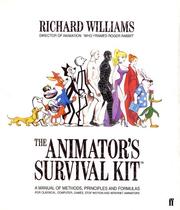
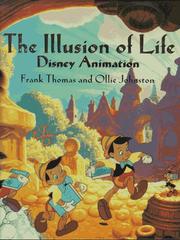
The single most authoritative text on animation principles, written by a master practitioner. Reading this first gives the learner a rigorous, visual vocabulary for how and why things move.
A focused deep-dive into timing and spacing — the two variables that separate lifeless motion from compelling animation. Reinforces Williams with additional exercises and clarity.
Kinetic Typography & Motion Design Thinking
BeginnerApply animation principles specifically to type and graphic elements, and develop a design-thinking process for motion-based communication.
▸ Study plan for this stage
Pace: 4–5 weeks, ~25–30 pages/day (with 2–3 days per week dedicated to exercises and experimentation)
- The 12 principles of animation applied to typography and graphic elements (timing, spacing, anticipation, follow-through)
- Kinetic hierarchy: using motion to guide viewer attention and establish information priority in type-based communication
- Typographic anatomy and how letterforms respond to motion (stress, weight, x-height, ascenders/descenders as motion anchors)
- Design thinking for motion: defining communication intent before animating, and using motion as a narrative tool rather than decoration
- Rhythm and pacing in animated type: how duration, easing curves, and stagger patterns create visual flow and readability
- Spatial relationships in motion typography: how type moves through 2D and 3D space while maintaining legibility and hierarchy
- Typographic style principles that persist in motion (contrast, proportion, alignment) and how they evolve when elements animate
- How do the 12 principles of animation specifically manifest when applied to letterforms and typographic elements?
- What is kinetic hierarchy, and how does it differ from static typographic hierarchy?
- How do typographic properties (weight, x-height, letterform stress) influence how type should move and animate?
- What is the relationship between design intent and motion choices—how do you decide *why* type should move before deciding *how*?
- How do rhythm, timing, and easing create readability and emotional impact in animated typography?
- What typographic principles from static design (contrast, proportion, alignment) must be preserved or adapted when type enters motion?
- Animate a single word using at least 3 different animation principles (e.g., anticipation, ease-out, and follow-through); document why each principle serves the message
- Create a 5–10 second kinetic typography sequence that communicates a single idea or emotion; establish hierarchy through motion timing and stagger, not just size or color
- Analyze a professional motion graphics piece (film title sequence, animated explainer, or music video) and map which of the 12 animation principles are used and how they guide attention
- Design and animate a short typographic sequence (10–15 seconds) using at least two contrasting typefaces; experiment with how their different anatomies (weight, stress, x-height) influence motion choices
- Create a 'motion style guide' for a fictional brand: define how their typeface should move, what easing curves to use, what animation principles align with their brand voice, and why
- Animate a paragraph of body text (3–4 sentences) revealing word-by-word or line-by-line with intentional rhythm; test different pacing and easing to see how it affects reading speed and comprehension
Next up: This stage establishes the foundational vocabulary of animating type and the design-thinking process behind motion decisions, preparing you to tackle more complex motion systems—such as interactive animation, responsive motion design, and full-scale motion graphics production pipelines.
Bridges static graphic design and moving image, establishing how layout, hierarchy, and composition translate into time-based media — essential context before tackling type in motion.

A concise, authoritative grounding in typographic principles — legibility, rhythm, and hierarchy — so that when type is set in motion, the designer understands what must be preserved.
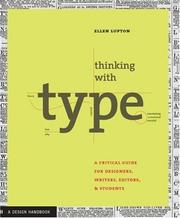
The canonical reference on type craft; reading it here ensures kinetic typography decisions are rooted in classical typographic logic rather than arbitrary animation choices.
Compositing & Visual Effects
IntermediateUnderstand the theory and practice of digital compositing — layering, color, light, and integration — to assemble complex motion graphics scenes convincingly.
▸ Study plan for this stage
Pace: 6–8 weeks, ~40–50 pages/day (mix of dense technical content and practical examples)
- Layer-based compositing architecture: understanding stacking order, blending modes, and channel operations as the foundation of digital compositing
- Color theory in compositing: linear vs. non-linear color spaces, color correction workflows, and maintaining color consistency across layers
- Light and shadow integration: matching lighting direction, intensity, and color temperature to integrate elements convincingly into a scene
- Keying and matting techniques: rotoscoping, chroma/luma keying, and edge refinement to isolate and composite foreground elements
- Motion tracking and stabilization: using tracking data to align composited elements with camera movement and scene geometry
- Depth and 3D integration: working with depth maps, Z-depth passes, and 3D camera data to composite 2D and 3D elements coherently
- Practical VFX workflows: understanding the pipeline from VFX supervision through final delivery, including asset management and quality control
- What is the difference between linear and non-linear color spaces, and why does it matter when compositing multiple layers?
- How do you use keying and matting techniques to isolate a foreground element, and what are the common pitfalls when refining edges?
- Describe the process of matching light and shadow when compositing a new element into a live-action plate.
- What role does motion tracking play in compositing, and how do you use tracking data to align elements with camera movement?
- How do depth maps and Z-depth passes improve the integration of 2D and 3D elements in a composite?
- What are the key stages in a professional VFX pipeline, and what quality checks should occur at each stage?
- Complete a basic layer compositing exercise: stack 3–4 image layers with different blending modes and opacity levels to understand how layer order and blend modes affect the final image.
- Perform a color correction workflow: take a plate with inconsistent color and use curves, levels, and color wheels to match it to a reference image, working in both linear and non-linear color spaces.
- Execute a rotoscoping and keying task: isolate a foreground element (person or object) from a live-action shot using both manual rotoscoping and chroma/luma keying, then refine the matte edges.
- Composite an element with matched lighting: place a 3D-rendered object or a photographed element into a live-action plate, adjusting its shadows, highlights, and color temperature to match the scene lighting.
- Set up and apply motion tracking: track camera movement or object movement in a plate, then use the tracking data to align a composited element (text, graphic, or object) to the tracked motion.
- Create a depth-integrated composite: use a depth map or Z-depth pass to composite multiple elements at different depths, ensuring proper occlusion and depth-of-field effects.
Next up: This stage equips you with the technical and artistic fundamentals of compositing, preparing you to tackle advanced topics like particle systems, 3D camera tracking, and complex multi-pass workflows in the next stage.
The industry-standard reference for visual effects pipelines and compositing workflows; introduces the professional vocabulary and technical concepts needed at this stage.
The definitive technical text on compositing theory — color science, mattes, blending modes, and integration — providing the rigorous foundation that separates guesswork from intentional craft.
Design for Screen & Professional Motion Practice
ExpertSynthesize all prior learning into a holistic, screen-aware design practice — understanding how motion, color, layout, and interaction work together in real-world screen contexts.
▸ Study plan for this stage
Pace: 4–5 weeks, ~40–50 pages/day, with 2–3 days per week dedicated to integrated design projects
- Visual hierarchy and information architecture as foundational to motion design—how static principles scale to time-based media
- Color theory, typography, and layout systems in screen contexts—technical constraints (color spaces, pixel rendering, safe zones) and their practical application
- Motion as a design tool: timing, easing, pacing, and rhythm to guide attention and enhance usability rather than distract
- Principles of motion graphics (staging, anticipation, follow-through, arcs) and how they translate from animation fundamentals to UI/UX and broadcast design
- Interaction design and feedback loops—how motion communicates state change, affordance, and user intent in real-time systems
- Holistic screen design: balancing aesthetics, performance, and accessibility across devices, frame rates, and user contexts
- Professional workflows: asset management, design-to-code handoff, and iterative testing with motion prototypes
- How do static graphic design principles (hierarchy, contrast, alignment) translate into motion design, and where do they need to be adapted for time-based media?
- What are the key technical considerations when designing for screen (color spaces, frame rates, resolution, safe zones), and how do they constrain or enable motion choices?
- Explain the relationship between motion timing and user perception: how do easing curves, duration, and rhythm affect whether motion feels natural, responsive, or intrusive?
- How do the core principles of motion graphics (anticipation, staging, arcs, overlapping action) improve both the clarity and appeal of interactive design?
- Design a complete screen-based motion sequence (UI transition, explainer animation, or broadcast graphic) that demonstrates integration of color, typography, layout, and motion—what decisions did you make and why?
- What are the ethical and accessibility considerations when using motion in design, and how do you test for motion sensitivity and performance across devices?
- Analyze a professional motion graphic (UI transition, broadcast opener, or app animation) using both Lupton's design principles and Crook's motion fundamentals—document the hierarchy, color role, timing, and easing choices
- Redesign a static graphic (poster, infographic, or interface mockup) as a 3–5 second motion sequence, applying hierarchy and emphasis through timing and movement rather than size or color alone
- Create a style guide for a fictional brand that specifies typography, color palette, layout grid, and motion language (easing presets, timing ranges, movement patterns)—ensure consistency across static and animated applications
- Build a simple interactive prototype (using After Effects, Figma, or web tools) that demonstrates state feedback through motion: button hover/press, loading indicator, or form validation—test timing and clarity with peers
- Conduct a motion accessibility audit: identify potential issues (flashing, vestibular triggers, motion sickness) in 3 existing digital products and propose motion-reduced alternatives
- Produce a complete motion design brief and asset package for a real or fictional client (e.g., app onboarding, website hero animation, or social media explainer)—include design rationale, technical specs, and performance considerations
Next up: This stage consolidates the technical and conceptual foundations needed to lead motion design projects independently; the next stage will likely focus on specialization (e.g., 3D motion, interactive storytelling, or motion direction at scale) or real-world application in a specific industry context.
Reframes foundational design principles — point, line, plane, rhythm, and color — through a contemporary, screen-aware lens, helping the learner unify all prior skills into a coherent visual language.

A comprehensive, industry-oriented capstone that covers the full motion graphics production process from concept to delivery, tying together every stage of this curriculum.
Discussion
Keep reading
Paths that share books, cover the same subject, or open a related topic.