How to Become a System Administrator: Best Sysadmin Books, in Order
This curriculum builds a solid systems administrator foundation by moving through four tightly sequenced stages: Linux basics, networking fundamentals, server and service management, and finally automation/scripting. Each stage introduces the vocabulary and hands-on mental models needed to absorb the next, so working through them in order — alongside real lab practice — creates a complete, job-ready skill set.
Linux Foundations
BeginnerGain confidence navigating the Linux command line, understanding the filesystem, managing users and permissions, and thinking like a Linux user — the bedrock of every sysadmin role.
▸ Study plan for this stage
Pace: 8–10 weeks, ~40–50 pages/day (mix of reading and hands-on practice)
- Command-line fundamentals: navigating the shell, understanding command syntax, and using pipes and redirection to chain operations together
- Filesystem hierarchy and structure: understanding the Linux directory tree, file types, and how the kernel organizes data on disk
- File permissions and ownership: reading and modifying permissions (rwx), understanding user/group/other, and the principle of least privilege
- User and group management: creating and managing user accounts, understanding /etc/passwd and /etc/shadow, and group-based access control
- Process management: viewing running processes, understanding process lifecycle, and managing foreground/background jobs
- Text processing and filtering: using grep, sed, awk, and other tools to search and manipulate text files
- How the kernel manages hardware: understanding system calls, kernel modules, and the abstraction layer between user space and hardware
- Thinking in terms of files and streams: recognizing that everything in Linux is a file, and mastering the input/output model
- What does the command `chmod 755 script.sh` do, and why might you use it instead of `chmod 777`?
- Explain the difference between absolute and relative paths, and demonstrate when you would use each.
- How would you find all files modified in the last 24 hours in your home directory, and what command(s) would you use?
- Describe the Linux filesystem hierarchy: what goes in /bin, /etc, /home, /var, and /usr, and why is this organization important?
- What is the difference between a process and a program, and how do you view and manage running processes?
- How does the kernel handle a system call, and why is the distinction between user space and kernel space important for a sysadmin?
- Set up a Linux environment (VM, WSL, or cloud instance) and spend 30 minutes navigating the filesystem using only the command line—no GUI file manager.
- Create three user accounts with different permission levels, create files owned by each, and practice reading/modifying permissions to enforce access control.
- Write a shell script that uses pipes and redirection to process a log file: filter for errors, count occurrences, and redirect output to a new file.
- Use grep, sed, and awk to extract and transform data from a sample configuration file (e.g., /etc/passwd or a custom log file).
- Monitor running processes on your system using ps, top, and htop; identify resource hogs and practice stopping/restarting processes.
- Create a directory structure that mirrors a small project (e.g., a web app with bin/, config/, logs/, data/ subdirectories) and set appropriate permissions for different user roles.
Next up: Mastering the Linux command line and filesystem in this stage gives you the operational fluency to manage systems confidently, which is essential before moving into deeper topics like networking, package management, and service administration.
The single best starting point for Linux beginners — it teaches the shell, file system, and core utilities in plain language. Reading this first gives you the command-line vocabulary every later book assumes you already have.
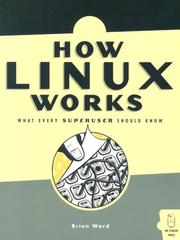
Goes one layer deeper than the command line, explaining what actually happens inside Linux: boot process, kernel, processes, storage, and networking. Read this second to understand *why* commands work, not just *how* to type them.
Networking Fundamentals
BeginnerUnderstand how data moves across networks — IP addressing, DNS, routing, TCP/UDP, and the protocols sysadmins troubleshoot every day.
▸ Study plan for this stage
Pace: 8–10 weeks, ~40–50 pages/day (Kurose: 6–7 weeks; DNS and BIND: 2–3 weeks)
- OSI and TCP/IP models: understanding the layered architecture that governs how data moves across networks
- IP addressing (IPv4 and IPv6): subnetting, CIDR notation, and address allocation schemes sysadmins manage daily
- DNS architecture and resolution: how domain names map to IP addresses, DNS record types, and the hierarchical namespace
- Routing and forwarding: how routers make decisions to move packets across networks using routing tables and protocols
- Transport layer protocols: TCP (connection-oriented, reliable) vs. UDP (connectionless, fast) and when each is used
- Network troubleshooting tools and concepts: packet analysis, latency, packet loss, and how to diagnose connectivity issues
- BIND configuration and zone files: practical DNS server setup, record management, and common DNS administration tasks
- Packet structure and headers: understanding what information lives in IP, TCP, and UDP headers and why it matters
- Explain the difference between TCP and UDP, and give a real-world example of when a sysadmin would choose one over the other.
- Walk through the complete process of how a DNS query resolves a domain name to an IP address, naming each step and server involved.
- Given a subnet mask and an IP address, calculate the network address, broadcast address, and usable host range.
- Describe how a router uses a routing table to forward a packet destined for a remote network, and explain what happens if no matching route exists.
- What are the main record types in DNS (A, AAAA, MX, CNAME, NS, SOA), and what does each one do?
- How would you troubleshoot a situation where a user cannot reach a specific server by hostname but can reach it by IP address?
- Set up a simple network topology in GNS3 or Cisco Packet Tracer with multiple routers and subnets; configure IP addresses and observe how packets are routed between networks.
- Use Wireshark to capture and analyze live network traffic; identify TCP, UDP, and ICMP packets and examine their header fields.
- Install and configure BIND on a Linux system; create a zone file for a test domain and perform DNS queries using nslookup and dig to verify resolution.
- Perform subnetting exercises: given various IP ranges and host requirements, design subnets and document the network, broadcast, and host ranges.
- Use traceroute and ping to map the path packets take to a remote server; document each hop and explain what each tool reveals about network connectivity.
- Configure a simple DNS forwarder or resolver in BIND; test recursive and iterative queries to understand the difference in behavior.
Next up: This stage provides the foundational knowledge of how data moves and is addressed across networks, which is essential for the next stage—where you will apply these concepts to manage, secure, and troubleshoot real infrastructure at scale.

The most widely used networking textbook in the world; its top-down structure (applications first, then protocols, then hardware) matches how sysadmins actually encounter networking problems. Establishes rigorous conceptual grounding before you touch server configs.
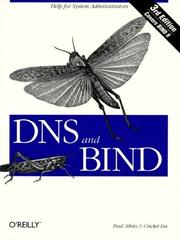
DNS is the single most important service a sysadmin manages, and this is the definitive reference. Read it after networking fundamentals so the protocol concepts click immediately into a real, critical service.
Servers & Services in Practice
IntermediateDeploy and manage real server services — web, file, mail, authentication — and understand the operational patterns (logging, monitoring, security hardening) that keep production systems healthy.
▸ Study plan for this stage
Pace: 12–14 weeks, ~40–50 pages/day (with 2–3 days/week for hands-on labs)
- Core server services architecture: web (Apache/Nginx), file sharing (NFS/Samba), mail (Postfix/Sendmail), and authentication (LDAP/Kerberos) — how they integrate into production systems
- Operational patterns for production reliability: logging aggregation, centralized monitoring, alerting thresholds, and metrics collection to detect failures before users notice
- Security hardening fundamentals: principle of least privilege, firewall rules, service isolation, SSL/TLS configuration, and vulnerability patching workflows
- Lifecycle management: service startup/shutdown, dependency ordering, graceful restarts, and configuration management to ensure reproducible deployments
- Troubleshooting methodology: reading logs systematically, interpreting error messages, using diagnostic tools (netstat, tcpdump, strace), and root-cause analysis
- User and group management at scale: UID/GID consistency, home directory provisioning, password policies, and authentication integration across multiple services
- Performance tuning and capacity planning: identifying bottlenecks (CPU, memory, disk I/O, network), setting realistic limits, and predicting growth
- Documentation and runbooks: creating clear procedures for common operations so knowledge transfers and incidents resolve faster
- How would you design a logging and monitoring strategy to catch a web server outage before customer complaints arrive, and what metrics would you track?
- Walk through the steps to set up LDAP-based authentication for a file server so users can log in with their corporate credentials; what security risks must you mitigate?
- You receive a report that email delivery is slow. Describe your troubleshooting approach: what logs would you check, what diagnostic commands would you run, and how would you identify whether the problem is in Postfix, the network, or downstream?
- Explain the principle of least privilege and give three concrete examples of how you would apply it when hardening a production web server.
- What is the difference between a graceful restart and a hard restart of a service, and when would you use each in a production environment?
- Design a backup and recovery strategy for a file server that stores critical business data; what RPO and RTO would you target, and how would you test it?
- Deploy a web server (Apache or Nginx) on a Linux VM, configure SSL/TLS with a self-signed certificate, set up access and error logging, and verify logs are being written correctly.
- Set up an NFS file server and mount it from a client machine; configure exports with appropriate permissions, test read/write access, and document the configuration in a runbook.
- Install and configure Postfix as a mail server; send test emails, check the mail queue, examine logs to understand the delivery pipeline, and configure basic spam filtering.
- Implement user authentication via LDAP: create an LDAP directory, configure a Linux client to query it, and verify that users can log in with LDAP credentials.
- Build a centralized logging setup using syslog or rsyslog: configure multiple services to send logs to a central server, set up log rotation, and write a simple query to find errors from the past 24 hours.
- Harden a web server: disable unnecessary services, configure a firewall (iptables or firewalld), set restrictive file permissions, enable SELinux or AppArmor, and document each change in a security checklist.
Next up: This stage equips you with hands-on experience deploying and securing individual services; the next stage will teach you how to orchestrate and automate these services at scale using configuration management, containerization, and cloud infrastructure.
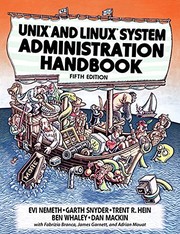
The canonical sysadmin bible — covers every major service and operational concern in one authoritative volume. After the Linux and networking stages, this book ties everything together into real-world administration practice.

Shifts focus from *what* to configure to *how* to think and work as a professional sysadmin: change management, on-call, documentation, and reliability. Pairs perfectly with Nemeth to build both technical and professional competence.
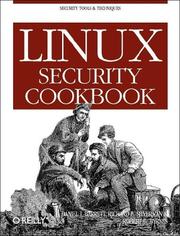
Security hardening is a core sysadmin responsibility; this practical, recipe-based book teaches firewall rules, SSH hardening, auditing, and access control in a hands-on format ideal for lab reinforcement at this stage.
Automation & Infrastructure as Code
IntermediateStop doing repetitive tasks by hand — write shell scripts, use Ansible for configuration management, and adopt modern infrastructure-as-code thinking to manage systems at scale.
▸ Study plan for this stage
Pace: 12–14 weeks, ~40–50 pages/day (mix of reading and hands-on practice)
- Bash scripting fundamentals: variables, loops, conditionals, functions, and error handling to automate repetitive command-line tasks
- Shell script design patterns: writing idempotent, maintainable, and reusable scripts that handle edge cases and failures gracefully
- Ansible architecture and playbooks: understanding inventory, modules, roles, and how to apply configuration management at scale
- Idempotency and declarative infrastructure: the principle that running the same configuration multiple times produces the same safe result
- Infrastructure as Code (IaC) mindset: treating infrastructure configuration as versioned code with testing, documentation, and reproducibility
- The DevOps culture and systems thinking: recognizing bottlenecks, feedback loops, and organizational constraints that automation must address
- Practical automation workflows: integrating scripts and Ansible into real deployment pipelines and operational processes
- How do you write a bash script that safely handles errors and edge cases, and what is the role of exit codes and error trapping?
- What is idempotency in the context of configuration management, and why is it critical for infrastructure as code?
- How does Ansible's playbook structure (inventory, plays, tasks, roles) enable you to manage infrastructure at scale?
- What are the key differences between imperative scripting (bash) and declarative configuration management (Ansible), and when should you use each?
- How do the concepts of feedback loops and system constraints from The Phoenix Project apply to designing automation and deployment pipelines?
- How would you refactor a manual operational process into an automated, version-controlled infrastructure-as-code solution?
- Write a bash script that backs up a directory, logs the operation, handles errors with trap, and validates the backup integrity—test it multiple times to confirm idempotency
- Create a bash script that parses a log file, extracts errors, and sends alerts; refactor it into reusable functions with clear input/output contracts
- Set up an Ansible inventory file with multiple host groups (web servers, databases, load balancers) and write a playbook that installs and configures a common tool across all groups
- Write an Ansible role that manages a web service (e.g., nginx): include handlers for restarts, templates for config files, and variables for different environments; test idempotency by running the playbook twice
- Automate a real operational task you perform manually (e.g., user provisioning, log rotation, security patching) using bash or Ansible; document the automation and version it in git
- Design a simple deployment pipeline: write a bash script that pulls code, runs tests, and triggers an Ansible playbook to deploy to staging; reflect on feedback loops and failure points
Next up: This stage transforms you from a manual operator into an infrastructure engineer who thinks in code and systems; the next stage will deepen your ability to monitor, troubleshoot, and optimize the automated systems you've built.
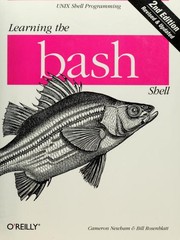
Shell scripting is the first automation tool every sysadmin reaches for; this focused book builds real scripting fluency before jumping to higher-level tools. Read it first in this stage to automate the manual tasks from earlier stages.

Ansible is the most approachable and widely adopted configuration management tool in the industry. This book takes you from zero to managing fleets of servers with playbooks, building directly on the Linux and server knowledge from prior stages.
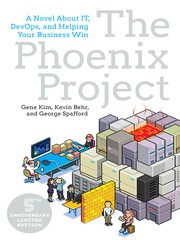
A business novel that teaches DevOps culture, flow, and the operational mindset behind modern infrastructure automation. Reading this last reframes everything learned so far into the collaborative, reliability-focused worldview employers expect from senior sysadmins.
Discussion
Keep reading
Paths that share books, cover the same subject, or open a related topic.