Learn Linux from the command line up
This curriculum takes a complete beginner from "what is a terminal?" to confidently administering their own Linux machines. Each stage builds directly on the last: you first learn to speak the shell's language, then harness it fluently, then understand the operating system beneath it, and finally put everything together to run real infrastructure with professional-grade practices.
Foundations: Speaking Linux
BeginnerUnderstand what Linux is, navigate the filesystem confidently, and run everyday commands without hesitation.
▸ Study plan for this stage
Pace: 8–10 weeks total: Weeks 1–6 cover "The Linux Command Line" (~25–30 pages/day, 5 days/week), focusing on Parts I–III; Weeks 7–10 cover "Learning the bash Shell" (~20–25 pages/day, 5 days/week). Reserve one day per week for review and hands-on practice.
- The Linux philosophy and filesystem hierarchy (FHS) — understanding how everything in Linux is a file, and how directories like /etc, /var, /home, /bin, and /usr are organized (The Linux Command Line, Part I)
- Navigating the filesystem with confidence — using pwd, cd, and ls with their most useful options and understanding absolute vs. relative paths (The Linux Command Line, Ch. 1–4)
- File and directory manipulation — creating, copying, moving, renaming, and deleting files and directories with cp, mv, mkdir, rm, and understanding wildcards/globbing (The Linux Command Line, Ch. 4–5)
- Redirection and pipelines — connecting commands with |, redirecting stdout/stderr with > and >>, and using /dev/null; understanding how stdin, stdout, and stderr work (The Linux Command Line, Ch. 6)
- Everyday text-processing commands — searching with grep, transforming with sort, uniq, cut, and wc, and viewing files with less, head, and tail (The Linux Command Line, Ch. 7–20)
- Permissions and process management — reading and setting file permissions with chmod/chown, understanding users and groups, and managing processes with ps, top, kill, and jobs (The Linux Command Line, Ch. 9–11)
- bash shell fundamentals — variables, environment, quoting rules (single vs. double quotes vs. backslash), command substitution, and arithmetic expansion (Learning the bash Shell, Ch. 1–4)
- Shell customization and startup files — configuring .bashrc and .bash_profile, setting aliases, and understanding how the shell environment is inherited by child processes (Learning the bash Shell, Ch. 3 & 10)
- After reading The Linux Command Line: Can you explain the Linux filesystem hierarchy — what lives in /etc vs. /home vs. /usr/bin — and navigate to any location using both absolute and relative paths without looking anything up?
- Can you construct a multi-stage pipeline (e.g., grep a log file, sort the results, remove duplicates, and write output to a new file) using only commands covered in The Linux Command Line?
- Can you read a permission string like -rwxr-x--- and explain exactly who can do what, then change those permissions using both symbolic and octal notation with chmod?
- After reading Learning the bash Shell: Can you explain the difference between a shell variable and an environment variable, and demonstrate how to export one so a child process can see it?
- Can you describe what happens — step by step — when bash starts an interactive login shell, which startup files it reads, and in what order?
- Can you write a short bash command sequence using quoting, command substitution ($(…)), and a pipeline that solves a real task, such as finding the five largest files in a directory?
- Filesystem scavenger hunt (The Linux Command Line, Ch. 1–4): Using only the terminal, locate the file that defines your system's hostname, find all files owned by root in /etc that are world-readable, and print the full path of every directory inside /usr/share that contains the word 'doc' in its name — using ls, find, and grep.
- Pipeline construction challenge (The Linux Command Line, Ch. 6–7): Take any large log file (e.g., /var/log/syslog or generate one with dmesg) and write a single pipeline that: filters lines containing 'error' (case-insensitive), extracts a specific field with cut, sorts alphabetically, removes duplicates with uniq -c, and saves the top 10 results to ~/pipeline_output.txt.
- Permissions lab (The Linux Command Line, Ch. 9): Create a directory ~/permlab with three files. Set one file to be readable only by owner, one to be executable by group, and one to be fully open. Create a second user (if on a VM), switch to that user with su, and verify which files you can and cannot read — then fix the permissions to achieve a specific access goal.
- Process management drill (The Linux Command Line, Ch. 10–11): Launch three background jobs (e.g., sleep 300 &), use jobs, ps, and top to inspect them, practice bringing one to the foreground with fg, suspending it with Ctrl-Z, and cleanly terminating all three using kill with the appropriate signal.
- bash environment customization (Learning the bash Shell, Ch. 3 & 10): Edit your ~/.bashrc to add: (1) at least three useful aliases (e.g., ll, la, ..); (2) a custom PS1 prompt that shows your username, hostname, and current directory in different colors; (3) a PATH addition for a personal ~/bin directory. Source the file and verify every change works in a new terminal.
- Quoting and substitution gauntlet (Learning the bash Shell, Ch. 4): Write five one-liners that each demonstrate a different expansion — brace expansion, tilde expansion, variable expansion, command substitution, and arithmetic expansion — and predict the output before running each one. Then deliberately break each with incorrect quoting and explain why it fails.
Next up: Mastering navigation, pipelines, permissions, and bash fundamentals here gives you the stable command-line footing needed to tackle shell scripting, automation, and system administration topics in the next stage — where you'll move from typing individual commands to writing programs that run them for you.
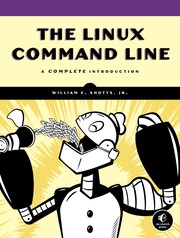
The single best starting point for any Linux beginner — it teaches the shell from first principles, covering navigation, files, permissions, and basic scripting in a friendly, thorough way. Read this first to build the core vocabulary everything else depends on.
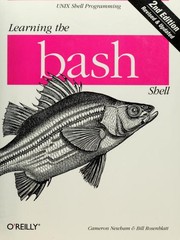
After Shotts gives you the broad picture, this book goes deeper into Bash specifically — variables, control flow, and shell mechanics — cementing the shell as a real programming environment before you move on.
Gaining Fluency: Files, Text & Scripting
BeginnerManipulate text and data streams like a pro, write useful shell scripts, and use the classic Unix toolkit (grep, sed, awk, pipes) with confidence.
▸ Study plan for this stage
Pace: 8–10 weeks total: Weeks 1–5 on "Classic Shell Scripting" (~25–30 pages/day, 5 days/week), then Weeks 6–10 on "sed & awk" (~20–25 pages/day, 5 days/week). Reserve one day per week for review, re-reading tricky sections, and completing exercises.
- Shell script structure: the shebang line, script permissions, and running scripts from Classic Shell Scripting Ch. 1–2
- Variables, quoting rules, and word splitting — understanding when and why to double-quote every variable expansion (Classic Shell Scripting)
- Control flow: if/elif/else, case statements, for/while/until loops, and exit statuses as the backbone of decision-making in scripts (Classic Shell Scripting)
- Functions in shell scripts: defining, calling, passing arguments, and using local variables to avoid namespace collisions (Classic Shell Scripting)
- The Unix pipeline philosophy: chaining commands with pipes, using stdin/stdout/stderr, and redirection operators >, >>, < and 2> (Classic Shell Scripting)
- grep for pattern searching: basic vs. extended regular expressions (-E), common flags (-i, -r, -n, -l, -v), and composing precise search patterns (Classic Shell Scripting + sed & awk)
- sed as a stream editor: the substitution command s/pattern/replacement/flags, address ranges, the -i in-place flag, and multi-expression scripts with -e (sed & awk)
- awk as a data-processing language: the pattern–action model, built-in variables (NR, NF, FS, OFS), field splitting, BEGIN/END blocks, and writing multi-rule awk programs (sed & awk)
- Given a shell script that fails silently, how would you use exit status checks ($?), set -e, and set -x to diagnose and fix it? (Classic Shell Scripting)
- What is the difference between single quotes, double quotes, and backticks/command substitution $(...) in the shell, and when should each be used? (Classic Shell Scripting)
- How do you write a sed one-liner that replaces every occurrence of a pattern only on lines matching a given address range, and how do you apply it in-place to a file? (sed & awk)
- How does awk's field-splitting mechanism work, and how would you change the field separator to process a CSV file vs. a colon-delimited /etc/passwd file? (sed & awk)
- Describe the pipeline you would build to: find all .log files modified in the last 7 days, extract lines containing ERROR, count occurrences per unique error message, and display the top 5. Which tools from both books would you use at each stage?
- What are the key differences between sed and awk in terms of what each tool is best suited for, and when would you reach for a full shell script instead? (sed & awk + Classic Shell Scripting)
- **Script hardening drill (Classic Shell Scripting):** Take any script you write during the course and add: a usage() function, input validation with if/case, set -euo pipefail at the top, and meaningful exit codes. Run it with bad inputs and confirm it fails gracefully.
- **Log parser script (Classic Shell Scripting + grep):** Write a shell script that accepts a log file and a severity level (INFO/WARN/ERROR) as arguments, uses grep -E to filter matching lines, counts them, and appends a timestamped summary line to a report file using >>.
- **sed transformation pipeline (sed & awk):** Download or create a messy CSV (inconsistent spacing, mixed case headers, Windows-style CRLF line endings). Write a sed script (using -e or a script file) that normalises the delimiters, strips leading/trailing spaces from each field, and converts headers to lowercase — all without touching the original file.
- **awk report generator (sed & awk):** Using /etc/passwd (or a sample delimited file), write an awk program with BEGIN, pattern–action rules, and END blocks that: prints a formatted header, lists only users with UID ≥ 1000, calculates the total count, and outputs a footer — demonstrating NR, NF, FS, and printf.
- **Classic toolkit pipeline challenge (both books):** Given a directory of text files, build a single pipeline using find, grep, sed, sort, uniq -c, and awk that produces a ranked frequency table of the top 10 words across all files. Write it first as a one-liner, then refactor it into a documented, reusable shell script.
- **Regex mastery worksheet (sed & awk Ch. on regular expressions):** Write 10 sed and 10 awk one-liners targeting a sample dataset — covering anchors (^, $), character classes, quantifiers, grouping, and back-references. For each, write a comment explaining exactly what the regex matches and why.
Next up: Mastering shell scripting and the sed/awk toolkit builds the automation instincts and text-processing fluency needed to confidently tackle system administration tasks — such as managing processes, users, storage, and networking — which are the focus of the next stage.

Bridges the gap between 'I can run commands' and 'I can automate things' — teaches portable, real-world shell scripting patterns that will serve you for years. Read before diving into system administration so your scripts are solid.
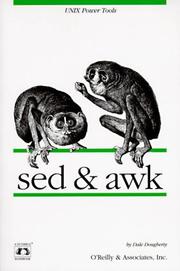
Mastering sed and awk unlocks the full power of Unix text processing. This focused book belongs here, after you can write scripts, so you can immediately apply these tools in practical contexts.
Understanding the System: Linux Internals & Administration
IntermediateUnderstand how Linux actually works under the hood — processes, filesystems, networking, users — and perform core system administration tasks independently.
▸ Study plan for this stage
Pace: 10–14 weeks total. Weeks 1–5: "How Linux Works" by Brian Ward (~25–30 pages/day, reading cover-to-cover in sequence — internals chapters first, then storage, networking, and scripting). Weeks 6–14: "UNIX and Linux System Administration Handbook (5th Ed.)" by Evi Nemeth (~30–35 pages/day — treat it a
- The Linux boot process end-to-end: BIOS/UEFI → bootloader (GRUB) → kernel initialization → systemd/init and target units (How Linux Works, Ch. 5–6)
- Process lifecycle and management: fork/exec model, signals, process states, /proc filesystem, and tools like ps, top, and lsof (How Linux Works, Ch. 8)
- Linux filesystem hierarchy, inodes, permissions, and the virtual filesystem (VFS) layer — plus disk partitioning, LVM, and mounting (How Linux Works, Ch. 4 & 9; ULSAH Ch. 20)
- User and group administration: /etc/passwd, /etc/shadow, PAM, sudo configuration, and the principle of least privilege (How Linux Works, Ch. 7; ULSAH Ch. 8)
- Networking fundamentals from a Linux perspective: IP addressing, routing tables, network interfaces, DNS resolution, and tools like ip, ss, netstat, and tcpdump (How Linux Works, Ch. 9–10; ULSAH Ch. 13–14)
- System logging, monitoring, and performance analysis: journald, syslog, /var/log, sar, vmstat, iostat, and interpreting system load (ULSAH Ch. 26–28)
- Package management and software installation across major ecosystems: apt/dpkg (Debian/Ubuntu) and rpm/yum/dnf (RHEL/CentOS) (ULSAH Ch. 6)
- Security fundamentals: firewall management with iptables/nftables/firewalld, SSH hardening, file permissions auditing, and an introduction to SELinux/AppArmor (ULSAH Ch. 27)
- Describe every stage of the Linux boot process from power-on to a fully running userspace — what does systemd do, and how would you diagnose a failure at each stage?
- A process is stuck in an uninterruptible sleep (D state). What does that mean, how do you identify it, and what are the likely causes?
- How do Linux file permissions, ownership, and special bits (setuid, setgid, sticky) interact? Walk through exactly what happens when a non-root user runs a setuid binary.
- A junior admin accidentally deleted a user's home directory. What steps do you take to recover, and what administrative controls (from ULSAH) could have prevented this?
- Explain how a DNS query is resolved on a Linux system — from the application call through nsswitch.conf, /etc/resolv.conf, and the resolver — and how you would troubleshoot a resolution failure.
- You notice a server's load average is 8.0 on a 4-core machine. Walk through the tools and methodology (from both books) you would use to identify whether the bottleneck is CPU, memory, I/O, or network.
- Boot process deep-dive: On a VM (VirtualBox or KVM), interrupt the GRUB menu, edit kernel parameters, and boot into rescue/emergency mode. Practice resetting a forgotten root password this way. Then use 'systemctl list-units --failed' and 'journalctl -b' to read a full boot log.
- Process archaeology: Write a small C or Python program that forks child processes. Use ps aux, pstree, /proc/[PID]/status, and lsof to map the full process tree, open file descriptors, and memory maps. Send signals (SIGSTOP, SIGCONT, SIGTERM) and observe state changes in real time.
- Filesystem lab: Create a 2 GB file with dd, format it as ext4, mount it, create files, then deliberately corrupt it with dd if=/dev/zero and repair it with fsck. Separately, set up a simple LVM volume group, extend it online, and resize the filesystem — following the ULSAH storage chapters.
- User & sudo hardening: Create three users with different roles, configure /etc/sudoers (using visudo) to grant granular command-level access, enable password aging via chage, and lock/unlock accounts. Verify PAM behavior by editing /etc/pam.d/sshd to require a minimum password length.
- Networking from scratch: On two VMs with a host-only network, manually assign static IPs using the 'ip' command (no GUI), add a static route, configure /etc/hosts, and set up a simple iptables ruleset that allows SSH but blocks all other inbound traffic. Use tcpdump to capture and inspect the handshake.
- Full sysadmin simulation: Following the ULSAH approach, set up a minimal server that runs an SSH daemon, creates daily log rotation (logrotate), ships logs to a second VM acting as a syslog server, and has a cron job that emails a nightly disk-usage report — then intentionally fill the disk and observe/recover from the failure.
Next up: Mastering Linux internals and hands-on administration here builds the mental model of a running system that is essential for the next stage, where those same systems are automated at scale, secured in depth, and orchestrated across infrastructure — topics like configuration management, containers, and DevOps tooling all assume fluency with the single-node Linux fundamentals covered here.
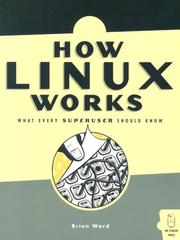
The clearest explanation of what happens inside a running Linux system — boot process, kernel, devices, filesystems, and networking. Reading this transforms you from a command-runner into someone who understands why things work.
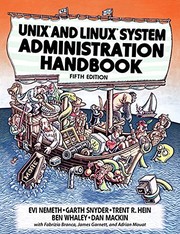
The definitive sysadmin reference — comprehensive, practical, and battle-tested. After Ward gives you the mental model, this book teaches you to actually administer systems: users, storage, networking, security, and services.
Going Deeper: Networking, Security & the Shell Environment
IntermediateHarden and network your machines, manage remote systems securely over SSH, and tune your environment like an experienced operator.
▸ Study plan for this stage
Pace: 8–10 weeks total: Weeks 1–5 cover "SSH, the Secure Shell" (~25–30 pages/day, including labs); Weeks 6–10 cover "Linux Firewalls" (~20–25 pages/day, with heavier hands-on time for iptables/psad rule-writing). Reserve the final 3–4 days of each book for review and exercise consolidation.
- SSH architecture: how the SSH protocol negotiates sessions, authenticates parties, and encrypts traffic using symmetric/asymmetric cryptography
- Key-based authentication: generating Ed25519/RSA key pairs, deploying public keys, and hardening sshd_config (disabling password auth, root login, and unused subsystems)
- SSH tunneling and port forwarding: local, remote, and dynamic (SOCKS proxy) forwarding to securely traverse firewalls and protect unencrypted protocols
- SSH agent and agent forwarding: managing identities with ssh-agent and ssh-add, and the security trade-offs of agent forwarding vs. ProxyJump
- Netfilter/iptables fundamentals from Linux Firewalls: packet flow through the PREROUTING → INPUT/FORWARD/OUTPUT → POSTROUTING chain model, and stateful connection tracking with conntrack
- Writing and ordering iptables rules: default-deny policies, allowing established/related traffic, ICMP handling, and logging with the LOG target before DROP
- Port-knocking and Single Packet Authorization (SPA) with fwknop as covered in Linux Firewalls: hiding services entirely from unauthenticated scanners
- Intrusion detection with psad: integrating iptables LOG rules with psad to detect and optionally block scans and attacks in real time
- After reading SSH, the Secure Shell: what happens cryptographically during the SSH handshake, and why is host-key verification critical to preventing man-in-the-middle attacks?
- How do you configure sshd_config and ~/.ssh/authorized_keys to enforce key-only authentication, restrict which users may log in, and limit the attack surface of the daemon?
- Explain the difference between local port forwarding, remote port forwarding, and dynamic forwarding — give a concrete use case for each from the book's examples.
- From Linux Firewalls: trace a packet's journey through the Netfilter hook points; at which chain would you block an unsolicited inbound connection, and why does rule order matter?
- How does psad use iptables LOG output to classify and respond to port scans, and what tuning is required to reduce false positives in a production environment?
- What problem does fwknop's Single Packet Authorization solve that a traditional iptables ruleset alone cannot, and how does the SPA packet authenticate the client before any port is opened?
- SSH hardening lab (SSH, the Secure Shell): spin up two VMs (or containers); generate an Ed25519 key pair, deploy it, then lock down sshd_config — disable PasswordAuthentication, PermitRootLogin, and all unused subsystems. Verify with ssh -v and an attempted password login.
- Tunneling challenge (SSH, the Secure Shell): set up a local port forward to reach an HTTP service on a private VM through a bastion host, then repeat with a dynamic SOCKS proxy and route browser traffic through it. Document the exact ssh flags used.
- ProxyJump hop (SSH, the Secure Shell): configure ~/.ssh/config with a multi-hop ProxyJump entry so that a single 'ssh target' command transparently traverses a jump host — compare this to the older ProxyCommand approach discussed in the book.
- Default-deny iptables ruleset (Linux Firewalls): on a test VM, flush all rules and build a stateful firewall from scratch: default DROP on INPUT/FORWARD, allow loopback, allow ESTABLISHED/RELATED, permit SSH and HTTP explicitly, log and drop everything else. Save with iptables-save and verify with nmap from another host.
- psad integration (Linux Firewalls): add LOG rules before your DROP targets, install and configure psad, then run an nmap SYN scan against the VM from a second host. Inspect /var/log/psad/ to confirm detection, tune the scan threshold, and enable auto-blocking — then whitelist your own IP.
- fwknop SPA demo (Linux Firewalls): install fwknop server and client, configure iptables to block port 22 by default, then use fwknopd to open a time-limited hole only after a valid SPA packet. Capture traffic with tcpdump to confirm the port appears closed to a regular scanner before and after the knock.
Next up: Mastering SSH hardening and iptables-based perimeter defense gives you a secured, remotely manageable baseline system — the ideal foundation for the next stage, which typically moves into system monitoring, log management, and automated configuration at scale, where you'll need that secure remote-access and network-visibility groundwork already in place.
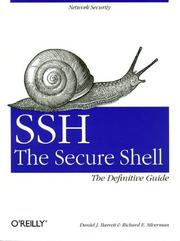
SSH is the primary tool for managing any Linux machine remotely; this book covers it exhaustively — keys, tunneling, agent forwarding, and hardening — skills you'll use every single day.
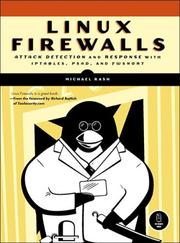
Teaches iptables/nftables and practical network security from a Linux-native perspective, building directly on the networking concepts from the previous stage to help you actually protect the machines you run.
Running Real Machines: Infrastructure & Automation
ExpertAutomate infrastructure, manage configuration at scale, and operate Linux systems with the confidence and habits of a seasoned professional.
▸ Study plan for this stage
Pace: 8–10 weeks total: Weeks 1–4 cover "Ansible" by Lorin Hochstein (~25–30 pages/day, including lab time); Weeks 5–10 cover "Site Reliability Engineering" by Betsy Beyer (~20–25 pages/day — the book is dense and essay-driven, so budget extra time for reflection and note-taking after each chapter).
- Infrastructure as Code (IaC): treating server configuration as version-controlled, repeatable code using Ansible playbooks, roles, and inventories
- Idempotency: understanding why Ansible modules are designed so that running a playbook multiple times produces the same end state, and why this property is essential for safe automation
- Ansible architecture: control node vs. managed nodes, SSH-based agentless communication, inventory files (static and dynamic), variables, facts, and Jinja2 templating
- Roles and Galaxy: structuring reusable automation with Ansible Roles, using ansible-galaxy to share and consume community roles, and applying role-based project layouts at scale
- SRE philosophy and the SRE vs. Ops distinction: Google's model of applying software engineering discipline to operations, the concept of toil, and the error-budget framework for balancing reliability with velocity
- Service Level Objectives (SLOs), SLIs, and SLAs: defining measurable reliability targets, choosing meaningful indicators, and using error budgets to make data-driven decisions about risk
- Eliminating toil through automation: identifying repetitive operational work, quantifying it, and systematically replacing it with reliable automated systems — the direct philosophical bridge between Ansible and SRE
- Incident management, postmortems, and blameless culture: the SRE on-call model, structured incident response, and writing blameless postmortems that drive systemic improvement rather than blame
- Given a multi-tier web application (web, app, and database servers), how would you structure an Ansible project — inventories, group variables, host variables, and roles — so that it is readable, reusable, and safe to run in both staging and production?
- What does idempotency mean in the context of Ansible, and how do specific modules (e.g., 'copy', 'template', 'service', 'package') guarantee it? What can break idempotency and how do you guard against it?
- How does Ansible's use of dynamic inventory differ from static inventory, and in what real-world scenarios (e.g., auto-scaling cloud environments) is dynamic inventory essential?
- How does the SRE error-budget model change the conversation between development and operations teams about releasing new features versus maintaining reliability? Give a concrete example.
- What is 'toil' as defined in Site Reliability Engineering, and how do you distinguish it from legitimate operational work? Why does the book argue that toil above ~50% of an SRE's time is dangerous?
- Walk through the lifecycle of a production incident using the SRE framework: from initial alert through mitigation, resolution, and postmortem. What are the key responsibilities at each phase, and what makes a postmortem 'blameless'?
- Ansible Lab — Provision a 3-node environment (use VMs via Vagrant or containers via Docker) and write a playbook from scratch that installs and configures Nginx on web nodes and PostgreSQL on a database node, using group_vars and host_vars for all environment-specific values. Verify idempotency by running the playbook twice and confirming zero changes on the second run.
- Ansible Roles Refactor — Take the playbook from the first exercise and refactor it entirely into Ansible Roles (one role per service). Publish the roles in a local ansible-galaxy-compatible structure, write a requirements.yml, and install them into a separate project to simulate consuming shared roles across teams.
- Dynamic Inventory Exercise — Spin up instances on a cloud provider (AWS, GCP, or DigitalOcean) or simulate one with a script, configure Ansible to use a dynamic inventory plugin, and re-run your roles against the dynamically discovered hosts. Observe how the inventory changes as you add and terminate instances.
- SLO Design Workshop — Choose a real or hypothetical service (e.g., a REST API). Define at least two SLIs (e.g., request latency, error rate), write formal SLO statements with numeric targets, calculate a monthly error budget in minutes, and write a one-page policy describing what happens when the budget is exhausted — mirroring the approach described in Site Reliability Engineering.
- Toil Audit — Spend one week logging every manual operational task you perform (or simulate a list of 10 common ops tasks). Classify each as toil or non-toil using the SRE criteria, estimate the time cost, and write a prioritized automation backlog with Ansible playbooks or scripts as the proposed solution for the top three items.
- Blameless Postmortem Simulation — Find a public postmortem (e.g., from the SRE book's case studies or postmortems.io) or simulate a fictional outage. Write a full blameless postmortem document following the SRE template: incident timeline, contributing causes (5-whys), impact quantification against the SLO/error budget, and at least three concrete action items with owners and due dates.
Next up: Mastering Ansible's automation primitives and internalizing SRE's reliability philosophy gives the reader the operational mindset and tooling fluency needed to tackle the next frontier: designing, deploying, and operating distributed systems and cloud-native architectures at scale.

Ansible is the most approachable automation tool for Linux sysadmins and builds directly on your shell and SSH knowledge. This book gets you automating real multi-machine setups quickly and cleanly.

The capstone of the curriculum — written by Google's SRE team, it teaches the mindset, practices, and principles for running production Linux systems reliably at any scale. Read last to frame everything you've learned into professional operational thinking.
Discussion
Keep reading
Paths that share books, cover the same subject, or open a related topic.