IT support and help desk: the best books to land your first tech job
This curriculum takes a complete beginner from zero IT knowledge to job-ready help desk professional across four carefully sequenced stages. It starts with the mindset and vocabulary of IT support, builds through the industry-standard CompTIA A+ certification material, deepens into networking and troubleshooting skills, and finishes with practical career-launch guidance — each stage building directly on the last.
Foundations: How Computers & IT Support Work
BeginnerUnderstand how computers function, what IT support professionals actually do day-to-day, and build the core vocabulary needed for everything that follows.
▸ Study plan for this stage
Pace: 4–5 weeks, ~25–30 pages/day. Week 1–2: "How Computers Work" (estimated 300–350 pages); Week 3–5: "The Practice of System and Network Administration" (estimated 400–450 pages, focusing on Chapters 1–8 for foundational concepts).
- Hardware fundamentals: CPU, RAM, storage, motherboard, and how data flows through a computer
- Operating systems as the bridge between hardware and applications; process and memory management
- Networking basics: IP addresses, DNS, TCP/IP, and how devices communicate
- The IT support role: ticketing, troubleshooting methodology, documentation, and communication with users
- Common IT support scenarios: hardware failures, software conflicts, network connectivity, and user account issues
- Best practices in system administration: change management, monitoring, backup strategies, and preventive maintenance
- IT vocabulary and terminology: drivers, firmware, protocols, services, logs, and configuration files
- Explain how a CPU, RAM, and storage work together when you open an application on a computer.
- What is the role of an operating system, and how does it manage hardware resources?
- Describe the basic steps of the IT troubleshooting methodology and why documentation matters.
- How do computers communicate over a network, and what is the role of IP addresses and DNS?
- What are the key responsibilities of an IT support professional on a typical day, and how do they prioritize tickets?
- Why is change management important in system administration, and what can go wrong without it?
- Build or disassemble a computer (or watch detailed videos of the process): identify the CPU, RAM, motherboard, power supply, and storage drives; explain the function of each.
- Open Task Manager (Windows) or Activity Monitor (Mac) and observe running processes, CPU/memory usage, and disk activity; correlate what you see to concepts from 'How Computers Work.'
- Set up a home lab: install a virtual machine (VirtualBox or Hyper-V) with an OS; practice basic system administration tasks like user account creation, file permissions, and service management.
- Trace a network request: use ping and ipconfig/ifconfig commands to understand how your computer finds and communicates with a server; document the IP addresses and DNS lookups involved.
- Create a mock IT support ticket: write a detailed troubleshooting report for a hypothetical issue (e.g., 'User cannot print to network printer'); include symptoms, diagnostic steps, root cause, and resolution.
- Read and annotate one chapter from 'The Practice of System and Network Administration' on change management or monitoring; create a one-page summary of best practices and why they matter.
Next up: This stage equips you with the mental model of how systems work and the vocabulary to discuss IT problems, preparing you to dive into specific technologies (networking, security, cloud platforms) and advanced troubleshooting techniques in the next stage.
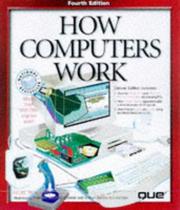
A richly illustrated, plain-English walkthrough of how every major computer component works — the perfect first book for a complete beginner to build mental models before touching any technical material.

Introduces the real-world mindset, habits, and responsibilities of IT professionals; reading this early sets the right expectations for a help desk and support career before diving into certifications.
Networking & Operating Systems Essentials
IntermediateGain a solid working knowledge of TCP/IP networking, Windows administration, and the command-line tools that help desk technicians use every single day.
▸ Study plan for this stage
Pace: 12–14 weeks, ~40–50 pages/day with hands-on labs. Week 1–6: Network+ (primary focus, ~450 pages); Week 7–10: PowerShell (~350 pages); Week 11–14: Sysinternals (~300 pages) with cumulative troubleshooting projects.
- TCP/IP model layers, IP addressing, subnetting, and routing fundamentals from Network+ as the foundation for understanding network communication
- OSI model and how it maps to real-world network troubleshooting scenarios that help desk technicians encounter daily
- Windows networking architecture, including DNS, DHCP, and network configuration tools covered in Network+
- PowerShell scripting fundamentals and cmdlet syntax for automating routine administrative tasks and system queries
- Process, memory, and system resource monitoring using Sysinternals tools (Process Explorer, Task Manager, Performance Monitor integration)
- Event log analysis and registry inspection techniques for diagnosing system and application failures
- Command-line troubleshooting workflow: identifying symptoms, isolating root causes, and implementing fixes using integrated tools
- Explain the TCP/IP model and how each layer relates to common help desk issues like connectivity problems, DNS failures, and DHCP conflicts.
- What is subnetting, and how would you use it to troubleshoot a scenario where two computers on the same network cannot communicate?
- Describe the difference between IPv4 and IPv6 addressing and when you would encounter each in a typical enterprise help desk environment.
- Write a PowerShell script that queries system information (OS version, installed updates, running services) and exports the results to a CSV file.
- How would you use Process Explorer to identify a runaway process consuming excessive CPU or memory, and what steps would you take to resolve it?
- Walk through the process of using Sysinternals tools to diagnose why an application is failing to start, including event log analysis and registry inspection.
- Explain the relationship between network configuration (IP, DNS, DHCP) and Windows system services, and how misconfiguration in one affects the other.
- Set up a virtual lab environment (VirtualBox or Hyper-V) with two Windows VMs and a simulated router; practice subnetting calculations and configure static IPs to ensure connectivity.
- Use ipconfig, nslookup, and tracert commands to diagnose and document a simulated network connectivity issue; document findings in a troubleshooting report.
- Write three PowerShell scripts: (1) list all installed software with versions, (2) check service status and restart stopped services, (3) generate a system health report with CPU, memory, and disk usage.
- Intentionally break a Windows service or network setting in a VM; use Sysinternals tools (Process Monitor, Registry Editor integration) to identify the root cause and fix it.
- Analyze Windows Event Viewer logs for errors and warnings; cross-reference findings with Sysinternals Process Explorer to correlate process behavior with system events.
- Create a PowerShell script that uses WMI (Windows Management Instrumentation) to query network adapter configuration, DNS settings, and DHCP status across multiple systems.
- Simulate a malware or resource-hogging scenario using a test application; use Process Explorer and Task Manager to identify suspicious behavior, then use Sysinternals tools to analyze and document findings.
Next up: This stage equips you with the networking theory, automation scripting, and diagnostic tool expertise needed to move into advanced troubleshooting scenarios—such as Active Directory integration, group policy application, and enterprise security incident response—where these foundational skills become prerequisites for deeper system administration and security work.

Bridges the gap between A+ hardware knowledge and real networking concepts — covers TCP/IP, DNS, DHCP, and troubleshooting in a clear, beginner-friendly way that aligns with CompTIA Network+ objectives.

Help desk techs increasingly need scripting and automation skills; this book teaches PowerShell from scratch in short, digestible lessons that build confidence with the Windows command line.

Written by the creator of the Sysinternals suite, this book teaches deep Windows diagnostics and troubleshooting techniques that separate good help desk techs from great ones.
Career Launch: Getting Hired & Thriving in IT
IntermediateTranslate technical knowledge into a real job — learn how to build a resume, ace IT interviews, handle difficult users professionally, and grow a long-term tech career.
▸ Study plan for this stage
Pace: 8–10 weeks, ~40–50 pages/day (mix of reading and reflection). Allocate 5–6 weeks for "The Complete Software Developer's Career Guide" (~600 pages), then 2–3 weeks for "The Phoenix Project" (~400 pages).
- Resume and portfolio building: how to showcase technical skills and projects in ways that attract hiring managers
- Interview preparation and technique: behavioral questions, technical problem-solving, and negotiation strategies from Sonmez's framework
- Professional communication and soft skills: managing difficult users, setting boundaries, and building credibility in technical roles
- Systems thinking and organizational awareness: understanding how IT operations, DevOps, and business processes interconnect (from The Phoenix Project)
- Career trajectory and specialization: choosing a niche (e.g., DevOps, support, infrastructure), setting long-term goals, and continuous learning
- Professionalism under pressure: handling incidents, stress, and conflict resolution in high-stakes IT environments
- Building influence and growth mindset: transitioning from individual contributor to someone who drives change and improves processes
- What are the three most important elements of an IT support/help desk resume, and how do you tailor them to stand out to hiring managers?
- Describe the STAR method for answering behavioral interview questions, and give an example of how you'd use it to discuss a time you resolved a difficult user issue.
- How does understanding the 'Three Ways' from The Phoenix Project (flow, feedback, continuous learning) apply to your approach as an IT support professional?
- What strategies from Sonmez's book would you use to negotiate a job offer or discuss a raise in your first IT role?
- How would you handle a situation where a user is angry about a system outage, and what communication techniques would you use to de-escalate?
- What is a 'constraint' in IT operations (as illustrated in The Phoenix Project), and how can identifying constraints help you add value in your first IT support role?
- Build a complete IT support resume: include 2–3 technical projects, certifications, and relevant soft skills. Have a peer or mentor review it against the criteria from Sonmez's resume chapter.
- Conduct a mock interview with a friend or mentor: prepare answers to 5 behavioral questions (e.g., 'Tell me about a time you solved a technical problem under pressure') using the STAR method.
- Analyze your own technical portfolio or GitHub: identify 2–3 projects that demonstrate IT support skills (troubleshooting, documentation, user communication) and write a one-page summary of each.
- Role-play a difficult user scenario: practice de-escalating a frustrated user complaint using techniques from Sonmez's professionalism chapter. Record yourself and review for tone and clarity.
- Create a 'constraints map' for an IT help desk: identify the top 3 bottlenecks in a typical support workflow (e.g., ticket resolution time, knowledge gaps) and propose one improvement for each, inspired by The Phoenix Project's constraint theory.
- Write a 30-day learning plan for your first IT support role: based on Sonmez's career guidance, identify 3 skills to develop, 2 certifications to pursue, and 1 mentor relationship to build.
Next up: This stage equips you with the mindset, communication skills, and systems awareness needed to land an IT support role and thrive in it; the next stage will deepen your technical expertise in specific IT domains (e.g., networking, security, systems administration) and teach you how to architect solutions rather than just respond to problems.
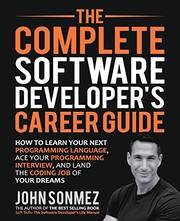
Although titled for developers, the career-building chapters on resumes, interviews, networking, and self-marketing apply directly to any IT professional entering the field for the first time.
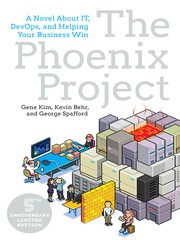
A business novel that dramatizes how IT support, operations, and the business side of a company interact — reading this gives new help desk professionals crucial context for why their work matters and how to communicate value to non-technical stakeholders.
Discussion
Keep reading
Paths that share books, cover the same subject, or open a related topic.