Bash and shell scripting: books to automate the command line
This curriculum takes a beginner from zero command-line experience all the way to writing robust, production-quality shell scripts and automation pipelines. Each stage builds directly on the last: you first get comfortable living in the shell, then learn to script it, then master advanced patterns and real-world automation.
Living in the Shell
BeginnerGet comfortable navigating the Linux/Unix command line, understanding the file system, and using essential commands confidently before writing a single script.
▸ Study plan for this stage
Pace: 4–5 weeks, ~40–50 pages/day (alternating between both books; start with "The Linux Command Line" for foundational breadth, then reinforce with "Unix for the Beginning Mage" for depth and practical wizardry)
- The shell as an interface: understanding the command prompt, how the shell interprets input, and the relationship between the user, shell, and operating system
- File system hierarchy and navigation: absolute vs. relative paths, directory structure (/home, /etc, /usr, /bin, etc.), and fluent use of cd, pwd, ls, and find
- Essential file operations: creating, viewing, copying, moving, and deleting files and directories with touch, cat, cp, mv, rm, and mkdir
- Permissions and ownership: understanding rwx permissions, chmod, chown, and why they matter for security and system stability
- Pipes and redirection: connecting commands with |, redirecting output with >, >>, and input with <, and understanding stdin/stdout/stderr
- Globbing and wildcards: using *, ?, and [] to match multiple files efficiently in commands
- Text processing fundamentals: viewing and searching file contents with grep, less, head, tail, and wc to extract and analyze information
- Command anatomy and help systems: reading man pages, understanding command syntax, flags, and arguments to become self-sufficient
- How does the shell interpret and execute a command you type, and what is the difference between the shell and the kernel?
- Explain the difference between absolute and relative paths, and demonstrate how you would navigate from /home/user/documents to /etc/config using both types of paths
- What are the three permission categories (user, group, other) and the three permission types (read, write, execute), and how would you use chmod to give the owner read/write access and everyone else read-only access to a file?
- How do pipes and redirection work together? Give an example of a command that uses both | and > to filter and save output
- What is the difference between > and >> when redirecting output, and why would you use one over the other?
- How would you search for all .txt files in your home directory and its subdirectories, and what command would you use to view the first 20 lines of a specific file?
- Navigate your file system using only cd, pwd, and ls: start in your home directory, move to /usr/bin, list its contents, then navigate back using a relative path. Repeat this 5 times with different directories to build muscle memory
- Create a directory structure for a project (e.g., ~/myproject with subdirectories src, data, output) using mkdir -p, then use touch to create placeholder files, and practice moving and copying files between directories with cp and mv
- Use ls -l to examine file permissions on 10 different files in /bin and /etc, then change permissions on a test file using chmod (e.g., chmod 644 testfile.txt) and verify the change with ls -l
- Redirect the output of ls -la to a file, then use cat, head, tail, and grep to view and search that file in different ways; practice with >> to append additional command output
- Use find to locate all files modified in the last 7 days in your home directory, then pipe the results to wc -l to count them, and redirect the final count to a text file
- Create a text file with 20+ lines of content, then use grep to search for specific patterns, use head/tail to view portions, and use pipes to combine commands (e.g., grep 'pattern' file.txt | wc -l)
Next up: Mastering shell navigation and command fundamentals gives you the confidence and fluency needed to move into writing your first scripts, where you'll combine these commands into automated workflows and begin learning shell syntax, variables, and control structures.
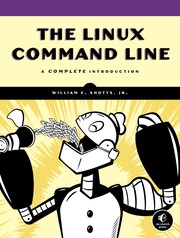
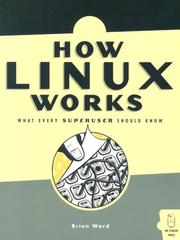
The single best starting point for absolute beginners — it teaches the shell environment, navigation, file manipulation, and I/O redirection with clarity and depth. Reading this first gives you the vocabulary every later book assumes.

A short, approachable illustrated primer that reinforces command-line intuition in a story-driven format, making the mental model of the shell stick before moving to scripting.
Scripting Foundations
BeginnerWrite your first real Bash scripts: variables, conditionals, loops, functions, and basic input/output — turning one-liners into reusable programs.
▸ Study plan for this stage
Pace: 4–5 weeks, ~25–30 pages/day. Start with "Bash Pocket Reference" (Chapters 1–4, ~60 pages) over 2–3 weeks, then move to "Learning the bash Shell" (Chapters 1–6, ~150 pages) over 2–3 weeks.
- Variables and parameter expansion: declaring, assigning, and using variables in scripts; understanding quoting rules and special variables like $1, $@, $#
- Conditionals (if/then/else, test/[[ ]], case statements): evaluating conditions and branching script logic
- Loops (for, while, until): iterating over lists, ranges, and command output to automate repetitive tasks
- Functions: defining reusable blocks of code with parameters and return values to structure scripts
- Input/output redirection and pipes: reading from stdin, writing to stdout/stderr, and chaining commands together
- Script structure and execution: shebang lines, file permissions, and running scripts as standalone programs
- Command substitution and arithmetic expansion: embedding command results and numeric calculations in scripts
- Debugging and error handling: using set options, trap, and exit codes to make scripts robust
- How do you declare and use variables in Bash, and what are the differences between single quotes, double quotes, and no quotes?
- What is the difference between if/then/else and case statements, and when would you use each?
- How do for loops, while loops, and until loops work, and how do you iterate over command output or file lists?
- How do you define a function in Bash, pass arguments to it, and capture its return value?
- What are the key input/output redirection operators (>, >>, <, 2>, |) and how do you use them to build pipelines?
- What is a shebang line, and what steps do you take to make a script executable and run it from the command line?
- Write a script that accepts a filename as an argument, checks if the file exists, and prints a message accordingly using if/then/else and the test command.
- Create a script that loops through a list of numbers (1–10) and prints only the even numbers using a for loop and conditional.
- Write a function that takes two numbers as parameters, adds them together, and returns the result; call it multiple times from the main script.
- Build a script that reads lines from a file (or stdin) using a while loop and counts the number of lines matching a pattern (e.g., lines containing 'error').
- Create a script that uses command substitution to capture the output of ls or date and stores it in a variable, then prints it with formatting.
- Write a script that demonstrates input/output redirection: read from a file, process each line, and write results to a new file, with errors logged separately.
Next up: This stage equips you with the core building blocks to write functional scripts; the next stage will introduce advanced techniques like arrays, string manipulation, regular expressions, and error handling patterns that enable you to write production-ready, maintainable scripts.

A concise, authoritative O'Reilly reference that maps out Bash syntax systematically — ideal to read cover-to-cover at this stage so you know what tools exist before diving deeper.
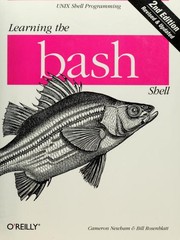
The classic O'Reilly introduction to Bash scripting; it walks through variables, control flow, functions, and job control in a logical progression that builds directly on command-line basics.
Pipelines, Text & the Unix Toolkit
IntermediateHarness the full power of Unix pipelines and text-processing tools (grep, sed, awk, find, xargs) to compose powerful one-liners and data-transformation scripts.
▸ Study plan for this stage
Pace: 6–8 weeks, ~40–50 pages/day (mix of reading and hands-on practice)
- AWK's pattern-action programming model and how it processes input line-by-line with built-in variables ($0, $1, NR, NF, FS, RS)
- Field splitting, record processing, and the power of AWK's associative arrays for data aggregation and transformation
- sed's stream editing paradigm: address ranges, substitution commands, and the hold/pattern space workflow
- Regular expressions in both sed and AWK: anchors, character classes, quantifiers, and backreferences for pattern matching
- Composing sed and AWK one-liners to solve real text-processing problems: filtering, transforming, and extracting data from unstructured input
- Advanced sed techniques: multi-line patterns, branching, labels, and the sed scripting language for complex transformations
- AWK functions (built-in and user-defined), control flow, and how to write reusable AWK scripts beyond one-liners
- Combining pipes, sed, and AWK with other Unix tools (grep, cut, sort, uniq, xargs) to build data pipelines
- How does AWK's line-by-line processing model work, and what are the roles of the pattern and action blocks?
- Explain the difference between FS (field separator) and RS (record separator) in AWK, and give examples of when you'd change each.
- Write a sed one-liner that uses address ranges and the hold space to perform a multi-line substitution.
- How would you use AWK associative arrays to count word frequencies or aggregate data from a log file?
- What is the difference between sed's pattern space and hold space, and why would you use commands like h, H, g, G, x?
- Compose a pipeline using grep, sed, and AWK to extract, transform, and summarize data from a real-world text file (e.g., CSV, log, or config file).
- Work through 'The AWK Programming Language' examples: build a simple AWK script that reads a CSV file, splits fields, and prints a formatted report.
- Practice sed substitution patterns from 'sed & awk': write 5 sed one-liners using different address ranges (line numbers, regex patterns, ranges) to modify text.
- Create an AWK script that uses associative arrays to count occurrences of each word in a text file and print a sorted frequency report.
- Write a sed script (multi-line, using hold space) that reverses the order of lines in a file or swaps adjacent lines.
- Combine sed and AWK in a pipeline: use sed to preprocess messy data, then AWK to aggregate and format the output.
- Parse a real log file (e.g., Apache access log, syslog) using AWK: extract specific fields, filter by criteria, and generate a summary report.
Next up: Mastering sed and AWK equips you to handle complex text transformations and data processing, preparing you to move into scripting larger programs where you'll integrate these tools with shell control flow, functions, and system automation.

Awk is the backbone of shell-based text processing; reading the original authors' book at this stage gives you a deep, precise understanding that makes complex pipelines intuitive.
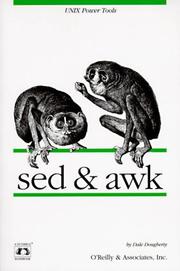
Covers both sed and awk together in a practical, pipeline-oriented way — the perfect complement to the AWK book, focusing on real scripting patterns rather than theory.
Robust & Idiomatic Shell Scripting
IntermediateWrite scripts that are safe, portable, maintainable, and handle errors gracefully — adopting the patterns and idioms used by experienced shell programmers.
▸ Study plan for this stage
Pace: 8–10 weeks, ~40–50 pages/day (mix of reading and hands-on practice)
- Defensive programming: set -e, set -u, set -o pipefail, and trap handlers for robust error handling
- Portable shell scripting: understanding POSIX standards, avoiding bashisms, and writing scripts that run across sh, bash, ksh, and zsh
- Quoting and parameter expansion: proper use of double quotes, single quotes, and braces to prevent word splitting and globbing errors
- Function design patterns: local variables, return codes, and composable functions that follow Unix philosophy
- Text processing idioms: effective use of sed, awk, grep, and pipes; understanding when to use each tool
- Script structure and maintainability: header comments, option parsing, logging, and organizing code for readability
- Process substitution, command substitution, and subshells: when and how to use them safely
- Real-world patterns from recipes: argument validation, file handling, signal handling, and common pitfalls
- What is the purpose of set -e, set -u, and set -o pipefail, and when should you use them together?
- How do you write a shell script that is portable across different Unix shells, and what bashisms should you avoid?
- Explain the difference between single quotes, double quotes, and $'...' syntax, and give examples of when each is appropriate.
- How do you design a function that returns both a status code and output data safely, and what are the pitfalls?
- What is the difference between command substitution $(…) and process substitution <(…), and when is each appropriate?
- How do you implement robust option parsing and argument validation in a shell script?
- What are common patterns for handling temporary files, file locking, and cleanup in shell scripts?
- How do you use trap to handle signals and ensure cleanup code runs even when a script exits unexpectedly?
- Refactor an existing shell script to add set -e, set -u, and set -o pipefail; document what breaks and why.
- Write a portable script that works in both bash and sh by avoiding bashisms; test it in multiple shells.
- Create a function library with 5–6 reusable functions (e.g., log, die, validate_arg) that follow defensive patterns; use it in a larger script.
- Write a script that processes CSV or log files using sed, awk, and grep; compare performance and readability of different approaches.
- Implement a script with proper option parsing (using getopts or a manual parser) that validates all inputs and provides helpful error messages.
- Write a script that safely creates and cleans up temporary files and directories; verify cleanup happens even on error or signal.
- Implement a trap handler that catches EXIT, ERR, and INT signals; verify it runs cleanup code in all scenarios.
- Convert a recipe from the Bash Cookbook into a production-ready script by adding error handling, logging, and documentation.
Next up: Mastering these defensive and portable patterns equips you to write scripts that are reliable in production environments, setting the stage for advanced topics like performance optimization, complex data structures, and building larger shell-based systems.

Focuses on portable, POSIX-compliant scripting patterns and real-world problem solving; it bridges the gap between 'scripts that work on my machine' and professional-grade shell code.
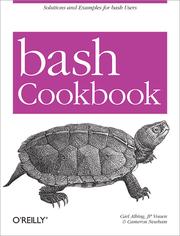
A recipe-driven O'Reilly book packed with practical solutions to everyday scripting problems — reading it here lets you apply and consolidate everything learned so far through concrete examples.
Mastery & Internals
ExpertUnderstand Bash at a deep, internals level — quoting rules, process substitution, subshells, signal handling, performance, and scripting large automation systems with confidence.
▸ Study plan for this stage
Pace: 8–10 weeks, ~40–50 pages/day (Pro Bash Programming: weeks 1–6; Wicked Cool Shell Scripts: weeks 7–10)
- Quoting rules and expansion order: parameter expansion, command substitution, arithmetic expansion, and how single/double/no quotes interact with each
- Process substitution and subshells: when Bash creates subshells, how they inherit/isolate variables, and using <(…) and >(…) for advanced I/O redirection
- Signal handling and trap: catching SIGINT, SIGTERM, EXIT, and other signals; cleanup handlers; and signal propagation in scripts
- Advanced parameter expansion: ${var#pattern}, ${var%pattern}, ${var/old/new}, ${var:-default}, and conditional expansions for robust scripting
- Functions, scope, and execution context: local variables, function return values, recursive functions, and how functions interact with subshells
- Performance optimization: avoiding unnecessary subshells, using built-ins over external commands, and profiling/benchmarking shell scripts
- Building large automation systems: modular design, error handling patterns, logging, configuration management, and maintaining complex scripts
- Real-world shell scripting patterns: parsing command-line arguments robustly, handling edge cases (spaces, special chars), and defensive programming
- Explain the order of expansion in Bash and why the sequence matters. How do quoting rules (single quotes, double quotes, $'…') affect each expansion type?
- What is a subshell? When does Bash create one, and how do variable assignments in a subshell differ from those in the parent shell?
- How does process substitution (<(…) and >(…)) work, and what problems does it solve that pipes alone cannot?
- Write a trap handler that safely cleans up temporary files and handles multiple signals (SIGINT, SIGTERM, EXIT). What order should handlers execute?
- Describe the difference between return and exit in a function. When would you use each, and how do they affect the parent shell?
- How would you parse command-line arguments robustly in a large script, and what edge cases (spaces, special characters, missing values) must you handle?
- What are the performance implications of using subshells, command substitution, and external commands? How would you optimize a script that runs slowly?
- Design a modular shell script framework for a multi-step automation system. How would you structure functions, error handling, and logging?
- Write a script that demonstrates all quoting rules: create variables with spaces, special characters, and newlines, then show how each quoting style affects expansion and output.
- Build a script using process substitution to compare two command outputs side-by-side (e.g., diff <(sort file1) <(sort file2)), then explain why a pipe would not work here.
- Create a signal-handling script that catches SIGINT, SIGTERM, and EXIT; performs cleanup (removes temp files, logs shutdown); and tests it by sending signals with kill.
- Refactor a simple script to use advanced parameter expansion (${var#…}, ${var%…}, ${var/…/…}, ${var:-…}) instead of external commands like sed or cut, and measure performance.
- Write a function library (sourced by other scripts) with functions for logging, error handling, and argument parsing; use local variables and return codes correctly.
- Analyze one of the scripts from 'Wicked Cool Shell Scripts' and identify: subshell usage, signal handling, quoting edge cases, and performance bottlenecks; propose improvements.
- Build a multi-step automation script (e.g., backup, log rotation, or deployment) with modular functions, configuration file support, error recovery, and comprehensive logging.
- Profile a slow shell script using time and set -x; identify subshell overhead, unnecessary external commands, and redundant expansions; optimize and re-benchmark.
Next up: Mastering Bash internals and large-scale scripting patterns equips you to architect robust automation systems, debug complex shell behavior, and transition to advanced topics like shell security, performance tuning at scale, and integration with other languages and tools.

Dives into advanced Bash features — arrays, parameter expansion, process substitution, and building full applications in pure Bash — cementing expert-level mastery.

A collection of non-trivial, real-world automation scripts that challenge you to read, adapt, and extend sophisticated code — the ideal capstone for applying everything in the curriculum.
Discussion
Keep reading
Paths that share books, cover the same subject, or open a related topic.