The Best Books to Learn Malware Analysis, In Order
This curriculum is built for expert-level practitioners who already understand systems internals and want to master malware analysis end-to-end — from static/dynamic dissection and sandboxing, through deep reverse engineering, to advanced evasion techniques and rootkit-level threats. Each stage sharpens a distinct layer of expertise, with earlier books establishing the analytical vocabulary and toolchain that later books demand.
Core Malware Analysis Tradecraft
ExpertMaster the full malware analysis workflow: static analysis, dynamic/sandbox analysis, behavioral profiling, and the essential toolchain (IDA Pro, x64dbg, Wireshark, Regshot, etc.).
▸ Study plan for this stage
Pace: 12–14 weeks, ~40–50 pages/day (accounting for lab work and tool setup). Practical Malware Analysis (650 pages): 8–9 weeks; The Art of Memory Forensics (650 pages): 4–5 weeks.
- Static analysis fundamentals: PE file format, imports/exports, strings, entropy analysis, and IDA Pro disassembly workflows
- Dynamic analysis and sandboxing: controlled execution environments, process monitoring, API hooking, and behavioral observation with tools like x64dbg and Regshot
- Network traffic analysis: packet capture, protocol analysis, C2 communication patterns, and Wireshark for malware traffic identification
- Memory forensics principles: process memory layout, heap/stack analysis, injected code detection, and rootkit identification using memory dumps
- Malware classification and profiling: distinguishing trojans, worms, ransomware, and rootkits by analyzing artifacts and behavioral signatures
- Reverse engineering workflows: combining static and dynamic techniques to extract IOCs, understand malware intent, and document findings
- Rootkit analysis and anti-analysis techniques: kernel-mode malware, code injection, anti-debugging, and anti-VM evasion tactics
- Walk through a complete static analysis of a PE file: what does the import table reveal, how do you identify suspicious functions, and what does high entropy indicate?
- Describe the end-to-end dynamic analysis workflow using a sandbox: how do you set up isolation, what behavioral indicators do you monitor, and how do you safely extract IOCs?
- How would you detect and analyze a rootkit using memory forensics? What artifacts would you look for in a memory dump, and how does kernel-mode malware differ from user-mode?
- Explain how to correlate static analysis findings (suspicious imports, strings) with dynamic analysis observations (API calls, network traffic) to build a complete malware profile.
- What are the key differences between analyzing a trojan, ransomware, and a worm? How would your analysis approach differ for each?
- How do anti-analysis techniques (anti-debugging, anti-VM, code obfuscation) complicate malware analysis, and what countermeasures can you employ?
- Analyze 3–4 real malware samples from Practical Malware Analysis labs: perform static analysis (PE headers, imports, strings), document findings, then execute in a sandbox and correlate with dynamic behavior.
- Set up a complete isolated analysis lab: configure a Windows VM, install IDA Pro, x64dbg, Wireshark, Regshot, and Process Monitor; practice capturing and analyzing a benign application's behavior to validate your toolchain.
- Capture and analyze network traffic from a malware sample using Wireshark: identify C2 domains, protocol anomalies, and exfiltration patterns; document IOCs.
- Perform memory forensics on a process dump: use memory analysis tools (Volatility or similar concepts from Art of Memory Forensics) to identify injected code, hidden modules, and rootkit artifacts.
- Reverse engineer a simple packer or obfuscated malware sample: use IDA Pro and x64dbg to unpack, identify the original entry point, and extract the payload.
- Create a detailed malware analysis report for one sample: include static findings, dynamic behavior, memory forensics results, IOCs, and a classification (trojan/worm/ransomware/rootkit) with justification.
Next up: This stage equips you with hands-on mastery of the complete malware analysis workflow and forensic toolchain, preparing you to specialize in advanced topics such as exploit analysis, vulnerability research, or threat intelligence operations in the next stage.

The canonical starting point even for experts — establishes a rigorous, lab-driven methodology for both static and dynamic analysis that every subsequent book in this path assumes you know cold.
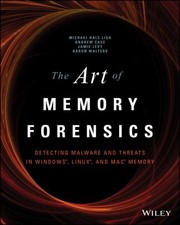
Bridges behavioral sandbox output with deep memory inspection; teaches Volatility-based analysis of live malware artifacts in RAM, a skill set that underpins every advanced investigation stage.
Reverse Engineering Mastery
ExpertDevelop fluency in x86/x64 assembly reverse engineering, decompiler workflows, and the ability to reconstruct malware logic from stripped binaries.
▸ Study plan for this stage
Pace: 12–14 weeks, ~40–50 pages/day (mix of dense technical reading and hands-on labs)
- x86/x64 assembly instruction set, calling conventions, and stack frames—the foundation for reading disassembly
- Decompiler workflows: using IDA Pro to navigate control flow, identify functions, and annotate binaries effectively
- Recognizing compiler-generated patterns (prologue/epilogue, loops, conditionals, function calls) to distinguish them from obfuscation
- Reconstructing high-level logic from stripped binaries by tracing data flow, register usage, and memory operations
- Binary instrumentation and dynamic analysis techniques to validate static reverse engineering hypotheses
- Malware-specific patterns: anti-debugging, anti-analysis, code injection, and API hooking mechanisms
- Practical workflows for analyzing real-world malware samples with limited symbols and aggressive obfuscation
- How do x86/x64 calling conventions (cdecl, stdcall, fastcall) affect function parameter passing and return values, and how do you identify them in disassembly?
- What are the key steps in an IDA Pro workflow for analyzing a stripped binary, and how do you use cross-references, function signatures, and plugins to accelerate analysis?
- How do you distinguish between legitimate compiler-generated code patterns and intentional obfuscation techniques in malware?
- Walk through the process of reconstructing a function's logic from assembly: how do you trace arguments, identify local variables, and infer the original C/C++ structure?
- What are common anti-analysis and anti-debugging techniques in malware, and how do you detect and bypass them using static and dynamic analysis?
- How do you use binary instrumentation tools (e.g., Pin, DynamoRIO) to validate hypotheses formed during static reverse engineering?
- Complete the assembly fundamentals labs in *Reversing* (Chapters 2–4): hand-trace 10–15 small assembly snippets, predict outputs, and verify with a debugger
- Analyze 3–5 simple unstripped binaries in IDA Pro: identify functions, rename variables, add comments, and export a detailed function signature map
- Reverse engineer 2–3 deliberately obfuscated C programs (e.g., from *Practical Binary Analysis* labs): reconstruct the original logic and document your decompilation process
- Use IDA Pro's scripting API (IDAPython) to automate analysis: write a script to identify function prologues, extract all string references, or flag suspicious API calls
- Analyze a real malware sample (e.g., from VirusShare or a sandbox environment) with stripped symbols: document control flow, identify key functions, and describe its behavior without executing it
- Set up a dynamic analysis environment (debugger + instrumentation tool): attach to a benign binary, set breakpoints at key functions, and correlate dynamic behavior with static disassembly
Next up: Mastery of assembly-level reverse engineering and decompiler workflows positions you to analyze sophisticated malware families, understand packing/unpacking mechanisms, and detect advanced obfuscation—preparing you for the next stage on malware behavior analysis and threat intelligence.

Provides the deep conceptual grounding in compiler output, calling conventions, and binary structure that separates true RE practitioners from tool operators — read before tackling obfuscated samples.

The definitive reference for IDA Pro scripting, FLIRT signatures, and plugin development; unlocks the full power of the industry-standard disassembler used throughout advanced malware RE.

Covers ELF/PE binary formats, dynamic taint analysis, and symbolic execution — critical for automating analysis of packed or obfuscated malware at scale.
Evasion, Packing, and Anti-Analysis Techniques
ExpertUnderstand and defeat the full spectrum of malware self-defense: packers, anti-debugging, anti-VM, code injection, and process hollowing.
▸ Study plan for this stage
Pace: 4–5 weeks, ~40–50 pages/day (mix of dense technical content and hands-on labs)
- Packer mechanics: how packers compress, encrypt, and obfuscate malware code to evade static analysis
- Anti-debugging techniques: breakpoint detection, debugger flag checks, and timing-based evasion
- Anti-VM detection: CPUID checks, memory/registry artifacts, and timing anomalies to identify virtualized environments
- Code injection and process hollowing: techniques to inject malicious code into legitimate processes for stealth and privilege escalation
- Unpacking strategies: manual unpacking, memory dumping, and using debuggers to extract original code at runtime
- Dynamic analysis evasion: detecting and bypassing hooks, API monitoring, and behavioral analysis tools
- Practical reverse engineering workflow: combining static and dynamic analysis to defeat layered evasion techniques
- Hands-on lab environment setup: configuring isolated VMs, debuggers, and monitoring tools for safe malware analysis
- What are the main categories of packing algorithms, and how does each affect the difficulty of unpacking?
- How can you detect and defeat anti-debugging techniques like IsDebuggerPresent() and timing checks?
- What are the key indicators of VM detection code, and how can you bypass or spoof them?
- Describe the process of code injection and process hollowing—what are the differences, and when is each used?
- What is the workflow for manually unpacking a packed binary, and what tools are essential?
- How do you identify and work around API hooks and behavioral monitoring in a dynamic analysis environment?
- Unpack a real packed malware sample using a debugger (OllyDbg, x64dbg, or WinDbg); dump the unpacked code and verify its integrity
- Analyze anti-debugging code in a sample; identify the specific checks (e.g., IsDebuggerPresent, NtQueryInformationProcess) and patch them to allow debugging
- Create a test environment and document all VM artifacts (registry keys, CPUID values, MAC addresses); then analyze malware that detects these artifacts
- Implement a simple code injection proof-of-concept (DLL injection or process hollowing) in a controlled lab to understand the mechanics
- Use memory forensics tools (Volatility, Rekall) to extract and analyze injected code from a running process
- Set up a monitored dynamic analysis environment; run evasive malware and identify which anti-analysis techniques trigger, then devise countermeasures
Next up: Mastering evasion and anti-analysis techniques positions you to tackle malware that employs multiple layers of obfuscation and defense—skills essential for analyzing sophisticated APT malware and understanding the adversarial cat-and-mouse game between analysts and malware authors.

A focused, modern treatment of evasion tradecraft — anti-sandbox tricks, living-off-the-land techniques, and detection bypass — directly applicable to contemporary threat samples.

Recipe-driven deep dives into unpacking, shellcode analysis, network forensics, and automation with Python; fills the practical gap between theory and real-world evasive samples.
Rootkits, Kernel Threats, and OS Internals
ExpertAnalyze kernel-mode malware, bootkits, and rootkits by understanding Windows/Linux internals at the driver and hypervisor level.
▸ Study plan for this stage
Pace: 8–10 weeks, ~40–50 pages/day (alternating between deep technical sections and hands-on labs)
- Rootkit architecture and classification (Type I, II, III) and their detection evasion techniques
- Windows kernel structures: processes, threads, handles, and the kernel object manager
- Interrupt Descriptor Table (IDT) hijacking, System Service Descriptor Table (SSDT) hooking, and inline function hooking
- Virtual memory management, page tables, and memory protection mechanisms (DEP, ASLR)
- Bootkit fundamentals: Master Boot Record (MBR) and UEFI firmware attacks
- Linux kernel module exploitation and LKM rootkits for comparison and cross-platform understanding
- Hypervisor-based rootkits (Type 0) and virtualization as a security boundary
- Driver development, I/O request packets (IRPs), and kernel API abuse for privilege escalation
- What are the three types of rootkits and how do they differ in their attack surface and detectability?
- Explain how SSDT hooking works and why it is a critical kernel-mode attack vector in Windows.
- How do bootkits persist across system reboots and what makes them harder to detect than user-mode malware?
- Describe the role of the Interrupt Descriptor Table (IDT) and how it can be exploited by kernel-mode malware.
- What is the relationship between virtual memory, page tables, and rootkit evasion techniques?
- How do hypervisor-based rootkits (Type 0) differ from traditional kernel-mode rootkits, and what advantages do they provide to an attacker?
- Build a simple Windows kernel driver that hooks a system call via SSDT modification and logs function calls; test detection with rootkit detection tools.
- Analyze a real bootkit sample (in a sandboxed VM) by examining MBR code, firmware modifications, and persistence mechanisms.
- Write a Linux kernel module that implements a basic rootkit functionality (e.g., hiding processes or files) and document evasion techniques.
- Reverse-engineer and document the kernel structures (EPROCESS, KTHREAD, handle tables) using WinDbg on a live Windows system.
- Implement a hypervisor-based proof-of-concept using Intel VT-x or AMD-V that intercepts system calls at the hypervisor layer.
- Create a lab environment to detect and analyze rootkit behavior using kernel debuggers (WinDbg, GDB) and memory forensics tools (Volatility).
Next up: Mastery of kernel-mode malware and OS internals prepares you to analyze advanced persistent threats (APTs), firmware-level attacks, and supply-chain compromises that combine rootkits with anti-forensics and anti-analysis techniques.

The seminal text on kernel-mode attack techniques — DKOM, SSDT hooking, and driver exploitation — essential for understanding how sophisticated malware hides from both the OS and analysts.

The authoritative reference on Windows kernel structures, process/thread management, and I/O subsystems; without this depth, kernel-mode malware analysis is guesswork.
Threat Intelligence and Advanced Campaigns
ExpertContextualize malware samples within real-world APT campaigns, develop threat intelligence pipelines, and contribute to the broader security community.
▸ Study plan for this stage
Pace: 4–5 weeks, ~40–50 pages/day with 2–3 days for review and hands-on labs per week
- Intelligence-driven methodology: using threat intelligence to guide incident response priorities and resource allocation
- APT campaign attribution: techniques for linking malware samples, infrastructure, and TTPs to threat actors
- Incident response frameworks: structuring investigations to extract intelligence rather than just contain threats
- Threat intelligence production: converting raw indicators and observations into actionable intelligence products
- Campaign analysis: identifying patterns across multiple incidents to understand adversary objectives, capabilities, and evolution
- Intelligence sharing and community contribution: responsible disclosure, STIX/TAXII formats, and collaborative threat intelligence
- Operational security in investigations: protecting your own infrastructure and sources while conducting malware analysis
- How does an intelligence-driven approach to incident response differ from a purely technical containment approach, and what are the strategic advantages?
- What indicators and artifacts would you collect from a malware sample to support attribution to a known APT group?
- Describe the process of building a threat intelligence pipeline from raw malware samples through to finished intelligence products.
- How would you identify and document a campaign across multiple incidents, and what patterns would indicate a single threat actor?
- What are the key considerations for responsibly sharing threat intelligence with external organizations and the broader security community?
- How do you balance operational security concerns with the need to investigate and analyze malware in real-world incident scenarios?
- Conduct a mock incident response investigation on a provided malware sample, documenting all artifacts, IOCs, and behavioral patterns, then map findings to a known APT group using MITRE ATT&CK.
- Build a simple threat intelligence pipeline: collect raw malware indicators from a sample, normalize them, enrich with context (WHOIS, DNS, file metadata), and produce a one-page intelligence summary.
- Analyze 3–4 related malware samples from the same campaign (or simulated campaign), identify commonalities in code, infrastructure, and TTPs, and create a campaign profile document.
- Create a STIX 2.0 document describing a malware sample, its indicators, and its relationship to a threat actor, then validate the format.
- Design an operational security plan for analyzing a sensitive malware sample in your lab environment, addressing isolation, logging, and data protection.
- Write a responsible disclosure report for a vulnerability or malware family, including severity assessment, affected parties, and recommended remediation steps.
Next up: This stage equips you to contextualize individual malware samples within broader threat landscapes and campaigns, preparing you to move into specialized domains (such as reverse engineering specific malware families, developing custom detection rules, or focusing on particular threat actors) with a strategic, intelligence-driven mindset.

Closes the curriculum by connecting deep technical malware analysis to structured threat intelligence production, attribution, and the F3EAD cycle used by elite incident response teams.
Discussion
Keep reading
Paths that share books, cover the same subject, or open a related topic.