Web scraping: books to extract data from any website
This curriculum takes a beginner from zero web-scraping knowledge to building production-grade, robust crawlers in Python. Each stage builds directly on the last: you first master the Python and HTML fundamentals needed to understand scraping code, then learn core scraping libraries hands-on, then tackle dynamic sites and APIs, and finally harden your crawlers with professional-grade techniques around rate limiting, ethics, and scale.
Foundations: Python & the Web
BeginnerGain enough Python fluency and understanding of how the web works (HTTP, HTML, CSS) to read and write basic scraping scripts without getting lost in syntax or browser mechanics.
▸ Study plan for this stage
Pace: 8–10 weeks, ~40–50 pages/day (mix of reading and hands-on practice)
- Python fundamentals: variables, data types, operators, and control flow (if/else, loops)
- Functions, modules, and code organization—how to write reusable, readable scripts
- Working with strings, lists, dictionaries, and file I/O—essential for parsing and storing scraped data
- HTTP requests and responses: understanding URLs, status codes, headers, and the request/response cycle
- HTML structure and the DOM: tags, attributes, nesting, and how browsers render content
- CSS selectors and how to identify elements on a page for targeted extraction
- Introduction to libraries (requests, BeautifulSoup concepts) and why they matter for web scraping
- Debugging and error handling: reading tracebacks and writing defensive code
- What are the main data types in Python, and when would you use a list vs. a dictionary?
- How do you write a function that accepts parameters and returns a value? Why is this useful for scraping scripts?
- Explain the HTTP request/response cycle: what happens when you type a URL into your browser?
- What is the difference between HTML tags, attributes, and content? Give an example of each.
- How would you use CSS selectors to target a specific element on a webpage (e.g., all links in a navigation menu)?
- What is a module in Python, and how do you import and use one? Why would you use the requests module for scraping?
- Work through Sweigart's Chapter 2 (Flow Control) and Chapter 3 (Functions): write 3–5 small functions that solve real problems (e.g., a function that validates email format, a function that reverses a string).
- Complete Sweigart's Chapter 9 (Reading and Writing Files): write a script that reads a CSV file, processes the data (e.g., filters rows, calculates totals), and writes results to a new file.
- Build a simple Python script that uses string manipulation and loops to parse a sample HTML snippet (provided as a string) and extract all paragraph text—no libraries yet, just string methods and loops.
- Use the browser's Developer Tools (F12) to inspect 3–5 different websites: identify HTML structure, find CSS classes/IDs, and sketch out how you'd select specific elements.
- Write a cheat sheet or flashcard set covering: Python data types, common string/list/dict methods, and basic HTTP concepts (GET vs. POST, status codes 200, 404, 500).
- Practice reading Python tracebacks: intentionally introduce bugs into your scripts (e.g., undefined variables, type mismatches) and practice interpreting error messages to fix them.
Next up: With solid Python syntax, file handling, and a mental model of how HTTP and HTML work, you'll be ready to learn web scraping libraries (like requests and BeautifulSoup) and write your first real scraper in the next stage.
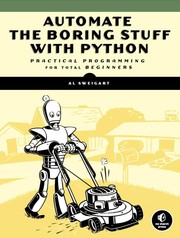
The friendliest on-ramp to practical Python; its chapters on working with files, strings, and the web directly foreshadow scraping tasks and build the vocabulary you need for every later book.
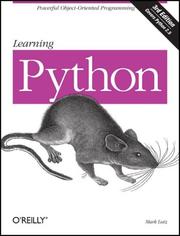
Provides the deeper Python grounding — data structures, OOP, and error handling — that becomes essential when you start writing reusable crawler classes and handling network exceptions.
Core Scraping: HTML Parsing & HTTP
BeginnerUnderstand HTML structure, CSS selectors, and XPath; use the Requests library and BeautifulSoup to extract data from static pages; and handle pagination, forms, and sessions.
▸ Study plan for this stage
Pace: 4–5 weeks, ~40–50 pages/day. Start with "Web Scraping with Python" (Chapters 1–6, ~2.5 weeks), then move to "Python Web Scraping" (Chapters 1–5, ~2 weeks) to deepen HTTP handling and form submission techniques.
- HTML document structure: tags, attributes, nesting, and the DOM tree representation
- CSS selectors: element, class, ID, descendant, child, and attribute selectors for targeting elements
- XPath expressions: absolute and relative paths, predicates, and text matching for precise element selection
- HTTP fundamentals: GET/POST requests, headers, status codes, and response handling with the Requests library
- BeautifulSoup parsing: creating parse trees, navigating with find/find_all, and extracting text and attributes
- Pagination strategies: identifying next-page links, following them programmatically, and managing state across requests
- HTML forms: identifying form elements, building request payloads, and submitting data via POST
- Session management: maintaining cookies and authentication state across multiple requests
- How do CSS selectors and XPath differ in syntax and use cases, and when would you choose one over the other?
- Explain the difference between GET and POST requests, and how would you use the Requests library to handle each?
- How does BeautifulSoup's parse tree work, and what are the advantages of using find_all() with CSS selectors versus navigating the tree manually?
- Describe a pagination workflow: how would you identify the next-page link, extract it, and follow it to scrape multiple pages?
- How do you extract and submit HTML form data programmatically, and why is understanding form structure important for web scraping?
- What is a session in the context of web scraping, and how do cookies help maintain state across multiple requests?
- Parse a simple static HTML page using BeautifulSoup and extract all paragraph text and links using both CSS selectors and XPath.
- Build a scraper for a multi-page website (e.g., a product listing or blog archive) that automatically follows pagination links and collects data from each page.
- Identify an HTML form on a public website, map its fields, and write a script using Requests to submit the form and capture the response.
- Create a scraper that maintains session state across requests—log in to a site (or simulate login with cookies) and scrape authenticated content.
- Compare scraping the same target using BeautifulSoup with CSS selectors versus XPath; document which approach is clearer and why.
- Scrape a page with dynamic or nested HTML structures (e.g., tables within divs), practice navigating the parse tree, and extract structured data into a CSV file.
Next up: This stage equips you with the foundational tools to extract data from static HTML pages and manage HTTP interactions; the next stage will introduce JavaScript rendering, browser automation, and handling dynamically-loaded content that static parsing cannot capture.
The canonical beginner-to-intermediate scraping book; it walks through Requests, BeautifulSoup, and basic crawling patterns in a logical order that matches exactly where you are after the foundations stage.

Complements Mitchell by emphasizing real-world data-cleaning, storing scraped data, and dealing with anti-scraping measures — concepts you are now ready to tackle after your first scraping book.
Dynamic Sites, Headless Browsers & APIs
IntermediateScrape JavaScript-rendered pages using Selenium and Playwright, interact with REST and GraphQL APIs as structured data sources, and understand when to use an API instead of scraping the DOM.
▸ Study plan for this stage
Pace: 4–5 weeks, ~40–50 pages/day (mix of reading and hands-on practice)
- HTTP fundamentals: request/response cycle, headers, status codes, and methods (GET, POST, PUT, DELETE) as covered in Python Requests Essentials
- Building and structuring web applications with Flask: routing, request handling, and response generation for understanding server-side behavior
- Authentication and session management: API keys, OAuth tokens, and cookies for accessing protected endpoints
- Parsing structured data from REST APIs using the requests library and handling JSON/XML responses
- Error handling and retry logic when working with APIs: timeouts, rate limiting, and HTTP error codes
- Understanding when to use an API versus DOM scraping: evaluating data availability, terms of service, and reliability
- Working with query parameters and request bodies to filter and retrieve specific data from APIs
- What is the difference between GET and POST requests, and when should you use each when interacting with APIs?
- How do you authenticate with an API using API keys or bearer tokens, and where should these credentials be stored securely?
- What HTTP status codes indicate success, client errors, and server errors, and how should you handle each in your scraping code?
- How do you parse JSON responses from a REST API using Python, and what libraries does the requests module integrate with?
- When is it better to use an API instead of scraping the DOM, and what factors should you consider (terms of service, rate limits, data structure)?
- How do you handle rate limiting and implement retry logic when an API returns a 429 or 503 status code?
- Build a simple Flask application with at least 3 routes that return JSON responses; test each endpoint using the requests library to understand the request/response cycle
- Write a Python script using requests to fetch data from a public REST API (e.g., OpenWeatherMap, JSONPlaceholder, GitHub API), parse the JSON response, and store results in a CSV or database
- Implement API authentication in a requests script: use an API key or bearer token to access a protected endpoint, and handle 401/403 errors gracefully
- Create a script that makes multiple API requests with query parameters to filter results (e.g., pagination, search filters), and compare the responses
- Build error handling and retry logic: write a function that retries failed requests with exponential backoff when encountering 429 (rate limit) or 5xx errors
- Compare scraping a website's DOM versus using its API (if available): document the pros/cons of each approach in terms of reliability, rate limits, and data structure
Next up: This stage equips you with the ability to reliably extract data from APIs and understand server-side web mechanics, preparing you to tackle JavaScript-rendered pages with headless browsers (Selenium/Playwright) when APIs are unavailable or insufficient.
Building a tiny API yourself demystifies REST endpoints, authentication headers, and JSON payloads, making you a far more effective consumer of third-party APIs during scraping projects.

Dives deep into the Requests library — sessions, authentication, proxies, and streaming responses — giving you the HTTP-level control needed before you tackle rate limiting and robust crawlers.
Robust Crawlers: Scale, Ethics & Production
ExpertBuild production-quality crawlers with Scrapy, implement polite rate limiting and retry logic, manage IP rotation and proxies, respect robots.txt and legal boundaries, and store data reliably at scale.
▸ Study plan for this stage
Pace: 8–10 weeks, ~40–50 pages/day (alternating between both books; ~2 weeks per major Scrapy section, then 2–3 weeks on data wrangling techniques)
- Scrapy architecture: Spiders, Pipelines, Middlewares, and the request/response cycle for building scalable crawlers
- Polite crawling: Implementing rate limiting, respecting robots.txt, setting appropriate User-Agents, and handling 429/503 responses
- Retry logic and error handling: Using Scrapy's built-in retry middleware, custom exception handling, and graceful failure recovery
- IP rotation and proxy management: Integrating rotating proxies, handling proxy authentication, and detecting/avoiding IP bans
- Data validation and cleaning pipelines: Using Scrapy pipelines to normalize, deduplicate, and validate scraped data before storage
- Reliable data persistence: Storing data in databases (SQL/NoSQL) and file systems with transaction safety and idempotency
- Legal and ethical boundaries: Understanding robots.txt, Terms of Service, rate limiting obligations, and when to seek permission
- Data wrangling at scale: Cleaning, transforming, and structuring messy real-world data using Python libraries (pandas, regex, etc.)
- How does Scrapy's middleware system enable you to inject custom logic for rate limiting, retries, and proxy rotation without modifying spider code?
- What are the key differences between Scrapy's built-in retry middleware and custom retry logic, and when would you implement each?
- How do you respect robots.txt and legal boundaries in a production crawler, and what are the consequences of ignoring them?
- Describe a complete data pipeline in Scrapy: from spider extraction through validation, deduplication, and storage in a database.
- How would you design a system to rotate through multiple proxies and detect when an IP has been banned, then automatically switch?
- What data quality issues are common in web scraping, and how would you use Python data wrangling techniques to clean and normalize them?
- How do you ensure idempotency and avoid duplicate records when re-running a crawler against the same target?
- Build a multi-page Scrapy spider that respects robots.txt, implements a 2-second delay between requests, and logs rate-limit violations.
- Create a custom Scrapy middleware that rotates through a list of 5 proxy servers and falls back gracefully if all are exhausted.
- Implement a Scrapy pipeline that validates scraped items against a schema, deduplicates by URL hash, and logs rejected items to a file.
- Write a spider that deliberately triggers retryable errors (404, 500, timeout) and configure Scrapy's retry middleware to handle them; verify retry counts in logs.
- Scrape a real website (with permission or a sandbox), store results in SQLite with a unique constraint on URL, and re-run the spider to verify no duplicates are inserted.
- Use pandas and regex to clean a messy CSV of scraped data: normalize whitespace, parse dates, extract numbers from text, and handle missing values.
- Design and document a rate-limiting strategy for a specific target website based on its robots.txt, server response headers, and Terms of Service.
- Build an end-to-end pipeline: spider → Scrapy pipeline (validation + deduplication) → pandas DataFrame → CSV export, with error logging at each stage.
Next up: This stage equips you with production-grade crawler architecture and data reliability patterns; the next stage will likely focus on advanced topics such as JavaScript rendering, distributed crawling, real-time data pipelines, or domain-specific applications (e.g., SEO monitoring, price tracking, research automation).

Scrapy is the industry-standard Python crawling framework; this book teaches its spider architecture, pipelines, and middleware system — the right level of abstraction for robust, scalable crawlers.

Closes the loop by showing how to clean, validate, and store the data your crawlers collect — turning raw scraped output into reliable, analysis-ready datasets.
Discussion
Keep reading
Paths that share books, cover the same subject, or open a related topic.