Coding for beginners: the best books to start programming, in order
This curriculum takes a complete beginner from zero programming knowledge to writing real, functional code across three carefully sequenced stages. It starts by building mental models of how computers and code work, then introduces a beginner-friendly language (Python) with hands-on practice, and finally bridges into broader software thinking so the learner can continue growing independently.
How Computers & Code Think
BeginnerUnderstand what a computer actually does, how code gives it instructions, and why programming works the way it does — before writing a single line.
▸ Study plan for this stage
Pace: 4–5 weeks, ~25–30 pages/day (approximately 150–180 pages/week). Start with "Code" (Chapters 1–10, ~2.5 weeks), then move to "How to Think Like a Computer Scientist" (Chapters 1–4, ~2 weeks).
- Binary representation and how computers store/process information using only 0s and 1s
- How electrical signals and circuits form the foundation of computation
- The relationship between code as human-readable instructions and machine code as executable signals
- Algorithms as step-by-step procedures that computers follow precisely and repeatedly
- Variables, data types, and how computers organize and manipulate information in memory
- Control flow (sequences, conditionals, loops) as the fundamental patterns that direct program execution
- Abstraction and decomposition: breaking complex problems into manageable pieces
- Why syntax and logic matter: computers execute exactly what you tell them, nothing more
- How do computers represent information using only binary digits, and why is this sufficient for all computation?
- What is the relationship between the code you write and the electrical signals that actually execute inside a computer?
- What is an algorithm, and why is thinking algorithmically essential before writing code?
- How do variables, data types, and memory work together to store and manipulate information?
- What are the three fundamental control flow structures, and how do they direct the order of execution?
- Why is abstraction important in programming, and how does it help you solve complex problems?
- Create a binary-to-decimal conversion chart for numbers 0–15, then reverse-engineer how a 4-bit number represents different values
- Design a simple algorithm (in plain English, no code) to sort three numbers in ascending order, then trace through it step-by-step with sample inputs
- Map out a real-world process you do daily (e.g., making breakfast) as a flowchart with sequences, decisions (if/then), and loops—identify where a computer would need explicit instructions
- Write pseudocode (English-like instructions) for a program that checks if a number is even or odd, including the decision logic
- Create a variable 'inventory' and describe what data type it should be, what values it can hold, and how the computer stores it in memory
- Trace through a simple algorithm with a loop (e.g., 'repeat 5 times, add 1 to counter') on paper, showing the state of variables after each iteration
Next up: This stage builds the mental model and conceptual foundation—understanding *why* code works—so that the next stage can focus on *how* to write actual code with confidence and clarity.
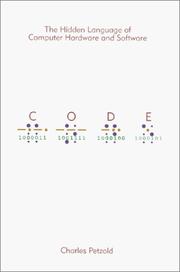
Builds an intuitive, ground-up understanding of how computers work — from light switches to logic gates to machine code — so nothing feels like magic later. Read this first to demystify the machine itself.

Gently introduces computational thinking and problem-solving patterns before diving into syntax. It bridges the gap between 'understanding computers' and 'writing programs.'
Your First Real Language — Python Foundations
BeginnerLearn Python syntax, core concepts (variables, loops, functions, data structures), and write your first complete programs with growing confidence.
▸ Study plan for this stage
Pace: 8–10 weeks, ~40–50 pages/day (Python Crash Course: 3–4 weeks; Automate the Boring Stuff: 2–3 weeks; Learn Python 3 the Hard Way: 2–3 weeks)
- Variables, data types (strings, integers, floats, lists, dictionaries, tuples), and type conversion
- Control flow: if/elif/else statements and boolean logic for decision-making
- Loops (for and while) for iteration and automating repetitive tasks
- Functions: defining, calling, parameters, return values, and scope
- Lists and dictionaries as core data structures for organizing and manipulating data
- Working with files: reading, writing, and parsing text data
- Debugging techniques and reading error messages to fix your code
- Writing complete, runnable programs that solve real problems (not just snippets)
- What are the main data types in Python, and how do you choose which one to use for a given problem?
- How do if/elif/else statements and loops work together to control program flow?
- What is the difference between a function parameter and a return value, and why would you use functions to organize code?
- How would you use lists and dictionaries to store and access related data in a real program?
- How do you read from and write to files in Python, and why is this important for automating tasks?
- When you encounter an error, how do you read the traceback and use it to fix your code?
- Complete all 'Try It Yourself' projects in Python Crash Course (Chapters 2–10), focusing on alien invasion game and data visualization projects
- Work through at least 5 practical automation projects from Automate the Boring Stuff (e.g., file renaming, web scraping, PDF manipulation) to see Python solving real problems
- Build a personal project that combines multiple concepts: e.g., a to-do list manager that reads/writes to a file, uses dictionaries to store tasks, and includes functions for adding/deleting items
- Complete all 52 exercises in Learn Python 3 the Hard Way, typing out every example (not copy-pasting) to build muscle memory
- Debug intentionally broken code: take working programs and introduce bugs, then practice using print statements and error messages to locate and fix them
- Refactor an earlier program: take a program you wrote in week 1–2 and rewrite it using functions, better variable names, and cleaner logic to see your own growth
Next up: Mastering these foundational concepts—variables, control flow, functions, and data structures—equips you with the mental models needed to tackle object-oriented programming, libraries, and larger projects in the next stage.

The most widely recommended first Python book — clear, project-driven, and perfectly paced for beginners. Read it first in this stage to get a solid, practical foundation in the language.
Reinforces Python fundamentals through immediately useful, real-world projects (files, spreadsheets, web). Reading it after Python Crash Course cements skills by applying them to tasks you actually care about.

Uses disciplined repetition and typing exercises to make syntax truly stick. Best read here as a complement to deepen muscle memory and catch gaps before moving on.
Thinking Like a Programmer
IntermediateMove beyond syntax to learn how to break down problems, write clean readable code, and think algorithmically — the skills that separate beginners from real developers.
▸ Study plan for this stage
Pace: 8–10 weeks, ~40–50 pages/day (approximately 3–4 hours of reading + practice per day)
- Algorithmic thinking: breaking complex problems into smaller, logical steps before writing code
- Functions and modularity: writing reusable, single-purpose functions that are easy to test and maintain
- Debugging and problem-solving: using systematic approaches (like rubber duck debugging) to identify and fix errors
- Code readability and naming conventions: writing self-documenting code with clear variable/function names and meaningful comments
- Data structures and control flow: understanding when and how to use lists, dictionaries, loops, and conditionals efficiently
- Testing and validation: writing code that handles edge cases and verifying logic before deployment
- Refactoring and iteration: improving existing code through repeated cycles of review and enhancement
- Professional coding standards: following style guides and best practices that make code maintainable in team environments
- How do you approach breaking down a complex programming problem into manageable sub-problems before writing any code?
- What makes a function 'clean' and reusable, and how do you decide what should and shouldn't go into a single function?
- How do meaningful variable and function names improve code readability, and what naming conventions should you follow?
- What is the relationship between code structure, testing, and maintainability, and why does it matter in real-world development?
- How do you systematically debug code when something isn't working, and what tools or techniques help you find the root cause?
- What are the key differences between code that 'works' and code that is professional-grade, and how do you bridge that gap?
- Work through Think Python's exercises on functions (Chapters 3–5), focusing on writing functions with single responsibilities and clear inputs/outputs
- Refactor a piece of your own earlier beginner code using Clean Code principles: rename variables for clarity, break large functions into smaller ones, add comments where logic isn't obvious
- Build a small project (e.g., a to-do list manager, simple calculator, or text-based game) from The Self-Taught Programmer that requires multiple functions, then review it against Clean Code standards
- Practice rubber duck debugging: explain your code line-by-line to a rubber duck (or friend) to catch logical errors before running it
- Write unit tests for 3–5 functions you've created, testing both normal cases and edge cases (empty inputs, negative numbers, etc.)
- Read and critique a peer's code (or open-source code) using Clean Code principles, identifying what makes it readable or confusing
Next up: This stage transforms you from someone who can write code that runs into someone who can write code that others can understand, maintain, and build upon—the foundation for tackling larger projects, collaborating with teams, and learning advanced design patterns in the next stage.
Shifts focus from 'what does this syntax do' to 'how do I solve problems with code,' introducing algorithms and data structures gently. A natural next step after hands-on Python practice.

Broadens the picture beyond Python to cover how the software industry works, version control, data structures, and career paths — essential context for anyone learning without a formal CS degree.
Teaches how to write code that humans can read and maintain, not just code that runs. Placed last in the curriculum so the learner has enough experience to appreciate and apply its lessons.
Discussion
Keep reading
Paths that share books, cover the same subject, or open a related topic.