Fly drones: piloting and aerial photography
This curriculum takes a complete beginner from zero drone knowledge to confident aerial photographer and videographer in four progressive stages. It starts with piloting fundamentals and safety, moves through FAA regulations and certification, then develops the eye and technique for compelling aerial imagery, and finally refines advanced creative and technical craft. Each stage builds the vocabulary and confidence needed to absorb the next.
Foundations: How Drones Work & How to Fly Safely
BeginnerUnderstand how multirotor drones work, develop safe flying habits, and gain confident basic piloting skills before ever worrying about a camera.
▸ Study plan for this stage
Pace: 3–4 weeks, ~20–25 pages/day — Drone Pilot's Handbook is visually rich and diagram-heavy, so budget extra time to study illustrations, re-read technical sections on flight mechanics, and cross-reference regulations before moving on.
- Multirotor physics: how opposing rotor pairs create lift, thrust, yaw, pitch, and roll without a tail rotor
- Drone anatomy: flight controller, ESCs, motors, propellers, battery (LiPo chemistry & care), GPS module, and IMU/gyroscope stack
- Pre-flight checklist discipline: airframe inspection, propeller condition, battery charge level, firmware/app updates, and compass calibration
- Airspace classification and no-fly zones: understanding controlled vs. uncontrolled airspace, temporary flight restrictions (TFRs), and how to use airspace apps to check legality before every flight
- Regulatory basics: registration requirements, visual line-of-sight (VLOS) rules, altitude ceilings (400 ft AGL in many jurisdictions), and when waivers are needed
- Transmitter orientation and mode conventions (Mode 1 vs. Mode 2), stick inputs, and how to maintain situational awareness when the drone is facing away from the pilot
- Fail-safes and emergency procedures: Return-to-Home (RTH) triggers, low-battery behavior, signal loss protocols, and manual override habits
- Weather and environmental risk assessment: wind limits for beginner flight, effect of temperature on LiPo performance, and avoiding flight near obstacles, people, and wildlife
- Can you trace the signal path from a stick input on the transmitter all the way to a specific motor speeding up or slowing down, and explain why that moves the drone in the intended direction?
- Walk through a complete pre-flight checklist from memory — what do you check on the airframe, the battery, the software, and the environment before arming the motors?
- Your planned flight location is 2 miles from a small regional airport. What steps do you take to determine whether you can legally fly there, and what authorisation might you need?
- The drone's low-battery RTH is triggered mid-flight and it begins climbing to return home. What should you do, and what could go wrong if you do nothing?
- You are flying in Attitude (Atti) mode and the drone drifts because GPS is unavailable. How do you correct for drift using stick inputs, and why is practising this skill important even if you normally fly in GPS-assisted mode?
- What are three weather or environmental conditions that Juniper flags as unsafe for beginner flight, and what specific risk does each condition introduce?
- Airframe teardown sketch: Without looking at the book, draw a labelled diagram of a multirotor drone from memory, identifying every major component Juniper covers. Then compare with the book's diagrams and annotate anything you missed.
- Pre-flight checklist card: Using Juniper's guidance, write your own laminated (or phone-saved) pre-flight checklist. Run through it on a powered-off drone or simulator before every practice session to build the habit before your first real flight.
- Airspace research drill: Pick five locations near you (a park, a school, a sports ground, a beach, a rural field). Use an airspace app (e.g., AirMap, B4UFLY, or your country's equivalent) to classify each location, note any restrictions, and write a one-paragraph 'flight legality summary' for each — exactly as Juniper recommends doing before every flight.
- Simulator stick-skills progression: In a free drone simulator (e.g., Liftoff, DJI Flight Simulator, or RealFlight), complete these drills in order over at least five sessions: (1) stable hover at eye level for 60 seconds, (2) slow square circuit clockwise then counter-clockwise, (3) nose-in hover (drone facing you) for 30 seconds, (4) figure-eight at walking pace. Log each session date and what fe
- Emergency scenario walk-throughs: Re-read Juniper's fail-safe and emergency sections, then write out step-by-step responses to three scenarios: (a) signal loss at 80 m altitude, (b) a propeller warning light appears mid-hover, (c) RTH activates but the home point was set in a tree line. Discuss your answers with another learner or post them in an online drone community for feedback.
- LiPo battery care log: If you own or borrow a drone, start a battery log spreadsheet tracking: charge date, storage charge vs. full charge, temperature at time of use, number of cycles, and any puffing observed. Cross-reference Juniper's battery safety guidelines and flag any entries that would ground the battery.
Next up: Mastering safe flight mechanics and regulatory awareness in this stage clears the mental bandwidth needed in the next stage to focus on camera settings, gimbal control, and compositional thinking — because a pilot who isn't worrying about crashing or legality can start directing their eyes through the lens.

A highly visual, beginner-friendly introduction to drone hardware, flight physics, and safe operating practices — the ideal first read that builds core vocabulary for everything that follows.
Rules of the Sky: Regulations & FAA Certification
BeginnerUnderstand U.S. airspace rules, master the knowledge required to pass the FAA Part 107 Remote Pilot Certificate exam, and fly legally and confidently.
▸ Study plan for this stage
Pace: 8–10 weeks total. Week 1–5: Remote Pilot - Small Unmanned Aircraft Systems Study Guide (FAA) — read ~15–20 pages/day, focusing on one topic area per session (airspace, weather, loading, operations, etc.). Week 6–10: Pilot's Handbook of Aeronautical Knowledge 2016 (FAA) — read ~20–25 pages/day, using
- U.S. Airspace Classification: understanding Classes A–G, special-use airspace (MOAs, TFRs, restricted areas), and how they apply to sUAS operations as covered in the Remote Pilot Study Guide
- FAA Part 107 Rules: registration requirements, operating limitations (altitude ceiling of 400 ft AGL, daylight/twilight operations, visual line of sight), waivers, and remote pilot responsibilities
- Aeronautical Charts & NOTAMs: reading sectional charts to identify airspace boundaries, obstacles, and airports; interpreting NOTAMs and METARs for pre-flight planning, as detailed in both the Study Guide and the Pilot's Handbook of Aeronautical Knowledge
- Weather Fundamentals for sUAS: atmospheric pressure, wind patterns, density altitude, cloud formations, and how weather phenomena (thunderstorms, fog, turbulence) affect small UAS safety — grounded in the Pilot's Handbook of Aeronautical Knowledge weather chapters
- Aerodynamics & Aircraft Performance: principles of lift, drag, thrust, and weight; how they apply to multirotor and fixed-wing UAS; effects of loading and density altitude on performance, drawn from the Pilot's Handbook of Aeronautical Knowledge
- Radio Communications & Airport Operations: understanding controlled vs. uncontrolled airport environments, runway markings, light signals, and basic radio phraseology relevant to operating near airports per the Study Guide
- Emergency Procedures & Crew Resource Management: lost-link procedures, fly-away scenarios, risk assessment using the PAVE checklist, and aeronautical decision-making (ADM) frameworks from both books
- Physiology & Human Factors: effects of fatigue, stress, and visual illusions on remote pilot performance as outlined in the Remote Pilot Study Guide's human factors section
- What are the six classes of U.S. airspace, and what specific authorizations or notifications does a Part 107 remote pilot need before operating in each class?
- What are the five key operating limitations under Part 107 (altitude, visibility, cloud clearance, speed, and VLOS), and under what conditions can a waiver be obtained for each?
- How do you read a sectional aeronautical chart to determine whether a proposed flight location requires LAANC authorization or direct FAA waiver, and what symbols indicate controlled airspace floors and ceilings?
- How does density altitude affect sUAS performance, and what weather conditions (temperature, humidity, elevation) would cause a remote pilot to reconsider or abort a flight?
- What are the required steps of a pre-flight risk assessment using the PAVE checklist, and how does aeronautical decision-making (ADM) apply when unexpected weather develops mid-operation?
- What are the remote pilot's reporting obligations following an accident under Part 107, and what thresholds (injury severity, property damage cost) trigger a mandatory report to the FAA?
- Take a full-length FAA Part 107 practice exam (available free at faa.gov or apps like Sporty's) after finishing the Remote Pilot Study Guide, then map every missed question back to the specific chapter in the Study Guide to create a targeted re-read list.
- Print or open a sectional aeronautical chart for your local area (available at skyvector.com) and identify: the airspace class directly above your home, the nearest airport's traffic pattern altitude, any TFRs or special-use airspace within 10 miles, and the maximum altitude you could legally fly without authorization.
- Use the B4UFLY or Aloft (formerly Kittyhawk) app to plan three hypothetical flights in different airspace classes — document the authorization steps required for each and compare them against the Part 107 rules in the Study Guide.
- Create a one-page personal pre-flight checklist drawing on the PAVE and IMSAFE checklists described in both the Remote Pilot Study Guide and the Pilot's Handbook of Aeronautical Knowledge, then run through it before every practice flight session.
- Practice decoding three real METARs and TAFs from aviationweather.gov for airports near a planned flight site, then write a go/no-go decision memo citing specific weather minimums from Part 107 (3 SM visibility, 500 ft below clouds, etc.).
- Study the aerodynamics chapter of the Pilot's Handbook of Aeronautical Knowledge, then sketch a free-body diagram of a quadcopter in hover and in forward flight, labeling lift, drag, thrust, and weight vectors — note how each force changes during a wind gust scenario.
Next up: By mastering airspace rules, FAA certification knowledge, and the aeronautical fundamentals in these two books, the reader has the legal clearance and theoretical foundation needed to move confidently into the next stage — hands-on drone operation, camera systems, and the practical craft of aerial photography.

The official FAA study guide for the Part 107 exam — reading this first establishes the authoritative regulatory framework that all third-party prep books are built around.

The FAA's own foundational aeronautics text; the weather, airspace, and aerodynamics chapters are directly tested on Part 107 and give the learner a deeper understanding than flashcards alone.
The Aerial Eye: Photography & Videography from the Sky
IntermediateApply camera fundamentals specifically to aerial work — composition, exposure, light, and movement — and produce polished photos and video footage from a drone.
▸ Study plan for this stage
Pace: 10–12 weeks total, roughly 20–25 pages/day. Week 1–3: "Understanding Exposure" by Bryan F. Peterson (~240 pages, read in full, ~15–20 pages/day with slower pacing for technical chapters). Week 4–7: "Aerial Photography and Videography Using Drones" by Eric Cheng (~240 pages, ~20 pages/day, pausing fr
- The Exposure Triangle in aerial contexts — how aperture, shutter speed, and ISO interact differently at altitude, in bright open sky, and over high-contrast landscapes (Peterson, Chapters 1–5)
- The 'Photographic Aperture' mindset — Peterson's concept of shooting with deliberate intent rather than relying on auto modes, applied to pre-flight camera planning
- Drone-specific camera hardware and settings — sensor size trade-offs, ND filter selection, log/flat picture profiles, and gimbal stabilization as covered by Cheng
- Light quality and direction from the air — golden hour, blue hour, harsh midday contrast, and how altitude changes the angle and softness of light (Cheng + Peterson's light chapters)
- Motion and shutter speed for aerial video — the 180-degree shutter rule, rolling shutter artifacts, and smooth movement planning (Cheng's video chapters)
- Visual design and the frame — Freeman's seven elements of design (line, shape, texture, pattern, form, color, and space) applied to aerial compositions
- The decisive frame vs. the decisive flight path — Freeman's concept of the 'moment' reinterpreted as the intersection of drone position, altitude, angle, and timing
- Post-processing workflow for aerial imagery — color grading log footage, correcting lens distortion, and managing dynamic range in high-sky scenes (Cheng's workflow sections)
- After reading Peterson, can you explain — without looking at a chart — exactly what happens to depth of field, motion blur, and noise when you change each leg of the exposure triangle, and give a drone-specific example for each?
- Eric Cheng discusses ND filter selection extensively: what is the decision-making process for choosing the correct ND strength before a flight, and how does it change between a photo mission and a video mission?
- How does the quality and direction of natural light change when shooting from altitude versus from the ground, and what flight-planning adjustments does Cheng recommend to exploit golden-hour light?
- Using Freeman's framework from 'The Photographer's Eye,' identify at least three compositional elements (e.g., line, pattern, negative space) that are uniquely powerful or uniquely challenging in aerial imagery, and explain why.
- What is the 180-degree shutter rule as described by Cheng, why does it matter for cinematic drone video, and how do you achieve it in bright daylight without overexposing?
- How would you combine Peterson's exposure discipline, Cheng's flight and gear knowledge, and Freeman's compositional thinking into a single pre-flight checklist for a golden-hour landscape shoot?
- Exposure drill on the ground first: Using Peterson's 'Exposure Meter' exercises, shoot the same static subject 27 times — varying aperture, shutter, and ISO independently — then repeat the drill from a fixed low-altitude hover (3–5 m) to feel how aerial vibration and wind interact with shutter speed choices.
- ND filter field test: Before each of four separate flights (sunny midday, overcast, golden hour, blue hour), predict the correct ND filter using Cheng's guidelines, shoot a short video clip, then review footage for exposure accuracy and motion blur quality — log your predictions vs. results.
- Freeman's seven-element hunt from the air: Plan and fly seven short missions, each dedicated to capturing one of Freeman's design elements (line, shape, texture, pattern, form, color, space) as the dominant compositional force. Curate one hero shot per element and write a one-paragraph justification.
- Golden-hour flight log: Execute two flights — one at sunrise, one at sunset — at the same location and altitude. Using Peterson's light chapters and Cheng's aerial light guidance, document how shadow length, color temperature, and contrast change, and select your best three images from each session with exposure data noted.
- Cinematic video sequence: Plan and shoot a 60-second edited aerial video sequence using only three move types covered by Cheng (e.g., reveal, orbit, and push-in). Apply the 180-degree shutter rule throughout, grade the footage from a flat/log profile, and screen it for honest self-critique against Cheng's quality benchmarks.
- Capstone portfolio edit: Compile a 10-image aerial photo portfolio and a 90-second video reel. For each photo, annotate it with (a) the exposure settings and Peterson's rationale, (b) the Cheng gear/flight decision that made the shot possible, and (c) the Freeman compositional element that anchors the frame. Present the portfolio to a peer or online community for structured feedback.
Next up: By internalizing exposure control, aerial-specific camera craft, and compositional design across these three books, the reader now has the visual and technical vocabulary needed to move into more advanced topics — such as mission planning for complex environments, regulatory frameworks for professional operations, or specialized applications like mapping and inspection — where polished image-makin
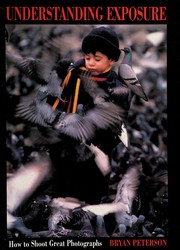
The clearest beginner-to-intermediate guide to aperture, shutter speed, and ISO; mastering exposure on the ground is essential before applying it to a moving aerial platform.

Written by a pioneer of consumer drone photography, this is the most direct and comprehensive book on aerial-specific composition, camera settings, flight patterns for shots, and post-processing — the centerpiece of this stage.
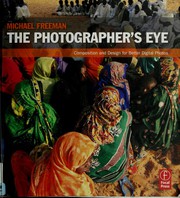
Trains the learner to see and compose images with intention; the principles of framing, geometry, and visual weight translate powerfully to the top-down and oblique perspectives unique to aerial work.
Advanced Craft: Cinematic Video, Editing & Professional Practice
ExpertElevate drone footage to cinematic quality through advanced camera movement, color grading, and editing, and understand what it takes to work professionally.
▸ Study plan for this stage
Pace: 8–10 weeks total: Weeks 1–4 on "The Filmmaker's Eye" (~25–30 pages/day, including re-reading shot analyses); Weeks 5–9 on "Color Correction Handbook" (~20–25 pages/day, pausing to apply each technique in your NLE); Week 10 reserved for integration projects combining both books' lessons.
- Visual grammar and the 'why' behind every shot: how Mercado's 100+ shot analyses teach you to justify every camera angle, lens choice, and movement with intentional storytelling logic rather than accident
- Cinematic composition for aerial work: applying Mercado's principles — leading lines, rule of thirds, depth layering, and negative space — to drone-specific framings such as top-down, low-altitude tracking, and reveal shots
- Camera movement as narrative language: translating Mercado's ground-based movement vocabulary (push, pull, arc, tilt) into drone equivalents (ascend/reveal, orbit, fly-through, Jib-up) and understanding the emotional effect of each
- The node-based color pipeline: Van Hurkman's end-to-end workflow from ingesting flat/log-profile drone footage (D-Log, D-Cinelike, S-Log) through primary correction, secondary isolation, and final output
- Primary color correction fundamentals: using scopes (waveform, vectorscope, parade) to achieve technical exposure balance, correct white balance, and match shots across a sequence as taught in the Color Correction Handbook
- Secondary grading and looks: Van Hurkman's techniques for HSL qualification, Power Windows/masks, and building a cinematic 'look' — directly applicable to sky replacements, golden-hour enhancement, and isolating subjects in aerial footage
- Shot-to-shot continuity and the edit: synthesizing Mercado's visual grammar with Van Hurkman's color matching to cut a sequence where every frame is both compositionally intentional and chromatically cohesive
- Professional practice standards: understanding deliverable formats, LUT creation and distribution, client-ready exports, and the repeatable grading workflow Van Hurkman prescribes for consistent professional output
- According to Mercado's framework in The Filmmaker's Eye, what is the difference between a shot that is visually interesting and one that is narratively justified — and how do you apply that distinction when planning a drone flight path?
- How does Mercado categorize camera movement by emotional effect, and which of those categories map most naturally onto drone maneuvers like the orbit, the reveal ascent, and the low-altitude tracking shot?
- Using Van Hurkman's scope-based methodology from the Color Correction Handbook, what is the correct order of operations for bringing a flat D-Log drone clip to a balanced, broadcast-legal primary correction before any creative grade is applied?
- What is the role of secondaries (HSL qualification and Power Windows) in Van Hurkman's workflow, and give two concrete examples of how an aerial colorist would use them — for instance on a sky or a landscape subject?
- How do you build and export a custom LUT from a finished grade, as described in the Color Correction Handbook, and why is this critical for maintaining a consistent look across a multi-day drone shoot with varying lighting conditions?
- Synthesizing both books: if you were delivering a 3-minute cinematic drone reel to a commercial client, how would Mercado's shot-selection logic and Van Hurkman's grading pipeline each contribute to the final product, and what does 'professional quality' mean in both visual and technical terms?
- Mercado shot-deconstruction journal: Watch 10 minutes of a cinematic drone film (e.g., a BBC nature sequence or a commercial aerial reel). Pause on 10 individual shots and write a one-paragraph analysis for each using Mercado's vocabulary — identify the compositional technique used, the implied camera movement, and the narrative/emotional justification, exactly as Mercado models in The Filmmaker's
- Drone flight storyboard from Mercado's principles: Before your next flight, script a 60-second sequence on paper. For each of the 6–8 planned shots, write the Mercado-style justification: what compositional rule governs the frame, what movement type you'll execute, and what emotional beat it serves. Fly the sequence and compare the planned vs. captured result.
- Scope-reading drill with raw drone footage: Import 5 clips shot in a flat/log profile into your NLE (DaVinci Resolve recommended, as it mirrors Van Hurkman's examples). Open the waveform, parade, and vectorscope simultaneously. Before touching any controls, write down what each scope tells you is technically wrong with each clip. Then apply only primary corrections to fix them, referencing Van Hur
- Secondary grading isolation exercise: Take a single aerial clip containing sky and foreground landscape. Following Van Hurkman's HSL qualification and Power Window chapters, create two isolated nodes — one targeting only the sky, one targeting only the land. Apply a warm grade to the land and a cooler, more saturated grade to the sky without affecting the other region. Export a before/after still
- End-to-end cinematic mini-reel: Edit a 60–90 second drone sequence (minimum 8 shots) applying both books simultaneously — every cut must be justified by a Mercado compositional principle, and every clip must pass through Van Hurkman's full primary + secondary + output pipeline. Export a broadcast-legal H.264/H.265 file and a custom LUT file saved from your finished grade.
- Professional delivery simulation: Pretend a client has requested two deliverables from the same footage: (1) a social-media vertical cut (9:16, punchy grade) and (2) a broadcast horizontal master (16:9, balanced grade). Using Van Hurkman's output and LUT workflow, produce both from a single graded timeline, documenting every technical setting (color space, gamma, export codec) as if writing a deli
Next up: Mastering cinematic composition from Mercado and a professional color pipeline from Van Hurkman equips the reader with broadcast-quality output skills, naturally leading into the business, legal, and entrepreneurial side of drone work — turning a polished craft into a sustainable professional career.
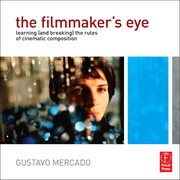
Breaks down cinematic shot language — angles, movement, and visual storytelling — giving the aerial videographer a grammar for purposeful, emotionally resonant footage rather than random flyovers.
The industry-standard guide to color grading video; drone footage shot in flat/log profiles requires skilled grading to reach its potential, and this book teaches that process from first principles.
Discussion
Keep reading
Paths that share books, cover the same subject, or open a related topic.