Edit family videos beautifully
This curriculum takes a complete beginner from "raw footage on a hard drive" to a confident storyteller who can craft family videos people genuinely want to watch. The path moves from cinematic eye and story instinct → editing craft and technique → software mastery → advanced pacing and emotional resonance, so each stage builds directly on the last.
Seeing Like a Storyteller
BeginnerDevelop a storyteller's eye before touching an edit — understand what makes footage compelling, how humans respond to visual narrative, and how to think about your family footage as raw story material.
▸ Study plan for this stage
Pace: 6–8 weeks total: Weeks 1–4 on "Story" by Robert McKee (~25–30 pages/day, focusing on Parts 1–3 and skipping deep screenplay-craft chapters not relevant to home editing); Weeks 5–8 on "The Filmmaker's Eye" by Gustavo Mercado (~15–20 pages/day — image-heavy, so read slowly and study every frame analys
- Story structure fundamentals (McKee): inciting incident, gap between expectation and result, and how even a 3-minute family video has a spine — a beginning tension and an ending resolution
- The difference between 'story' and 'plot' (McKee): story is what emotionally happens to the audience; raw footage is not yet a story until you shape it with intention
- Character as the engine of story (McKee): in home video, real people ARE your characters — understanding their desire, contradiction, and change is what makes footage feel meaningful rather than random
- Subtext and the unsaid (McKee): the most powerful moments on screen are what characters feel but don't say — learning to spot these 'charged' moments in your own footage
- The visual language of composition (Mercado): the 'why' behind every shot choice — how framing, angle, and lens focal length create emotional meaning before a single cut is made
- The 10 foundational shot types and their psychological effect (Mercado): from the extreme wide that establishes loneliness/scale, to the extreme close-up that forces intimacy — each shot 'tells' the audience how to feel
- Motivated camera movement (Mercado): the difference between movement that serves the story (following a child running) vs. movement that distracts from it (unmotivated zoom)
- Reading your existing footage as raw story material: applying McKee's story lens and Mercado's visual grammar together to audit what you already have before you open an editing app
- According to McKee, what is the difference between a 'story event' and a mere 'scene'? Can you identify one true story event in a piece of your own family footage?
- McKee argues that an audience connects to a character through desire and conflict — how does this apply when your 'characters' are real family members who didn't know they were being filmed?
- Mercado identifies specific emotional effects for different camera angles (low angle, high angle, Dutch tilt, etc.) — what does a low-angle shot communicate, and can you find an accidental example of it in your home videos?
- What does Mercado mean by a 'motivated' cut or camera move, and why does an unmotivated zoom feel amateurish even if the footage itself is beautiful?
- How would you use McKee's concept of the 'gap' — the difference between what a character expects and what actually happens — to identify the most emotionally compelling 30 seconds in a birthday party video?
- After reading both books, how would you describe the relationship between story structure (McKee) and visual grammar (Mercado)? Which comes first when you sit down to edit, and why?
- The Story Spine Audit: Pick one existing home video (5–15 min of raw footage). Watch it once, then write a one-paragraph 'story spine' for it using McKee's framework — who is the protagonist, what do they want, what is the inciting incident, and is there a resolution? Do this before any editing.
- The Shot Vocabulary Walk: Take your phone outside for 20 minutes and deliberately shoot the same subject (a person, a pet, a tree) using 6 different shot types from Mercado's taxonomy (extreme wide, wide, medium, close-up, extreme close-up, and one unconventional angle). Review the footage and write one sentence describing the emotional effect of each.
- The Charged Moment Hunt: Re-watch 10 minutes of old family footage with the sound OFF. Using McKee's concept of subtext, timestamp every moment where you sense something emotionally 'charged' is happening beneath the surface — a glance, a hesitation, a laugh that turns into something else. These are your story gold.
- The Mercado Re-frame Exercise: Find 3 shots in your existing footage that feel flat or boring. For each one, sketch (on paper) how Mercado would reframe it — change the angle, the focal length, or the distance — and write one sentence explaining what emotional meaning the new framing would add.
- The 90-Second Story Blueprint: Using only McKee's three-act logic (setup → confrontation → resolution), select clips from your footage to build a paper edit (a written list of clips in order, no software yet) for a 90-second video. The goal is not to edit — it is to practice thinking in story structure.
- The Dual-Lens Review: Choose one 2-minute sequence of home footage and write two short paragraphs about it — the first through McKee's lens (what is the story being told?) and the second through Mercado's lens (what is the visual grammar doing, intentionally or accidentally?). Notice where the two analyses agree or contradict each other.
Next up: Having internalized story structure from McKee and visual grammar from Mercado, the reader now has a critical eye for what makes footage meaningful — the next stage will translate that passive analytical skill into active editing decisions inside an actual editing timeline.
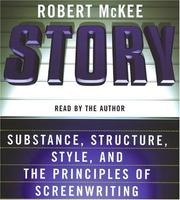
The foundational text on how stories work — structure, conflict, and emotional arc. Reading this first rewires how you look at even a birthday video: every clip becomes a potential story beat.
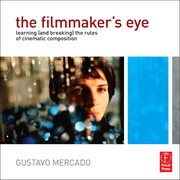
Teaches visual grammar (framing, composition, camera language) with clear before/after images. Gives beginners the vocabulary to evaluate the footage they already have and shoot better going forward.
The Art of the Edit
BeginnerUnderstand the timeless principles of editing — rhythm, continuity, emotion, and the invisible cut — before committing to any specific software.
▸ Study plan for this stage
Pace: 4–5 weeks total: Week 1–2 — Read "In the Blink of an Eye" (~30 pages/day, including re-reading Murch's core chapters on the Rule of Six and the Blink); Week 3–4 — Read "The Conversations" (~25 pages/day, a slower, reflective pace suited to its interview format); Week 5 — Review notes, revisit key pa
- The Rule of Six: Murch's six criteria for a good cut (emotion, story, rhythm, eye-trace, two-dimensional plane, three-dimensional space) ranked in order of priority — with emotion at the top
- The Invisible Cut: the idea that the best edits are the ones the audience never consciously notices, serving the story rather than calling attention to themselves
- The Blink as a natural edit: Murch's observation that human blinking mirrors the mental cuts we make when processing reality, giving editors a biological intuition to trust
- Rhythm and timing: how the duration of a shot creates pace, tension, and breath — editing as music, not just assembly
- Continuity vs. discontinuity: when to preserve spatial/temporal logic for the viewer's comfort and when to break it deliberately for emotional or narrative effect
- The editor as a second writer: Murch and Ondaatje's shared view (explored deeply in The Conversations) that editing is an act of authorship and interpretation, not mere technical assembly
- Collaboration and creative dialogue: The Conversations reveals how editing decisions emerge from ongoing negotiation between director and editor, and how great editors ask 'what is this film trying to be?'
- Analogue intuitions in a digital age: Murch's argument (revisited in The Conversations) that the principles of editing predate software and will outlast any specific tool
- According to Murch's Rule of Six, which criterion should an editor sacrifice last when forced to compromise, and why does he place it above technical concerns like continuity?
- What does Murch mean when he says a cut should happen 'in the blink of an eye,' and how does human psychology support this claim?
- In The Conversations, how do Murch and Ondaatje describe the editor's relationship to the screenplay and the director's original intent — is the editor faithful to it or free from it?
- How does Murch distinguish between 'hard' cuts and transitions (dissolves, fades), and what emotional register does each serve?
- What does the dialogue in The Conversations reveal about how Murch approached the sound design and picture editing of Apocalypse Now as a unified, inseparable craft?
- After reading both books, how would you articulate the difference between editing as a technical skill and editing as an artistic sensibility?
- Rule of Six audit: Watch any 5-minute scene from a film you love and pause at every cut. For each cut, score it against Murch's six criteria — did the editor prioritize emotion first? Write a short paragraph on what you discover.
- Blink journaling: For one day, pay conscious attention to when you blink during real conversations and while watching TV. Note whether your blinks align with mental 'scene changes.' Reflect on how this changes the way you watch edited footage.
- Re-sequence a scene on paper: Find a short scene (3–5 minutes) from any film and write down the shot order. Then, without software, sketch two alternative cut orders on paper — one prioritizing rhythm, one prioritizing emotion. Compare how the story feeling shifts.
- Invisible cut hunt: Watch a film scene twice — first normally, then frame-by-frame using a pause button. Identify every cut you missed on the first viewing and ask yourself: what made it invisible? Map your findings back to Murch's criteria.
- Conversation imitation: After finishing The Conversations, write a one-page imaginary dialogue between yourself (as a beginning editor) and Murch, in which you ask him one question about a specific editing decision you've noticed in a film. This forces you to articulate a real, specific observation.
- Principles-first edit plan: Before touching any software, choose a short personal video (a phone clip, a family moment, anything 1–3 minutes of raw footage) and write a full editing plan on paper — shot order, intended rhythm, emotional arc, and where you expect the invisible cuts to fall. Save this document; you will execute it in the next stage.
Next up: By internalizing Murch's principles and the artistic philosophy explored in The Conversations, the reader now has a conceptual framework — a 'why' behind every cut — that will make learning any specific editing software in the next stage purposeful and intentional rather than purely mechanical.
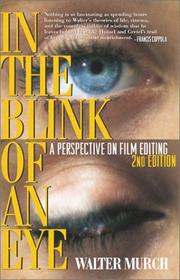
The single most important book on editing philosophy, written by Hollywood's master editor. Its short chapters make it very accessible, and its ideas about emotion-driven cutting apply directly to family footage.
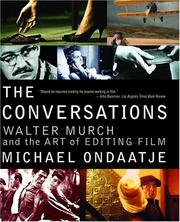
A deep dialogue with Walter Murch that expands on Blink of an Eye with concrete examples and storytelling intuition — reading it second lets you apply Murch's ideas to real editorial decisions.
Hands on the Timeline
IntermediateTranslate editing principles into practical, software-level skills — organizing footage, building a rough cut, and using transitions, color, and audio to serve the story.
▸ Study plan for this stage
Pace: 6–8 weeks total. Week 1–4: "The Cool Stuff in Premiere Pro" by Jarle Leirpoll (~20–30 pages/day, working through chapters alongside an open Premiere Pro project). Week 5–8: "How to Shoot Video That Doesn't Suck" by Steve Stockman (~15–20 pages/day, reading each chapter then immediately reviewing and
- Timeline architecture in Premiere Pro — track hierarchy, sequence settings, and the difference between nesting and flattening edits (Leirpoll)
- Efficient media organization — bins, proxies, labeling, and metadata-driven workflows so footage is always findable (Leirpoll)
- Precision editing tools — the Razor, Ripple, Roll, Slip, and Slide tools and when each one preserves or breaks sync (Leirpoll)
- Transitions as storytelling devices — using Premiere's transition panel purposefully rather than decoratively, and customizing duration and alignment (Leirpoll)
- Color correction vs. color grading — applying Lumetri scopes for exposure fixes first, then creative LUTs/grades for mood (Leirpoll)
- Audio mixing fundamentals — keyframing volume, using the Essential Sound panel, and balancing dialogue, music, and ambient sound on separate tracks (Leirpoll)
- The 'video thinking' mindset — Stockman's core argument that every shot must move the story forward, and how that principle retroactively justifies or condemns editing choices
- Shot selection and pacing logic — choosing the right shot length, cutting on action, and letting Stockman's 'show, don't tell' rule drive the rough-cut assembly
- After reading Leirpoll, can you explain the difference between a Ripple Edit and a Roll Edit, and describe a real scenario in your own project where each would be the correct tool?
- How does Leirpoll's proxy workflow solve the problem of editing high-resolution footage on a slower machine, and what are the steps to set it up in Premiere Pro?
- What is Leirpoll's recommended approach to building a color pipeline — in what order should you apply correction, then grading, and why does sequence matter?
- According to Stockman, what is the single most common mistake home video editors make when assembling a cut, and how does his 'video thinking' principle address it?
- How do Stockman's rules about shot purpose and Leirpoll's technical transition tools complement each other — when should you use a dissolve versus a hard cut, and what story reason justifies each choice?
- Using both books together, how would you approach the audio mix for a 3-minute home video: what tracks would you create, what tools from Premiere would you use, and what storytelling criteria from Stockman would guide your volume decisions?
- Build-a-sequence drill (Leirpoll): Import at least 20 clips of personal footage into Premiere Pro, create a properly labeled bin structure, set up a proxy workflow, and assemble a 90-second rough cut using only J-cuts and L-cuts — no straight cuts allowed.
- Precision-tool challenge (Leirpoll): Take your rough cut and use only the Ripple, Roll, Slip, and Slide tools — never the Razor — to tighten every edit by at least 20% without breaking audio sync.
- Transition audit (Leirpoll + Stockman): Watch your rough cut and write a one-sentence story justification for every transition. Replace any transition you cannot justify with a hard cut, then re-watch and compare the pacing.
- Lumetri color pipeline exercise (Leirpoll): Apply a correction pass using Lumetri scopes to fix exposure and white balance on five clips, then apply a single adjustment layer with a creative grade above them — export both versions and compare.
- Audio layering session (Leirpoll): Create three dedicated tracks — dialogue/narration, background music, and ambient sound — and keyframe the music to duck 6 dB under any spoken word, using the Essential Sound panel for dialogue clarity.
- Stockman story-purpose re-edit: Choose any 5-minute section of raw home footage, watch it through Stockman's lens ('does every shot move the story forward?'), ruthlessly cut every shot that fails the test, and aim to tell the same story in 90 seconds or less.
Next up: Mastering the timeline and story-driven editing decisions here gives the reader a solid practical foundation, making them ready to explore more advanced storytelling structures, cinematic techniques, and distribution strategies in the next stage.

A highly practical, workflow-focused guide to Adobe Premiere Pro — the most widely used consumer-to-pro editing application. Covers organization, cutting, color, and audio in plain language.
Bridges the gap between shooting and editing by showing how story-aware capture decisions make the edit dramatically easier — essential reading once you understand the edit but before you lock in bad habits.
Sound, Music, and Emotion
IntermediateMaster the emotional layer of editing — music selection, audio mixing, and sound design — which is the single biggest difference between a home video people skip and one that makes them cry.
▸ Study plan for this stage
Pace: 5–6 weeks, ~25–30 pages/day, reading in focused 45-minute sessions; plan for one full re-read of key chapters on music editing and dialogue mixing in weeks 4–5
- The audio post-production workflow: how sound is broken into dialogue, music, and effects (DME) tracks and why that separation matters even for home editors
- Dialogue editing and the art of clean, intelligible speech — cutting out noise, room tone matching, and maintaining continuity across cuts
- Music editing fundamentals: finding the emotional arc of a piece, cutting to musical phrases, and matching music energy to picture energy
- Sound effects and Foley: how layered ambient sound and spot effects create a sense of place and immersion that music alone cannot
- Audio mixing principles: relative levels, panning, EQ, and compression as tools for emotional emphasis rather than just technical correction
- The concept of 'audio perspective' — how sound changes with camera distance and angle, and why matching it makes edits feel invisible
- Sync and timing: the relationship between sound events and picture cuts, and how even a few frames of offset destroys believability
- Emotional dynamics in a mix: using silence, swell, and contrast to guide the viewer's feelings through a scene
- According to Wyatt's framework, what are the three core stems of an audio mix, and how does keeping them separate give an editor creative control during the final mix?
- What is 'room tone' and why does Wyatt stress recording and preserving it — what goes wrong in a home video edit when it is ignored?
- How does Wyatt describe the process of cutting music to picture — what are the structural landmarks in a piece of music you should identify before making a single edit?
- What is audio perspective, and how should the treatment of a sound change when the camera cuts from a wide shot to a close-up of the same subject?
- Wyatt explains that silence is an active mixing tool, not an absence of content — describe a scenario from the book where strategic silence heightens emotional impact more than music would
- What mixing moves does Wyatt recommend to prevent dialogue from being buried by music, and how do these techniques apply directly to a home video with a voiceover narration?
- **DME Stem Exercise:** Take a 2–3 minute home video clip and manually separate every sound element into three rough 'stems' in your editing software — dialogue/speech, music, and ambient/effects. Export each stem solo and listen critically; this trains your ear to hear the layers Wyatt describes before you try to balance them.
- **Room Tone Rescue:** Find a home video clip where a cut between two shots produces an audible 'thump' or tonal shift in the background. Record or find matching room tone, lay it under both sides of the cut, and crossfade. Compare before and after to internalize why Wyatt treats room tone as the 'glue' of dialogue editing.
- **Music Phrase Mapping:** Choose a piece of music you want to use in a home video. Before touching the timeline, listen through and mark (on paper or in a DAW) every major phrase boundary, emotional peak, and natural ending point. Then edit a 60-second video sequence so every picture cut lands on or responds to one of those musical landmarks.
- **Audio Perspective Drill:** Edit a short sequence that includes both wide-shot and close-up footage of the same person or event. Apply EQ and reverb to make the sound 'bigger' and more distant on the wide shot, and drier/more intimate on the close-up, following Wyatt's audio perspective principles. Watch the result and note how much more cinematic it feels.
- **Silence as a Tool:** Re-edit a home video scene that currently has wall-to-wall music. Identify one emotionally significant moment — a reaction, a reveal, a hug — and strip the music out for 3–5 seconds before and during that moment, letting only ambient sound or silence carry it. Then bring the music back. Screen both versions for someone else and record their reaction.
- **Full Short Mix:** Using all concepts from Wyatt, produce a fully mixed 3–5 minute home video: clean dialogue, a music track edited to picture phrases, at least two layers of ambient/effects sound, and deliberate level automation so music ducks under speech. Annotate a screenshot of your timeline identifying each technique by its name from the book.
Next up: Mastering sound and emotion through Wyatt's framework gives you complete control over how a viewer feels moment to moment, which sets the foundation for the next stage — where you will learn to structure those emotionally charged moments into a coherent narrative arc across an entire film or series of videos.
A clear, accessible introduction to how music functions in film and video — teaches you to choose and time music intentionally rather than just dropping a track under your footage.
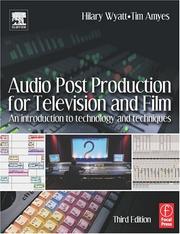
Demystifies dialogue cleanup, ambient sound, and mixing levels in practical terms. After reading this, your family videos will sound as polished as they look.
Cinematic Polish and Personal Voice
ExpertElevate finished edits with color grading, pacing refinement, and a distinctive personal style — so your family films feel intentional, cinematic, and uniquely yours.
▸ Study plan for this stage
Pace: 8–10 weeks total: Weeks 1–6 on "Color Correction Handbook" (~25–30 pages/day, including time to pause and apply techniques in your editing software); Weeks 7–10 on "Grammar of the Edit" (~20 pages/day, with deliberate re-editing sessions after each chapter).
- Primary and secondary color correction: using lift/gamma/gain and HSL controls to build a clean, balanced image before any creative grade (Color Correction Handbook)
- The color grading pipeline: understanding the difference between correction (fixing problems) and grading (creating mood/style), and applying them in the correct order (Color Correction Handbook)
- Scopes as objective tools: reading waveform monitors, vectorscopes, and histograms to make decisions based on data rather than a misleading monitor (Color Correction Handbook)
- Skin tone and memory colors: protecting and prioritizing the colors the human eye is most sensitive to — faces, sky, grass — to keep a grade feeling natural (Color Correction Handbook)
- LUTs and looks: creating, saving, and applying reusable grade 'looks' that give your personal library a consistent, recognizable visual signature (Color Correction Handbook)
- The five C's of cinematography as editorial grammar: camera angle, continuity, cutting, close-up, and composition as the foundational rules Roy Thompson codifies in Grammar of the Edit
- Rhythm and pacing as emotional language: how cut length, beat-matching, and the timing of transitions control the viewer's heartbeat and emotional state (Grammar of the Edit)
- Motivated cuts and invisible editing: every cut should have a reason — action, dialogue, emotion, or music — so the edit feels inevitable rather than mechanical (Grammar of the Edit)
- After reading the Color Correction Handbook, can you explain the difference between a primary correction and a secondary correction, and give a real example of when you would use each on a family video clip?
- What do the waveform monitor and vectorscope each tell you that your eyes alone cannot, and how do you use them together to confirm a balanced exposure and neutral whites?
- How does Van Hurkman define a 'look,' and what is the practical workflow for building one and saving it as a reusable LUT for future family film projects?
- According to Thompson's Grammar of the Edit, what makes a cut 'motivated,' and how does that principle apply when cutting between two family members talking at a dinner table?
- How does Thompson describe the relationship between shot length and emotional pacing — and how would you apply that to a slow, tender birthday montage versus an energetic holiday reel?
- Taken together, how do color grading (Van Hurkman) and editorial grammar (Thompson) each contribute to a distinctive personal style, and where do they intersect in your own editing workflow?
- Scope-first correction drill: Import 5 raw family video clips and perform a primary correction on each using only scopes (waveform + vectorscope) — no color adjustments by eye. Compare before/after and journal what the scopes revealed that you had missed visually.
- Build your signature LUT: Grade a 2–3 minute family film sequence using the pipeline from the Color Correction Handbook (primary correction → secondary correction → creative look). Export the creative layer as a .cube LUT and apply it to a completely different project to test its versatility.
- Skin tone protection exercise: Find a clip where a family member's face is lit inconsistently (mixed indoor/outdoor light). Use HSL secondary controls as taught by Van Hurkman to isolate and correct only the skin tones without affecting the background.
- Grammar audit — re-edit an existing sequence: Take a 60–90 second family video you've already edited and re-cut it using Thompson's motivated-cut checklist. For every single cut, write one sentence justifying it (action, eyeline, emotion, sound). Remove any cut you cannot justify.
- Pacing experiment: Edit the same 45 seconds of family footage twice — once with long, slow cuts (averaging 5–7 seconds) and once with short, rapid cuts (averaging 1–2 seconds). Grade both identically using your LUT, then screen them back-to-back to feel how Thompson's pacing principles change the emotional tone.
- Full cinematic polish project: Choose a 3–5 minute family event (birthday, holiday, trip). Apply the complete Color Correction Handbook pipeline for the grade, then re-examine every cut against Thompson's grammar rules. Share the finished film with family and collect one piece of feedback on how it 'felt' compared to your earlier edits.
Next up: Mastering color grading and editorial grammar gives you a complete, repeatable craft toolkit — the natural next step is learning to tell longer, more structured stories (documentaries, year-in-review films, or multi-chapter family archives) where narrative architecture and sound design become the primary challenges.
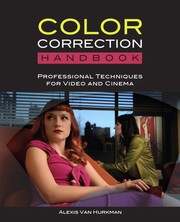
The definitive practical guide to color grading — teaches you to use color to set mood and unify footage shot in different conditions, a common challenge with family video.
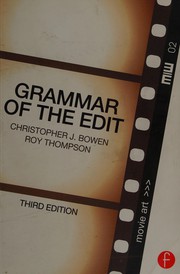
A concise, rule-by-rule reference for editing decisions that is best read last, when you have enough experience to question the rules intelligently and develop your own voice within them.
Discussion
Keep reading
Paths that share books, cover the same subject, or open a related topic.