Python: an ordered reading path from first script to real projects
This curriculum takes a complete beginner from zero Python knowledge to confidently building real, working programs. It moves through three tightly sequenced stages: first building a solid mental model of Python's core syntax and structures, then deepening understanding of idiomatic and practical Python, and finally applying everything to automate real-world tasks and projects.
Foundations: Core Syntax & First Programs
BeginnerUnderstand Python's fundamental syntax, data types, control flow, functions, and basic data structures well enough to write and read simple programs without confusion.
▸ Study plan for this stage
Pace: 8–10 weeks, ~40–50 pages/day from Python Crash Course (weeks 1–5), then ~30–40 pages/day from Learn More Python 3 the Hard Way (weeks 6–10)
- Variables, data types (int, float, str, bool, list, dict, tuple), and type conversion in Python
- Control flow: if/elif/else statements and while/for loops with break and continue
- Functions: definition, parameters, return values, scope, and default arguments
- Lists and dictionaries: creation, indexing, slicing, iteration, and common methods
- String manipulation: concatenation, formatting, methods, and escape sequences
- Basic debugging and error handling: understanding tracebacks and common exceptions
- Writing clean, readable code: naming conventions, comments, and code organization
- Interactive debugging and experimentation: using the Python REPL and print statements effectively
- What are the main data types in Python, and how do you check an object's type?
- How do if/elif/else statements and for/while loops control program flow, and when should you use each?
- How do you define a function, what are parameters and return values, and what is variable scope?
- What are the key differences between lists, dictionaries, and tuples, and how do you access and modify elements?
- How do you iterate over strings, lists, and dictionaries using loops and indexing?
- What are common Python errors (NameError, TypeError, IndexError), and how do you read a traceback to debug?
- How do you write a simple program that combines multiple concepts (functions, loops, conditionals, data structures)?
- Work through all hands-on examples in Python Crash Course Chapters 1–5 (variables, data types, lists, dictionaries, if statements, loops) by typing code yourself rather than copying
- Complete the 'Try It Yourself' exercises at the end of each chapter in Python Crash Course
- Build 3–4 small programs from scratch (e.g., a simple calculator, a number guessing game, a to-do list) that combine functions, loops, and conditionals
- Work through the first 26 exercises in Learn More Python 3 the Hard Way, typing every line of code and running each exercise
- Debug intentionally broken code: introduce errors into working programs and practice reading tracebacks to identify and fix them
- Refactor one of your earlier programs to improve readability: rename variables, add comments, break logic into functions
- Write a program that reads user input, processes it using lists/dictionaries and control flow, and outputs results
- Create a cheat sheet summarizing syntax for variables, loops, conditionals, functions, and common list/dict methods for quick reference
Next up: This stage equips you with the syntax and mental models needed to understand how Python organizes code and data; the next stage will build on these foundations by introducing object-oriented programming, file I/O, and more complex data structures that enable you to write larger, more modular programs.

The single best entry point for absolute beginners — it introduces syntax, variables, lists, loops, and functions with clear examples and small projects that build immediate confidence. Read this first to get a working mental model of Python.

Reinforces the fundamentals through deliberate, repetitive typing exercises that cement muscle memory for syntax. Read it second to solidify what Python Crash Course introduced, especially control flow and functions.
Going Deeper: Idiomatic Python & Data Structures
IntermediateWrite clean, Pythonic code using the language's built-in data structures, comprehensions, file I/O, error handling, and object-oriented programming principles.
▸ Study plan for this stage
Pace: 8–10 weeks, ~40–50 pages/day (Think Python: 3–4 weeks; Fluent Python: 5–6 weeks)
- Data structures (lists, tuples, dictionaries, sets) and when to use each for optimal performance and readability
- List/dict/set comprehensions and generator expressions for writing concise, efficient code
- Pythonic idioms: unpacking, slicing, context managers, and the Zen of Python
- File I/O and working with text/binary data using built-in methods and context managers
- Exception handling with try/except/finally and custom exceptions for robust error management
- Object-oriented programming: classes, inheritance, polymorphism, and special methods (__init__, __str__, __repr__, etc.)
- First-class functions, closures, and decorators for functional programming patterns
- Iterables, iterators, and generators for memory-efficient data processing
- When would you use a tuple instead of a list, and what are the performance implications?
- How do list comprehensions compare to for-loops in terms of readability and performance? When should you use generator expressions instead?
- Explain the difference between __str__ and __repr__ methods and why both matter in a well-designed class.
- How do decorators work in Python, and how would you write a simple decorator to time a function's execution?
- What is the purpose of context managers (with statements), and how would you implement a custom one using __enter__ and __exit__?
- How do iterators and generators differ, and what are the memory advantages of generators for processing large datasets?
- Refactor a procedural script using loops into idiomatic Python with comprehensions, unpacking, and slicing.
- Build a custom class with proper __init__, __str__, __repr__, and at least one other special method (__len__, __getitem__, etc.).
- Write a decorator that logs function calls (arguments and return values) and apply it to multiple functions.
- Create a context manager (using a class with __enter__/__exit__) for safely managing a resource (e.g., file handling, database connections).
- Write a generator function that yields Fibonacci numbers or processes a large CSV file line-by-line without loading it all into memory.
- Implement exception handling in a real-world scenario: parse user input, validate data, and raise custom exceptions with meaningful messages.
Next up: This stage equips you with the foundational knowledge of Python's idioms, data structures, and OOP patterns needed to tackle advanced topics like metaprogramming, concurrency, and specialized libraries in the next stage.
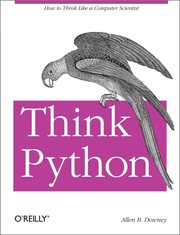
Bridges beginner syntax to real programming thinking — it introduces algorithmic reasoning, recursion, and object-oriented design in a gentle, structured way. Start here to develop a programmer's mindset alongside Python skills.
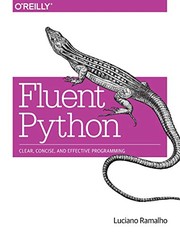
The definitive guide to writing truly idiomatic, expressive Python — covers data models, iterators, generators, decorators, and more. Read after Think Python once you're comfortable with OOP and want to understand how Python really works under the hood.
Applied Python: Automation & Real Projects
IntermediateApply Python confidently to automate real-world tasks — manipulating files, scraping the web, working with spreadsheets, and building small end-to-end programs that solve genuine problems.
▸ Study plan for this stage
Pace: 8–10 weeks, ~40–50 pages/day (mix of reading and hands-on coding)
- File and folder manipulation using os, shutil, and pathlib modules for automating file operations
- Web scraping fundamentals with requests and BeautifulSoup to extract and parse HTML data
- Working with spreadsheets (CSV, Excel) using csv, openpyxl, and pandas for data automation
- Building complete automation scripts that chain multiple operations together (e.g., download → parse → save)
- Python idioms and code style: list comprehensions, context managers, decorators, and Pythonic patterns
- Debugging, testing, and error handling strategies for reliable automation scripts
- Project organization, dependency management, and writing maintainable code for real-world use
- Recognizing when to use standard library vs. third-party packages, and how to integrate them effectively
- How would you write a Python script to rename 100 files in a folder based on a pattern, and what modules would you use?
- Explain the difference between requests.get() and BeautifulSoup's parsing—what does each do in a web scraping workflow?
- You need to read data from an Excel file, filter rows based on a condition, and write results to a new CSV. Walk through the steps and libraries.
- What is a context manager (with statement), and why is it important when working with files?
- How would you structure a multi-step automation project (e.g., scrape data → clean it → generate a report) to keep it maintainable?
- What are list comprehensions and decorators, and how do they make your automation code more Pythonic and readable?
- Build a file organizer script: scan a messy folder, categorize files by type (images, documents, etc.), and move them into subfolders automatically
- Scrape a real website (e.g., a news site or product listings) using requests and BeautifulSoup, extract specific data (titles, links, prices), and save to CSV
- Create a spreadsheet automation task: read a CSV file with messy data, clean it (remove duplicates, fix formatting), and export to Excel with formatting
- Write a weather data fetcher: call a free API (e.g., OpenWeatherMap), parse JSON, and generate a daily report file
- Build a backup automation script: copy important files from one directory to another, with timestamped folder names and error handling
- Refactor an earlier automation script using list comprehensions, decorators, and context managers to make it more Pythonic
Next up: This stage equips you with practical automation skills and Pythonic code patterns; the next stage will deepen your ability to architect larger systems, handle concurrency, and build applications that scale beyond single-script automation.
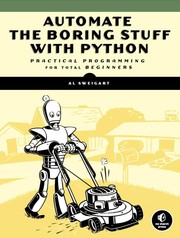
The most practical Python book available — every chapter solves a real task (file renaming, PDF manipulation, web scraping, scheduling). Read this first in the stage to immediately apply your Python knowledge to tangible, satisfying projects.

A curated collection of bite-sized, intermediate patterns and best practices that sharpen your code quality. Read it alongside or after Automate the Boring Stuff to level up from 'working code' to 'good code'.

Covers the broader Python ecosystem — project structure, virtual environments, packaging, and community best practices. Read last to understand how professional Python projects are organized and maintained.
Discussion
Keep reading
Paths that share books, cover the same subject, or open a related topic.