A Raspberry Pi is the best forty-dollar invitation into real computing there is: a full Linux machine you can wire to sensors, cameras, and motors. But newcomers often stall, because a Pi is not a toy with one clear purpose — it is a platform, and platforms reward people who know a little Linux, a little Python, and a little electronics. Read in the wrong order and you will bounce between tutorials that each assume the thing you skipped. The fix is a staged path that gets you booted, then literate, then building. This is a hands-on subject above all: books set you up, but the learning happens when you type the commands and wire the circuit yourself.
Raspberry Pi Projects: Best Books, in Order
July 12, 2026 · 2 min read
Stage one: get it running
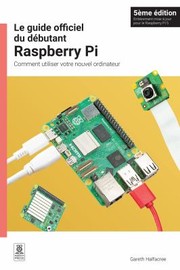
Start with the Official Raspberry Pi Beginner's Guide by Gareth Halfacree, which walks you from an unboxed board to a working desktop and your first small projects. It answers the dozens of tiny setup questions that otherwise derail beginners. Do everything it shows, hands on keyboard.
Stage two: the two literacies
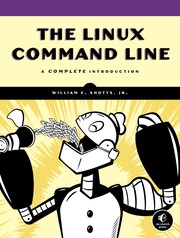
The Pi runs Linux and speaks Python, and a little of each unlocks almost everything. For the command line, The Linux Command Line by William E. Shotts is the clearest introduction to the terminal you will live in. For programming, Python crash course by Eric Matthes teaches the language from scratch through real projects, and Automate the Boring Stuff with Python by Al Sweigart shows you how to make the computer do your chores — motivating and immediately useful. Work through these alongside the Pi so every concept has somewhere to run.
Stage three: projects and hardware
Now build things that touch the world. Raspberry Pi Cookbook by Simon Monk is a recipe-style reference for hundreds of specific tasks, and his Programming the Raspberry Pi, also by Simon Monk, focuses on controlling electronics with code. Make More Electronics by Charles Platt teaches the components and circuits you will wire up. When you want ambitious builds, Exploring Raspberry Pi by Derek Molloy goes deep on interfacing and embedded work, and Raspberry Pi Projects by Andrew Robinson offers a book's worth of guided builds to cut your teeth on.
How to actually study it
Never just read a chapter — run it. Keep the Pi on your desk and type every command, breaking things on purpose and fixing them; that debugging loop is the real curriculum. Pick one small project you actually want (a weather display, a retro game box, a home sensor) and let it pull you through the references. Save your configs and notes so future-you can rebuild. Books are the map; the soldering iron and the terminal are the territory.
Follow the build path on the full reading path, explore the subject hub, or browse related maker paths.
FAQ
- What should I learn first with a Raspberry Pi?
- Get it booted with the Official Raspberry Pi Beginner's Guide, then build basic Linux and Python literacy with The Linux Command Line and Python crash course before tackling hardware projects.
- Do I need to know how to code before buying a Pi?
- No. The path assumes zero coding — Python crash course and Automate the Boring Stuff with Python teach programming from scratch, and you learn by running everything on the Pi itself.
Get the books
- 1Official Raspberry Pi Beginner's GuideAmazon ↗Gareth Halfacree
- 2The Linux Command LineAmazon ↗William E. Shotts
- 3Python crash courseAmazon ↗Eric Matthes
- 4Automate the Boring Stuff with PythonAmazon ↗Al Sweigart
- 5Make More ElectronicsAmazon ↗Charles Platt
- 6Raspberry Pi CookbookAmazon ↗Simon Monk
As an Amazon Associate we earn from qualifying purchases. Some book links are affiliate links; you pay the same price and we may earn a small commission.
Follow the full reading path

Raspberry Pi projects: start building
Beginner9books96 hrs5 stages
@codesherpa♥ 0
Ready to learn something deeply?
Build a reading path — free