Almost nobody sets out to learn VBA. They learn it because a monthly report has become intolerable, and the fastest route from there is to record a macro, look at what the recorder produced, and start changing it. That is a real method, and this path is built around it rather than around a language tour.
It also starts one step earlier than most VBA lists, for a reason worth stating up front: a large share of the problems people bring to macros are solved better without code. Tables, lookups, pivot tables and Power Query handle an enormous amount of what recorded macros get used for, and they keep working when the workbook is opened on a Mac or in a browser. Knowing which problems genuinely need VBA is the first skill, not the last.
Excel first, then the recorder
Excel 2019 Bible belongs at the start rather than at the end. It is the definitive reference for the features that make many macros unnecessary, and reaching for it first will save you writing code you did not need.
Excel Macros for Dummies is deliberately shallow and task-oriented: dozens of ready macros to record, paste and adapt. It teaches by modification rather than by theory, which is the fastest possible first win.
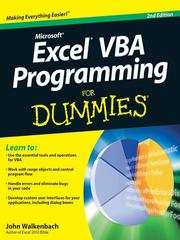
Excel VBA Programming For Dummies is the step from copying macros to writing them — variables, loops, conditions, and the Range and Worksheet objects. Read it once you have working code you want to understand.
Real VBA
Microsoft Excel 2019 VBA and Macros is the best all-round working text: the object model, ranges, pivot tables, charts, user forms, arrays and error handling, written with the practical bias of two people who automate spreadsheets for a living.
Excel VBA 24-Hour Trainer is structured lessons with exercises, which suits this language particularly well because VBA is learned by repetition against a live workbook. Use it alongside the previous book rather than after it.
Writing Excel macros with VBA is the most rigorous treatment of the object model as an object model — collections, properties, methods, the hierarchy — rather than as a list of recipes. It is the book that stops you guessing at syntax and then searching for why the guess failed.
Beyond one workbook
Mastering VBA for Microsoft Office 365 covers VBA as an Office-wide language, which is where automation gets genuinely valuable: a macro that builds a report, emails it and files it. Read it once Excel-only VBA feels comfortable.
Excel® 2010 Power Programming with VBA is the advanced Excel volume — custom worksheet functions, class modules, add-ins, custom ribbon UI, performance. It is the pivot from writing macros for yourself to building tools other people use. Be honest about its age: the version numbering on this and several other books here is a decade or more out of date. The VBA language and the Excel object model have been extremely stable, so the material holds up better than the covers suggest, but anything about the ribbon, file formats or cloud behaviour should be checked against current documentation.
Building things that last
VBA developer's handbook treats VBA as a general-purpose language deserving proper technique: reusable libraries, API calls, string and date handling, debugging. Its clearest message is that spreadsheet code is still code.
Professional Excel development is the most advanced book here and the right close — application architecture, separating data from business logic and presentation, add-in packaging, testing and deployment. This is the difference between a maintained tool and an inherited mess, and it is the stage most self-taught VBA developers never reach.
One more piece of honesty about the subject rather than the books. Microsoft has not deprecated VBA, and vast amounts of business logic still run on it, but new investment has gone to Power Query, Office Scripts and Python in Excel, and macros do not run in Excel for the web. If you are automating an existing desktop workbook, VBA remains the pragmatic answer. If you are choosing a tool for something new, look at the alternatives before committing.
Follow the staged version with study plans on the full path, or see the Excel VBA and macros hub.
Follow the full ordered path here: Best Books on Excel VBA and Macros, in Reading Order.