Excel is the most widely used analytical tool on earth and one of the most under-learned. Most people top out at SUM and a bit of copy-paste, then spend hours on tasks the software could do in seconds. The difference between a casual user and a power user is not talent — it is a handful of concepts learned in the right order.
That order matters because Excel's advanced features assume the basics. PivotTables make no sense without absolute references; dashboards make no sense without charts; VBA makes no sense until formulas feel automatic. This path builds each layer on the last.
Master the fundamentals
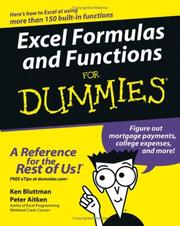
Start with a solid reference and a structured tutorial together. Excel 2019 Bible is the comprehensive desk reference you will return to for years, and Microsoft excel 2016 : step by step walks through the interface and core tasks in a guided, do-it-alongside format. Then focus in on the engine of Excel with Excel formulas and functions for dummies, which turns formulas from guesswork into a language you can actually write.
Analyze and summarize
The single biggest leap for most users is the PivotTable. Excel PivotTables and PivotCharts teaches it properly — grouping, slicing, calculated fields — so you stop building fragile SUMIF monsters. Pair it with Excel charts to turn summaries into visuals that communicate, and Excel Dashboards and Reports to assemble those pieces into interactive, refreshable reports.
Go beyond the grid
Modern Excel is more than cells. M Is for Data Monkey introduces Power Query, the tool for cleaning and combining messy data automatically — a genuine superpower once you see it. Supercharge Excel pushes your formula thinking into advanced, dynamic-array territory that changes how you build models.
Automate everything
The final tier is programming Excel itself. Excel 2019 Power Programming with VBA is the deep treatment of the macro language and object model, and Excel VBA Programming For Dummies (For Dummies (Computer/Tech)) is the gentler on-ramp if VBA is new to you. Learn to automate and repetitive spreadsheet work simply disappears.
Follow the path in order and Excel goes from a chore to an advantage — and the data habits you build here carry straight into the SQL and data-analytics paths next door.
Follow the full reading path →
Ready to learn something deeply?
Build a reading path — free