Photoshop rewards a good learning order because its features are layered on top of each other. Master selections and layers early and everything after feels natural; skip them and even simple retouching turns into guesswork. The app has thirty years of accumulated tools, so a curriculum matters more here than in most software.
The other trap is jumping straight to flashy effects. Compositing and blend-mode wizardry look impressive, but they rest on foundations — non-destructive editing, masking, color control — that pay off across every project. This path walks the fundamentals first, then specializes.
Start with the fundamentals
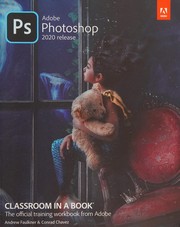
Begin with Adobe Photoshop Classroom in a Book, the official lesson-by-lesson tour that gets you comfortable with the interface, layers, and selections through guided projects. Pair it with Photoshop CC : Essential Skills by Mark Galer, which reinforces the same core with a stronger eye toward image quality and workflow. Together they leave you fluent in the everyday operations everything else assumes.
For photographers specifically, The Adobe Photoshop CC Book for Digital Photographers by Scott Kelby translates those tools into a practical photo workflow — sharpening, cropping, and common fixes explained step by step.
Move into retouching and color
Once the basics are solid, Professional Portrait Retouching Techniques for Photographers Using Photoshop teaches skin, eyes, and dodge-and-burn work the way working retouchers actually do it. Then Color Correction Handbook by Dan Margulis goes deep on the science of color, the single skill that separates amateur edits from professional ones.
Advance to compositing and mastery
With retouching and color in hand, Photoshop Masking & Compositing by Katrin Eismann is the definitive text on cutting subjects out cleanly and blending them convincingly. The Hidden Power Of Blend Modes In Adobe Photoshop by Scott Valentine demystifies the least-understood corner of the app, and Adobe Photoshop: A Complete Course and Compendium of Features by Stephen Laskevitch doubles as both a course and a reference you'll keep returning to.
Finish with The Photoshop workbook by Glyn Dewis, which reverse-engineers polished commercial images so you can see how every technique combines in real work. Follow the full path in order and you'll build genuine command of the program rather than a scattered bag of tricks.
Follow the full reading path →
Ready to learn something deeply?
Build a reading path — free