Learn Regular Expressions: The Best Books, in Order
This curriculum takes you from zero regex knowledge to true mastery across multiple languages and real-world use cases. It starts by building solid pattern-matching intuition, then deepens into language-specific power features (Python, JavaScript, and more), and finally reaches advanced topics like engine internals, performance, and expert-level techniques. Each stage's books are sequenced so that earlier reads supply the vocabulary and mental models needed to fully absorb the ones that follow.
Foundations: Thinking in Patterns
BeginnerUnderstand what regular expressions are, how pattern matching works, and confidently write basic to intermediate regex across any language.
▸ Study plan for this stage
Pace: 4–5 weeks, ~25–30 pages/day. Start with "Introducing Regular Expressions" (Weeks 1–2, ~150 pages), then move to "Regular Expressions Cookbook" (Weeks 3–5, ~200 pages), with 2–3 days per week reserved for hands-on practice.
- Pattern matching fundamentals: metacharacters, literals, and how regex engines interpret sequences
- Character classes and quantifiers: building blocks for matching variable-length strings and character sets
- Anchors and boundaries: controlling where patterns match within text (start, end, word boundaries)
- Grouping and capturing: using parentheses to organize patterns and extract matched substrings
- Alternation and lookahead/lookbehind: matching alternatives and conditional patterns without consuming characters
- Flags and modifiers: case-insensitivity, multiline mode, and global matching across different languages
- Practical regex construction: translating real-world matching problems into working patterns
- Language-specific syntax variations: recognizing how regex behaves differently in JavaScript, Python, Perl, and other contexts
- What is the difference between a literal character and a metacharacter, and why does escaping matter?
- How do quantifiers (+, *, ?, {n,m}) control repetition, and what is the difference between greedy and lazy matching?
- Explain how anchors (^, $, \b) and boundaries work to position matches within a string.
- What is the purpose of capturing groups, and how do you extract matched substrings using them?
- How do alternation (|) and lookahead/lookbehind assertions allow you to match complex patterns without consuming characters?
- Why do regex flags and modifiers (like case-insensitivity or multiline mode) matter, and how do they differ across programming languages?
- From 'Introducing Regular Expressions': Work through all regex pattern examples in Chapters 2–4 (metacharacters, character classes, quantifiers). Write each pattern from scratch without copying, then test against the provided sample strings.
- Build a pattern library: Create 10 regex patterns for common tasks (email validation, phone numbers, URLs, dates, hex colors) using only what you've learned. Test each against 5–10 test cases.
- Cookbook exercises: Select 15–20 recipes from 'Regular Expressions Cookbook' that match your interests (e.g., text extraction, validation, search-and-replace). Implement each recipe in at least two different languages (e.g., JavaScript and Python).
- Refactor a real text file: Find a messy text file (log, CSV, or unstructured data) and write regex patterns to extract, validate, or clean specific fields. Document your patterns and explain each component.
- Greedy vs. lazy challenge: Write patterns that demonstrate the difference between greedy and lazy quantifiers. Create test strings where greedy matching fails and show how lazy matching fixes it.
- Capture and extract: Write regex patterns with multiple capturing groups to parse structured data (e.g., log entries, URLs, or formatted names). Extract and reorganize the captured data programmatically.
Next up: This stage equips you with the core pattern-matching vocabulary and mental model needed to tackle advanced topics like performance optimization, complex lookahead/lookbehind chains, and domain-specific regex strategies in the next stage.
A gentle, language-agnostic primer that explains regex syntax from scratch with clear examples — the perfect first read for absolute beginners before touching any language-specific material.
Follows the primer with a problem-solution format covering practical recipes in Python, JavaScript, Java, and more, cementing beginner concepts through real-world pattern tasks.
Language-Specific Mastery: Python
IntermediateMaster Python's re and regex modules, understand Unicode handling, and apply regex idiomatically in Python scripts and data pipelines.
▸ Study plan for this stage
Pace: 4–5 weeks, ~40–50 pages/day (alternating between both books; prioritize Python Cookbook regex recipes first, then Fluent Python's advanced string/Unicode chapters)
- Python's re module: compile(), search(), match(), findall(), finditer(), and sub() with practical use cases
- Raw strings (r'...') and escape sequences: why they matter for regex patterns in Python
- Named groups and backreferences: (?P<name>...) syntax and how to extract structured data
- Unicode and encoding in Python 3: handling non-ASCII characters in regex patterns and matched text
- Regex flags (re.IGNORECASE, re.MULTILINE, re.DOTALL, re.VERBOSE) and when to apply them
- Greedy vs. non-greedy quantifiers: practical implications and performance in real data pipelines
- Lookahead and lookbehind assertions: advanced pattern matching without consuming characters
- Idiomatic Python regex: avoiding common pitfalls, choosing re.compile() vs. inline patterns, and integrating regex into data processing workflows
- How do you use Python's re.compile() to optimize repeated regex operations, and when is it worth the overhead?
- Explain the difference between re.search(), re.match(), and re.findall() with concrete examples of when to use each.
- How do named groups ((?P<name>...)) improve code readability and data extraction compared to numbered groups?
- What are the key differences between handling ASCII and Unicode text in Python regex, and how do flags like re.UNICODE affect matching?
- When should you use greedy quantifiers vs. non-greedy quantifiers, and what performance trade-offs exist?
- How can lookahead and lookbehind assertions solve matching problems that simple patterns cannot, and what are their limitations?
- Build a log parser using re.findall() and named groups to extract timestamps, log levels, and messages from a sample application log file.
- Write a function that validates and extracts email addresses from a text block, handling edge cases (subdomains, plus addressing) and returning structured data.
- Create a data cleaning script using re.sub() with backreferences to normalize phone numbers, dates, or currency values across a CSV dataset.
- Implement a simple templating system using re.sub() with a callback function to replace {{variable}} placeholders with values from a dictionary.
- Write a regex-based text tokenizer that splits sentences while preserving punctuation, handling Unicode punctuation marks and abbreviations.
- Build a find-and-replace tool that uses lookahead/lookbehind to match patterns only in specific contexts (e.g., replace 'test' only when not preceded by 'unit_').
Next up: This stage equips you with production-grade Python regex skills and idioms, preparing you to apply these patterns in specialized domains—whether that's web scraping, NLP preprocessing, configuration parsing, or building domain-specific pattern libraries.
Contains dedicated, deeply practical chapters on text processing and regex in Python, showing how regex integrates with real Pythonic code patterns — ideal after you know basic syntax.
Broadens Python regex understanding into the context of the language's data model and text handling, helping you write regex solutions that are both correct and idiomatic.
Language-Specific Mastery: JavaScript
IntermediateConfidently use JavaScript's RegExp object, ES2018+ features (named groups, lookbehinds, dotAll), and apply regex in browser and Node.js environments.
▸ Study plan for this stage
Pace: 4–5 weeks, ~40–50 pages/day (focus on Chapters 10–12 and relevant ES2018+ sections; ~200–250 pages total)
- RegExp object syntax, flags (g, i, m, s, u, y), and methods (test, exec, match, replace, split)
- Pattern matching fundamentals: character classes, quantifiers, anchors, alternation, and grouping
- Capturing groups vs. non-capturing groups and their role in replacement and extraction
- Named capture groups (ES2018) for readable and maintainable pattern matching
- Lookahead and lookbehind assertions (ES2018) for conditional matching without consuming characters
- The dotAll flag (s) and how it affects dot metacharacter behavior across line breaks
- Practical regex application: form validation, text parsing, and data extraction in browser and Node.js
- Performance considerations: backtracking, catastrophic backtracking, and optimization strategies
- What is the difference between global (g) and sticky (y) flags, and when would you use each in JavaScript?
- How do named capture groups improve regex readability, and how do you access them in match results and replacement functions?
- Explain the difference between lookahead (?=...) and lookbehind (?<=...) assertions, and provide a practical example of when you'd use lookbehind.
- What does the dotAll (s) flag do, and why is it important for matching patterns that span multiple lines?
- Write a regex with a capturing group and demonstrate how to use it in a String.prototype.replace() callback function.
- How would you validate an email address or phone number using regex in a browser form, and what are the limitations of regex-only validation?
- Build a regex pattern library: create 5–6 reusable patterns (email, URL, phone number, date, hex color, username) with comments explaining each component.
- Refactor a regex pattern to use named capture groups instead of numbered groups; compare readability before and after.
- Write a text parser that extracts structured data (e.g., log entries, CSV-like data) using regex with lookahead/lookbehind assertions.
- Create a form validator in HTML/JavaScript that uses regex to validate multiple fields (email, password strength, phone) and provides real-time feedback.
- Implement a string templating or find-and-replace utility using regex with capture groups and String.prototype.replace() callbacks.
- Debug a regex that exhibits catastrophic backtracking; optimize it and measure performance improvement using console.time().
Next up: This stage equips you with production-ready JavaScript regex skills and ES2018+ features, preparing you to tackle advanced topics like regex optimization, building domain-specific parsers, and integrating regex into larger applications or frameworks.
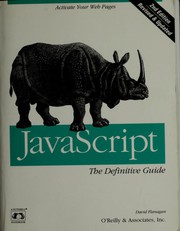
The canonical JavaScript reference with thorough coverage of the RegExp object and string methods — essential reading for understanding how regex is wired into the JS language itself.
Going Deeper: Regex Internals and Performance
ExpertUnderstand NFA/DFA engine mechanics, catastrophic backtracking, possessive quantifiers, atomic groups, and how to write regex that is both correct and fast.
▸ Study plan for this stage
Pace: 4–5 weeks, ~40–50 pages/day (Chapters 4–8 of Mastering Regular Expressions, focusing on engine mechanics and optimization)
- NFA (Nondeterministic Finite Automaton) vs. DFA (Deterministic Finite Automaton) engine behavior and how regex engines choose between them
- Catastrophic backtracking: why certain patterns cause exponential time complexity and how to recognize them
- Possessive quantifiers (++, *+, ?+, {n,m}+) and atomic groups (?>...) to prevent backtracking
- Regex engine optimization techniques: anchors, possessive matching, and atomic grouping to improve performance
- Practical profiling and testing of regex patterns to measure performance and identify bottlenecks
- How lookahead and lookbehind assertions interact with backtracking and engine efficiency
- Character class optimization and the impact of alternation on engine behavior
- Explain the difference between how an NFA engine and a DFA engine process a regex pattern, and why most modern engines use NFA with optimizations
- What is catastrophic backtracking, and how would you identify a regex pattern that is vulnerable to it?
- How do possessive quantifiers and atomic groups prevent backtracking, and when should you use each?
- Given a slow regex pattern, what techniques from Mastering Regular Expressions would you apply to optimize it?
- How do lookahead and lookbehind assertions affect engine performance, and what trade-offs do they introduce?
- Write a regex that matches a common pattern (e.g., email, URL, or nested structures) and explain how you would test and optimize it for performance
- Work through Friedl's examples of catastrophic backtracking (e.g., the classic (a+)+b pattern) and trace through the engine's behavior step-by-step to understand why it fails on non-matching input
- Rewrite a set of slow regex patterns using possessive quantifiers and atomic groups; measure the performance improvement using a regex profiler or timing tool in your language of choice
- Build a test suite that deliberately triggers backtracking in a pattern, then refactor it to use anchors, possessive quantifiers, or atomic groups to eliminate the backtracking
- Analyze a real-world regex from a codebase (or use examples from Friedl's book) and identify optimization opportunities; document the before/after performance metrics
- Create patterns for matching nested structures (parentheses, HTML tags, JSON) and test them against edge cases; use atomic groups or possessive quantifiers to prevent catastrophic backtracking
- Write a short guide or blog post explaining one specific optimization technique (e.g., possessive quantifiers or atomic groups) with concrete examples and performance comparisons
Next up: This stage equips you with deep knowledge of how regex engines work internally and how to write patterns that are both correct and performant, preparing you to tackle advanced use cases like building custom regex-based parsers, optimizing legacy regex in production systems, or contributing to regex engine development.
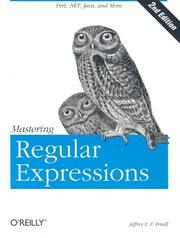
The definitive advanced text on regex — covers engine internals (NFA vs DFA), backtracking, optimization, and language-specific behavior in exhaustive depth. Read this after you have solid practical experience.
Discussion
Keep reading
Paths that share books, cover the same subject, or open a related topic.