Most people open Lightroom, tug a few sliders, and never learn the thing that makes it powerful: it is a complete workflow for importing, organizing, editing, and exporting thousands of photos consistently. Learning it in order — the system first, the advanced processing later — saves you from a disorganized catalog and mediocre edits.
This path starts with the core workflow, moves to deeper editing craft, and ends with the technical topics that separate good processing from great.
Learn the core workflow
Start with a structured course. Adobe Photoshop Lightroom Classic Classroom in a Book by Rafael Concepcion is a step-by-step, project-based introduction to the whole application. If you shoot on your phone, The Lightroom mobile book by Scott Kelby covers the mobile side of the ecosystem.
Then get the definitive workflow reference: The Adobe Photoshop Lightroom Classic Book for Digital Photographers by Scott Kelby is the book most photographers actually keep on the desk, organized around real editing tasks.
Deepen your editing craft
Now go beyond the basics. Lightroom Transformations by RC Concepcion works through before-and-after edits so you learn to see what an image needs, not just which slider does what — a big step in developing judgment.
Master color and advanced processing
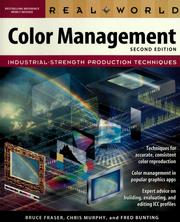
Serious editing runs into color and raw processing. Real world color management explains why your prints and screens disagree and how to fix it — unglamorous but essential once you care about accuracy. The digital negative by Jeff Schewe is the deep book on raw processing and getting the most out of your files. Adobe Photoshop Lightroom Classic - the Missing FAQ by Victoria Bampton answers the practical questions the manuals skip, and Photo Restoration and Retouching Using Corel PaintShop Pro rounds out repair and retouching skills.
Books teach the tools; editing your own real photos, repeatedly, builds the taste. Follow the full path in order.
Follow the full reading path →
Ready to learn something deeply?
Build a reading path — free