Most people learn Linux the painful way: copy commands from forum answers, break something, copy more commands. Years later they can operate a server without understanding it, and every outage is an archaeology dig. The fix is not more tutorials. It is reading the right books in the right order, because Linux knowledge stacks: the shell unlocks scripting, scripting unlocks internals, internals unlock administration.
Linux books in order: command line to sysadmin
July 11, 2026 · 2 min read
Stage 1: live in the shell
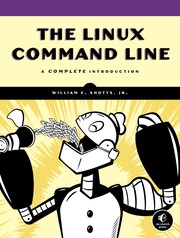
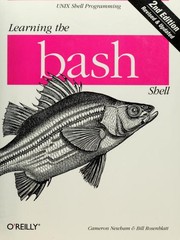
Start with The Linux Command Line by William E. Shotts — the friendliest serious introduction there is, taking you from your first prompt to real fluency with pipes, permissions, and job control. Follow it with Learning the bash Shell by Cameron Newham to turn daily commands into a language you actually speak, not just recite.
Stage 2: make the machine work for you
Automation is where Linux pays rent. Classic Shell Scripting by Arnold Robbins teaches the portable, battle-tested idioms that separate a script that works on your laptop from one that works everywhere. Pair it with sed & awk by Dale Dougherty, still the definitive treatment of the two text-processing tools you will reach for weekly for the rest of your career.
Stage 3: understand the system underneath
Now go below the prompt. How Linux Works by Brian Ward explains what is actually happening — boot, processes, memory, networking, devices — in the clearest internals tour in print. This is the book that converts folklore into understanding.
Stage 4: run systems for real
UNIX and Linux System Administration Handbook by Evi Nemeth and co-authors is the field's bible: users, storage, DNS, monitoring, and the operational judgment that separates administrators from operators. Add SSH, the Secure Shell by Daniel J. Barret to master the tool that guards every remote connection you will ever make. And when one machine becomes many, Site Reliability Engineering by Betsy Beyer and the Google SRE team shows how the discipline scales into error budgets, automation, and on-call sanity.
How to actually study this
Do not read Linux books in an armchair. Keep a terminal open — a cheap VPS or a virtual machine you are allowed to destroy — and type everything. After each stage, set yourself a project: stage 1, navigate and manage files without a GUI for a week; stage 2, automate something you do manually; stage 3, trace a boot from firmware to login; stage 4, harden and monitor a small server end to end. Breaking a disposable system is the fastest teacher in computing.
The staged curriculum with study plans lives at the full reading path. Related routes — programming, security, infrastructure — are collected on the subject hub, or explore everything on Discover.
FAQ
- What is the best book to learn Linux for beginners?
- The Linux Command Line by William Shotts. It assumes nothing, moves fast, and leaves you genuinely fluent at the shell.
- Do I need to learn the command line to use Linux?
- For desktop use, no. For any serious development, server, or security work, the command line is the actual interface — learn it first.
Get the books
- 1The Linux Command LineAmazon ↗William E. Shotts
- 2Learning the bash ShellAmazon ↗Cameron Newham
- 3Classic Shell ScriptingAmazon ↗Arnold Robbins
- 4sed & awkAmazon ↗Dale Dougherty
- 5How Linux WorksAmazon ↗Brian Ward
- 6Amazon ↗
As an Amazon Associate we earn from qualifying purchases. Some book links are affiliate links; you pay the same price and we may earn a small commission.
Follow the full reading path

Learn Linux from the command line up
Beginner10books130 hrs5 stages
@codesherpa♥ 0
Ready to learn something deeply?
Build a reading path — free