Docker and Kubernetes: a reading path from containers to orchestration
This curriculum takes a beginner from zero container knowledge to confidently orchestrating production-grade workloads with Kubernetes. It is structured in four stages: first building a solid mental model of Linux containers and Docker, then mastering Docker in depth, then graduating to Kubernetes core concepts, and finally tackling advanced Kubernetes patterns and real-world operations — each stage depending on the vocabulary and hands-on intuition built in the one before it.
Container Foundations
BeginnerUnderstand what containers are, why they exist, and how Docker fits into the modern software stack — enough to run, build, and share your first images confidently.
▸ Study plan for this stage
Pace: 4–5 weeks, ~25–30 pages/day. Start with "The Docker Book" (weeks 1–2), then move to "Docker Deep Dive" (weeks 3–5). Allocate 2–3 days per major section for hands-on practice.
- What containers are: lightweight, isolated processes that bundle application code, dependencies, and runtime into a single unit
- Why containers solve the 'works on my machine' problem through OS-level virtualization and image portability
- Docker architecture: images, containers, registries, and the Docker daemon—how they interact
- Building images with Dockerfiles: understanding layers, caching, and best practices for efficient images
- Running and managing containers: port mapping, volume mounting, environment variables, and container lifecycle
- Docker registries and image distribution: pushing/pulling images, using Docker Hub, and sharing work with others
- Container networking and storage fundamentals: how containers communicate and persist data
- The role of containers in the modern software stack: microservices, CI/CD, and orchestration readiness
- What is a container, and how does it differ from a virtual machine in terms of resource overhead and isolation?
- Explain the relationship between Docker images and containers. Why do you need both?
- What is a Dockerfile, and what does each common instruction (FROM, RUN, COPY, EXPOSE, CMD, ENTRYPOINT) do?
- How do you build a Docker image from a Dockerfile, and what is a layer in the context of Docker images?
- Describe the process of running a container: what happens when you execute 'docker run', and how do port mapping and volume mounting work?
- What is a Docker registry, and how do you push an image to Docker Hub so others can use it?
- Install Docker locally and run your first container: 'docker run hello-world', then explore 'docker ps' and 'docker images' to see what was created.
- Create a simple Dockerfile for a Node.js or Python application (provided or your own), build it with 'docker build', and run it with proper port mapping (e.g., 'docker run -p 8080:3000').
- Write a multi-stage Dockerfile to reduce image size: build in one stage, copy artifacts to a smaller base image in the next stage.
- Mount a local directory into a running container using volumes ('docker run -v /local/path:/container/path'), modify files from both sides, and observe the changes.
- Push a custom image to Docker Hub: create an account, tag your image correctly, and use 'docker push' to share it; have a peer pull and run it.
- Inspect a running container in detail: use 'docker inspect', 'docker logs', 'docker exec' to troubleshoot and understand what's happening inside.
Next up: This stage establishes the foundational knowledge of containers and Docker's core mechanics, preparing you to explore orchestration tools like Kubernetes that automate deployment, scaling, and management of containerized applications across clusters.

The most beginner-friendly entry point to Docker: it walks through installation, the image/container lifecycle, Dockerfiles, and registries in a gentle, hands-on style that builds core vocabulary before anything else.

A concise, plain-English reinforcement of Docker fundamentals — images, containers, volumes, and networking — that solidifies intuition and fills gaps left by the first book without overwhelming a newcomer.
Docker in Depth
IntermediateMaster Docker networking, volumes, multi-container applications with Compose, and production-ready image best practices so you can package and run real applications end-to-end.
▸ Study plan for this stage
Pace: 8–10 weeks, ~40–50 pages/day with 2–3 days per week dedicated to hands-on labs
- Docker networking fundamentals: bridge, host, overlay networks and service discovery in multi-container environments
- Docker volumes and persistent data management: bind mounts, named volumes, and volume drivers for stateful applications
- Docker Compose for orchestrating multi-container applications: service definitions, networking, environment variables, and scaling
- Image best practices: minimizing layers, using multi-stage builds, security scanning, and optimizing for production
- Container lifecycle management: health checks, restart policies, logging, and resource constraints
- Registry and image distribution: pushing to registries, versioning strategies, and private registry setup
- Production-ready patterns: secrets management, configuration management, and running applications at scale
- How do Docker bridge networks differ from overlay networks, and when would you use each in a multi-container application?
- What are the differences between bind mounts and named volumes, and which would you choose for a database container in production?
- How does Docker Compose simplify multi-container application deployment, and what are the key sections of a docker-compose.yml file?
- What image optimization techniques reduce build time and image size, and how do multi-stage builds improve production readiness?
- How do you implement health checks and restart policies to ensure container resilience in production?
- What strategies would you use to manage secrets and configuration in a containerized application without hardcoding values?
- Build a custom bridge network and connect multiple containers to it; verify inter-container communication using service names
- Create a multi-container application (e.g., web app + database) with Docker Compose; modify the compose file to add environment variables, volumes, and resource limits
- Set up a named volume for a PostgreSQL or MySQL container and verify data persistence across container restarts
- Write a multi-stage Dockerfile for a Node.js or Python application; compare image sizes and build times against a single-stage build
- Implement health checks in a Dockerfile and docker-compose.yml; observe how Docker handles unhealthy containers
- Push a custom image to Docker Hub or a private registry with semantic versioning; pull and run it on a different machine
Next up: This stage equips you with the Docker fundamentals and production patterns needed to move into orchestration at scale, where you'll learn how Kubernetes automates deployment, scaling, and management of containerized applications across clusters.

Moves beyond basics into real-world Docker usage: multi-stage builds, networking models, volumes, Docker Compose, and security hardening — the bridge between toy examples and production containers.

Focuses on practical patterns for building, testing, and deploying Dockerized applications, including CI/CD integration and image optimization, deepening production readiness before Kubernetes is introduced.
Kubernetes Core Concepts
IntermediateUnderstand the Kubernetes architecture and master its fundamental objects — Pods, Deployments, Services, ConfigMaps, and Namespaces — to deploy and expose containerized applications on a cluster.
▸ Study plan for this stage
Pace: 8–10 weeks, ~40–50 pages/day (mix of reading and hands-on labs)
- Kubernetes cluster architecture: control plane components (API server, scheduler, controller manager, etcd) and node components (kubelet, kube-proxy, container runtime)
- Pod lifecycle and design patterns: init containers, sidecar containers, and multi-container pod communication via shared network namespace
- Deployments and ReplicaSets: declarative application management, rolling updates, rollbacks, and replica scaling strategies
- Services and networking: ClusterIP, NodePort, LoadBalancer service types, DNS resolution, and exposing applications inside and outside the cluster
- ConfigMaps and Secrets: externalizing configuration and sensitive data, mounting as volumes and environment variables
- Namespaces and resource organization: logical cluster partitioning, RBAC foundations, and multi-tenancy patterns
- Labels, selectors, and annotations: organizing and querying Kubernetes objects for operational efficiency
- Persistent storage basics: PersistentVolumes, PersistentVolumeClaims, and storage classes for stateful workloads
- Explain the role of the API server, scheduler, and controller manager in the Kubernetes control plane, and how they coordinate to deploy an application.
- What is a Pod, and why is it the smallest deployable unit in Kubernetes? How do multiple containers in a Pod communicate?
- Describe the difference between a Deployment and a ReplicaSet. How does a Deployment manage rolling updates and rollbacks?
- What are the three main Service types (ClusterIP, NodePort, LoadBalancer), and when would you use each to expose an application?
- How do ConfigMaps and Secrets differ, and what are the different ways to inject configuration data into a Pod?
- What is a Namespace, and how does it help with resource organization and multi-tenancy in a shared cluster?
- How do labels and selectors work together in Kubernetes, and why are they critical for managing Deployments and Services?
- Explain the relationship between PersistentVolumes and PersistentVolumeClaims, and how they enable stateful applications.
- Set up a local Kubernetes cluster using minikube or kind, and verify all control plane and node components are running using kubectl get nodes and kubectl get pods -n kube-system.
- Create and deploy a multi-container Pod with an init container and a sidecar container (e.g., logging sidecar), then verify inter-container communication via shared volumes.
- Deploy a Deployment with 3 replicas, trigger a rolling update by changing the image version, monitor the rollout progress, and practice rolling back to the previous version.
- Create three Services (ClusterIP, NodePort, LoadBalancer) for the same Deployment and test connectivity from inside the cluster and externally.
- Create a ConfigMap with application configuration, inject it into a Pod as both environment variables and a mounted volume, and verify the application reads the configuration correctly.
- Create a Secret for database credentials, mount it in a Pod, and verify the application can access the sensitive data securely.
- Create two Namespaces, deploy identical applications in each, and verify resource isolation and DNS resolution differences between Namespaces.
- Label a Deployment with multiple labels (e.g., app=myapp, version=v1, environment=prod), then use kubectl get with label selectors to query and manage the objects.
Next up: Mastering these core Kubernetes objects and patterns provides the foundation to move into advanced topics like StatefulSets, DaemonSets, Jobs, Ingress controllers, and custom resource definitions, which enable you to manage complex, production-grade workloads and extend Kubernetes functionality.
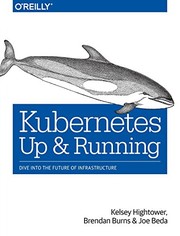
Written by Kubernetes co-creators, this is the canonical first Kubernetes book: it introduces the API objects, kubectl, and the declarative model in exactly the right order for someone coming from a Docker background.

A concise, jargon-free companion that reinforces Pods, ReplicaSets, Deployments, and Services with clear diagrams — ideal for consolidating the mental model built in the previous book.

The most thorough treatment of core Kubernetes concepts available; its deep dives into the scheduler, networking, storage, and the control plane turn intermediate knowledge into genuine understanding.
Production Kubernetes & Advanced Patterns
ExpertDesign and operate production Kubernetes clusters: handle stateful workloads, RBAC, Helm packaging, observability, autoscaling, and cloud-native patterns for scaling modern applications reliably.
▸ Study plan for this stage
Pace: 8–10 weeks, ~40–50 pages/day (mix of reading and hands-on labs). Weeks 1–4: "Production Kubernetes" (core operations); Weeks 5–8: "Kubernetes Patterns" (architectural patterns); Weeks 8–10: integration project and review.
- Cluster architecture, networking, and storage for production workloads (nodes, etcd, CNI, persistent volumes, storage classes)
- RBAC and security: role-based access control, network policies, pod security policies, and secrets management
- Stateful workloads: StatefulSets, operators, and managing databases/message queues in Kubernetes
- Helm as a package manager: charts, templating, releases, and dependency management for reproducible deployments
- Observability: logging, metrics, tracing, and monitoring with Prometheus, ELK, and distributed tracing
- Autoscaling strategies: horizontal pod autoscaling (HPA), vertical pod autoscaling (VPA), and cluster autoscaling
- Cloud-native patterns: Sidecar, Ambassador, Init Container, Adapter, and other structural patterns for resilience
- Multi-tenancy, resource quotas, and governance for scaling teams and applications reliably
- How do you design a production Kubernetes cluster architecture, and what are the key considerations for etcd, networking, and storage?
- What is RBAC in Kubernetes, and how do you implement fine-grained access control and network policies for security?
- How do you manage stateful workloads in Kubernetes using StatefulSets and operators, and what are the trade-offs?
- What is Helm, how do you create and manage charts, and how does it enable reproducible, scalable deployments?
- How do you implement observability in Kubernetes clusters using logging, metrics, and tracing?
- What autoscaling strategies exist in Kubernetes, and when should you use HPA, VPA, or cluster autoscaling?
- What are the key cloud-native patterns (Sidecar, Ambassador, Init Container, Adapter), and how do they improve resilience and modularity?
- How do you enforce multi-tenancy, resource quotas, and governance policies in a shared Kubernetes cluster?
- Set up a production-like Kubernetes cluster (using kubeadm, kops, or managed service) with proper networking, storage, and etcd backup/restore procedures.
- Implement RBAC: create roles, role bindings, and service accounts; test access restrictions and audit logs.
- Deploy a stateful application (e.g., PostgreSQL, Redis, or RabbitMQ) using StatefulSets with persistent volumes and test failover/recovery.
- Create a Helm chart for a multi-tier application (frontend, backend, database) with templating, values overrides, and dependency management.
- Set up observability: configure Prometheus for metrics, ELK or Loki for logs, and implement distributed tracing (e.g., Jaeger); create dashboards and alerts.
- Implement autoscaling: configure HPA based on custom metrics, test VPA recommendations, and set up cluster autoscaling with node groups.
- Refactor an existing application to use cloud-native patterns: add sidecars for logging/monitoring, implement Ambassador pattern for routing, use Init Containers for setup.
- Configure multi-tenancy: create namespaces, resource quotas, network policies, and pod security policies; test isolation and governance.
Next up: This stage equips you with the operational and architectural knowledge to run Kubernetes at scale in production; the next stage will likely focus on advanced topics such as service mesh (Istio), GitOps workflows, cost optimization, or multi-cluster management to handle even more complex enterprise scenarios.

Addresses the hard operational questions — multi-tenancy, security, networking CNI choices, storage, and cluster lifecycle — that only surface when running Kubernetes at real scale.

Catalogs reusable design patterns (Sidecar, Ambassador, Init Container, Operator, etc.) that let you architect cloud-native applications correctly, making it the ideal capstone for the entire curriculum.
Discussion
Keep reading
Paths that share books, cover the same subject, or open a related topic.