Computer networking: a reading path from packets to protocols
This curriculum takes a complete beginner from "what is the internet?" all the way to a deep, protocol-level understanding of how data moves across networks. Each stage builds the mental model needed for the next: first intuition and vocabulary, then the layered architecture, then the core protocols (IP, TCP, DNS, HTTP) in detail, and finally the engineering craft of building and securing networked systems.
How the Internet Works — Big Picture First
BeginnerBuild an intuitive mental model of what the internet is, why it was designed the way it was, and what problems networking solves — before touching any technical detail.
▸ Study plan for this stage
Pace: 4–5 weeks, ~40–50 pages/day (approximately 2 weeks for "Tubes," 2–3 weeks for "How the Internet Works")
- The internet is a physical infrastructure of cables, data centers, and routing equipment—not just an abstract cloud
- The internet was designed for resilience and decentralization to survive network failures and attacks
- Data travels as packets that are routed independently across multiple paths to reach their destination
- The internet connects heterogeneous networks through standardized protocols and gateways, not a single unified system
- Internet geography matters: physical location, cable routes, and peering agreements determine speed, latency, and reliability
- The internet solves the problem of reliable communication across unreliable, diverse networks through layered protocols and redundancy
- End-to-end principle: intelligence is pushed to the edges (devices), while the network core remains simple and agnostic to content
- Why was the internet designed to be decentralized and resilient, and what historical events motivated this design?
- Explain how data packets travel from your computer to a destination across the internet—what happens at each major stage?
- What is the role of Internet Service Providers (ISPs), backbone networks, and peering points in connecting the internet?
- How does the internet handle the fact that it connects many different types of networks with different technologies and standards?
- What physical infrastructure (cables, data centers, routing equipment) makes the internet work, and why does geography matter?
- What problems does the internet solve that earlier communication systems (like the telephone network) could not?
- Trace the physical path of data: Use online tools (e.g., traceroute, ping) to see how many hops your data takes to reach a website, then research what physical infrastructure (cables, routers, data centers) likely exists at each hop
- Map internet infrastructure: Find and annotate a map showing major submarine cables, data centers, and internet exchange points (IXPs) in your region or globally; reflect on how geography constrains connectivity
- Interview or research an ISP: Contact a local ISP or read their documentation to understand how they connect to the broader internet backbone and what peering agreements they have
- Diagram packet flow: Draw a detailed diagram showing how a packet travels from your device through your ISP, across backbone networks, and to a destination server—label each layer and component
- Compare network designs: Research the telephone network's centralized design versus the internet's decentralized design; write a one-page reflection on why the internet's approach is more resilient
- Visit or virtually tour a data center: Watch a video tour of a major data center (Google, AWS, etc.) and identify the physical components (servers, cooling, power, networking equipment) that make the internet work
Next up: This stage establishes the intuitive, physical foundation needed to understand how protocols and standards actually work in practice—you now know *why* the internet was designed the way it was, preparing you to dive into the technical layers (TCP/IP, DNS, routing algorithms) that make it function.

A journalist's tour of the physical internet — cables, data centers, and exchange points — makes the abstract concrete and answers 'where does the internet actually live?' before you study how it works.
A richly illustrated, plain-language walkthrough of every major internet concept (packets, protocols, the Web, DNS, email) that gives beginners the vocabulary they need for every book that follows.
The Layered Architecture — OSI & TCP/IP Models
BeginnerUnderstand the layered model of networking (physical → data link → network → transport → application), why layers exist, and how they hand data to each other.
▸ Study plan for this stage
Pace: 2–3 weeks, ~40–50 pages/day (Tanenbaum chapters 1–2, plus review and exercises)
- The seven-layer OSI model and its role as a conceptual framework for understanding network communication
- The five-layer TCP/IP model and how it maps to the OSI model in practice
- The principle of layering: each layer provides services to the layer above and relies on services from the layer below
- Encapsulation and decapsulation: how data is wrapped with headers at each layer as it moves down the stack
- The role of each layer (Physical, Data Link, Network, Transport, Application) and the protocols that operate at each
- Why layering exists: abstraction, modularity, and the ability to change one layer without breaking others
- Service Data Units (SDUs) and Protocol Data Units (PDUs): how data is named and packaged at different layers
- The difference between connection-oriented (TCP) and connectionless (UDP) transport, and when each is appropriate
- What are the seven layers of the OSI model, and what is the primary responsibility of each layer?
- How does the TCP/IP model differ from the OSI model, and why is the TCP/IP model more commonly used in practice?
- Explain the concept of encapsulation: what happens to data as it moves down the protocol stack from the application layer to the physical layer?
- Why is layering important in network architecture? What problems does it solve?
- What is the difference between a service and a protocol, and how do they relate to the concept of layers?
- How does the transport layer differ from the network layer in terms of scope and responsibility?
- Draw the OSI and TCP/IP models side-by-side and label each layer with 2–3 key protocols that operate at that layer (e.g., HTTP at Application, TCP at Transport, IP at Network)
- Trace a simple HTTP request through all seven OSI layers: describe what happens at each layer, what headers are added, and what the data is called at each stage
- Create a comparison table of the OSI and TCP/IP models, noting which OSI layers map to each TCP/IP layer and why the TCP/IP model consolidates some layers
- Write a short explanation (1 page) of why layering is essential for modern networking, using a real-world analogy (e.g., postal system, manufacturing pipeline)
- Identify and list the protocols mentioned in Tanenbaum's chapters 1–2 and categorize them by layer (Physical, Data Link, Network, Transport, Application)
- Practice encapsulation: take a simple message (e.g., 'Hello') and show how it gets wrapped with headers as it moves from the Application layer down to the Physical layer, labeling each PDU
Next up: This foundation in layered architecture and the OSI/TCP/IP models provides the conceptual framework needed to dive deeper into specific layers—starting with the Physical and Data Link layers—where you'll learn how bits are actually transmitted and frames are constructed.
The definitive textbook introduction to every layer of the network stack; reading the first half gives beginners a rigorous, complete map of how networking is organized before diving into individual protocols.
An encyclopedic yet readable reference that walks through every TCP/IP protocol layer by layer; use it after Tanenbaum to solidify and expand on each layer with real packet-level detail.
Core Protocols Deep Dive — IP, TCP, DNS, and HTTP
IntermediateUnderstand exactly how IP routes packets, how TCP guarantees delivery, how DNS resolves names, and how HTTP transfers the Web — the four pillars of the modern internet.
▸ Study plan for this stage
Pace: 12–14 weeks, ~40–50 pages/day. TCP/IP Illustrated Vol. 1 (4–5 weeks, ~45 pages/day); DNS and BIND (3–4 weeks, ~40 pages/day); HTTP (2–3 weeks, ~35 pages/day). Include 1–2 weeks for review, labs, and integration.
- IP packet structure, routing logic, and the role of the IP header (version, TTL, fragmentation, source/destination addresses) in moving data across networks
- TCP three-way handshake, sequence numbers, acknowledgments, and retransmission mechanisms that guarantee reliable, ordered delivery
- TCP flow control (sliding window) and congestion control (slow start, congestion avoidance) to prevent network overload
- DNS hierarchical namespace, recursive and iterative queries, zone files, and the complete resolution process from client to authoritative nameserver
- DNS caching, TTL values, and common record types (A, AAAA, MX, CNAME, NS) and their roles in name resolution
- HTTP request/response model, methods (GET, POST, PUT, DELETE), status codes, and headers that control caching, authentication, and content negotiation
- HTTP connection management: persistent connections, pipelining, and the evolution from HTTP/1.0 to HTTP/1.1
- How these four protocols work together: DNS resolves a domain, TCP establishes a connection, IP routes packets, and HTTP transfers the resource
- Explain the IP packet header: what does each major field (version, header length, TTL, protocol, source/destination IP) do, and how does TTL prevent infinite loops?
- Walk through a TCP connection from start to finish: describe the three-way handshake, how sequence numbers work, and what happens when a packet is lost.
- How does TCP's sliding window mechanism balance throughput and reliability, and what is the relationship between window size and network congestion?
- Describe the complete DNS resolution process: what happens when you type a URL, and how does a recursive resolver query authoritative nameservers?
- What is the purpose of DNS caching and TTL? Why would you set a low TTL for a frequently changing service and a high TTL for stable records?
- Compare HTTP/1.0 and HTTP/1.1: what problems did persistent connections and pipelining solve, and what are their limitations?
- How do HTTP status codes (2xx, 3xx, 4xx, 5xx) guide client behavior, and what is the difference between a 301 redirect and a 304 Not Modified response?
- Trace a complete web request: from typing a URL to receiving a web page, explain the role of DNS, TCP, IP, and HTTP at each step.
- Use tcpdump or Wireshark to capture a live TCP handshake: identify the SYN, SYN-ACK, and ACK packets, and verify sequence numbers and flags match the theory from Stevens.
- Implement a simple TCP client in Python or C that connects to a web server, sends an HTTP GET request, and parses the response—observe retransmissions and window scaling in real time.
- Perform DNS queries using dig or nslookup: query different record types (A, MX, NS, CNAME), trace recursive vs. iterative resolution, and observe TTL values and caching behavior.
- Set up a local DNS server (using BIND or dnsmasq) and configure zone files: create A records, MX records, and NS records, then verify resolution from a client.
- Analyze HTTP traffic with Wireshark: capture a full HTTP/1.1 session, identify request/response headers, observe persistent connections, and note how caching headers (Cache-Control, ETag) affect behavior.
- Write a minimal HTTP server in Python (using sockets) that responds to GET and POST requests with appropriate status codes and headers; test it with curl and a browser.
Next up: Mastering these four core protocols provides the foundation to understand how applications are built on top of them—the next stage will explore application-layer protocols (SMTP, FTP, SSH) and how modern systems optimize and secure these foundational mechanisms.

The gold-standard deep dive into IP, TCP, UDP, ICMP, DNS, and more, with real packet traces; this is the book that turns theoretical knowledge into a precise, working understanding of how data actually moves.
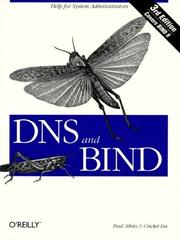
The canonical book on DNS — how name resolution works end-to-end, from recursive resolvers to authoritative servers — read after Stevens to fully demystify the 'phone book of the internet'.

Covers HTTP/1.1 in exhaustive, readable detail — methods, headers, caching, proxies, authentication — giving you a complete picture of the application layer protocol that powers the Web.
Modern Networking — Performance, Security, and the Full Stack
ExpertUnderstand how modern networks are engineered for performance and security, including TLS, HTTP/2, QUIC, and how real-world systems are designed and defended.
▸ Study plan for this stage
Pace: 8–10 weeks, ~40–50 pages/day (mix of dense technical content and practical examples)
- TCP/IP fundamentals and how latency, bandwidth, and packet loss affect real-world performance
- TLS 1.2 and 1.3: handshake mechanics, cipher suites, certificate validation, and performance implications
- HTTP/2 multiplexing, server push, header compression (HPACK), and how it improves on HTTP/1.1
- QUIC protocol: connection migration, 0-RTT resumption, congestion control, and why it matters for mobile
- Browser optimization: resource prioritization, connection pooling, DNS prefetching, and rendering pipeline
- Network security design patterns: firewalls, VPNs, intrusion detection, DDoS mitigation, and defense-in-depth
- Real-world system architecture: load balancing, redundancy, failover, and monitoring in production networks
- Practical network troubleshooting: packet capture, profiling tools, and diagnosing performance bottlenecks
- Explain the TLS 1.3 handshake and why it reduces latency compared to TLS 1.2. What is 0-RTT and what security trade-offs does it involve?
- How does HTTP/2 multiplexing solve the head-of-line blocking problem in HTTP/1.1, and what are the practical benefits and limitations?
- What is QUIC and how does it improve upon TCP+TLS for modern applications, especially on mobile networks?
- Describe the full stack of a secure, high-performance connection: from DNS resolution through TLS handshake to HTTP/2 request/response.
- How would you design a network defense strategy for a production system? What layers (firewall, IDS, application) would you implement and why?
- Given a slow web application, walk through the tools and techniques you'd use to identify whether the bottleneck is network, TLS, or application-level.
- Capture and analyze a TLS 1.3 handshake using Wireshark; identify the ClientHello, ServerHello, and key exchange messages. Compare with a TLS 1.2 capture.
- Set up a local HTTP/2 server (e.g., using h2o or nginx with HTTP/2 enabled) and measure page load time with and without multiplexing using Chrome DevTools.
- Use curl with verbose flags to trace a full HTTPS request; document each phase (DNS, TCP, TLS, HTTP) and measure latency at each step.
- Configure a firewall ruleset for a multi-tier application (web, app, database layers); document ingress/egress rules and justify each rule.
- Run a packet capture on a real application (e.g., curl, browser) and identify: TCP window size, MTU, retransmissions, and any signs of congestion.
- Implement a simple network monitoring dashboard (using tools like iftop, nethogs, or custom tcpdump scripts) to track bandwidth and connection states in real-time.
Next up: This stage equips you with deep knowledge of how modern networks function at the protocol and system level; the next stage will likely focus on cloud-native architectures, containerization, and distributed systems where these networking principles become foundational to design decisions.

Bridges the gap between classic protocol theory and the modern web by covering TCP optimization, TLS, HTTP/2, WebSockets, and QUIC — essential for understanding why the internet feels fast or slow.

A practitioner's guide to how real networks are built and operated with routers and switches; reading this last grounds all the protocol theory in the actual engineering decisions made in production networks.
Discussion
Keep reading
Paths that share books, cover the same subject, or open a related topic.