The hard part of learning iOS is not any single topic but the pile-up: you need Swift the language, then UIKit and SwiftUI for interfaces, then data, architecture, and the App Store machinery — often all pushed at you in the same tutorial. Read the wrong way and everything feels equally urgent and equally confusing.
A sequenced path fixes that by isolating one layer at a time. Learn the language until it is boring, then learn to draw screens, then learn to structure a real app, and only then worry about shipping. Each book below sits at a rung on that ladder.
Learn the language and the basics
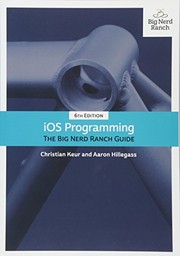
Start with The Swift Programming Language, Apple's own free reference, to get the syntax, optionals, and value types straight from the source. Then Swift Programming: The Big Nerd Ranch Guide turns that reference knowledge into hands-on fluency with clear exercises. With Swift solid, iOS Programming: The Big Nerd Ranch Guide (6th Edition) teaches the UIKit foundations — view controllers, the app lifecycle, and the patterns Apple's frameworks assume you know. For a project-driven alternative, Hacking with iOS builds real apps that reinforce the same ideas by doing.
Master the modern UI and architecture
SwiftUI is now the center of gravity, and Thinking in SwiftUI explains its declarative model deeply enough that layout and state stop being mysterious. SwiftUI Animations by Tutorials then adds the motion and polish that make apps feel native. As apps grow, structure matters more than features, and Advanced IOS App Architecture compares real patterns for keeping large codebases testable and navigable. For persistence, Core Data by Tutorials covers Apple's framework for local data with the practical detail the official docs skip.
Ship and refine
The last arc is about quality and release. Instruments: A Practitioner's Guide teaches you to profile performance, memory, and energy so your app behaves on real devices, not just the simulator. And App Store Confidential pulls back the curtain on distribution, reviews, and the business realities of publishing — the context that turns a finished project into a shipped product.
Read in this order and iOS stops feeling like a dozen unrelated skills. Follow the full path to go from your first Swift playground to an app you can confidently submit to the App Store.
Follow the full reading path →
Ready to learn something deeply?
Build a reading path — free