PowerShell has an unusually clear learning progression, and following it makes all the difference. Start by treating it as an interactive shell, then learn to write reliable scripts, then build reusable tools, and finally test them like real software. People who skip steps end up with fragile one-off scripts they are afraid to change.
The path below follows that exact ladder, from daily commands to professional-grade automation.
Start at the shell
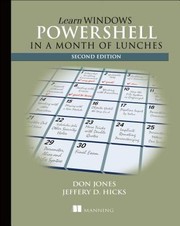
Begin with Learn Windows Powershell 3 in a Month of Lunches, the famously effective, bite-sized introduction that gets administrators productive one short lesson at a time. Reinforce the fundamentals with PowerShell 101, a free, concise primer that covers the essentials cleanly. After these you can navigate, query, and automate everyday tasks with confidence.
Learn to script and build tools
Commands become power when you script them. Learn PowerShell Scripting in a Month of Lunches extends the gentle format to functions, logic, and reusable scripts. Then Windows Powershell Scripting and Toolmaking teaches the mindset shift from writing scripts to building proper tools — parameterized, documented functions others can rely on. This is the leap from user to author.
Understand the language deeply
To truly master PowerShell, you need to understand how it works. Windows PowerShell in Action is the deep, authoritative book — written with insight into the language's design — that explains the object pipeline and internals other books gloss over. Automating Administration with Windows PowerShell then applies that depth to real administrative automation at scale.
Test like a professional
Serious automation is tested automation. The Pester Book teaches PowerShell's testing framework so your scripts do not silently break, and PowerShell for Sysadmins rounds things out with practical, real-world administration patterns. Reading these last means you finish able to write automation you actually trust.
PowerShell glues systems together — databases, cloud services, search clusters — so it pairs well with skills like Oracle database administration for anyone managing real infrastructure.
Follow the full reading path →
Ready to learn something deeply?
Build a reading path — free