MATLAB is designed to let engineers and scientists compute without becoming software engineers, and that accessibility is a trap of its own. It is simple enough that people write loops where they should vectorize, produce code that is slow and unreadable, and never learn the numerical thinking the tool exists to support. Learning MATLAB well means learning the language, then how to make it fast, then the domains it was built for, in that order.
The path starts with solid fundamentals, moves into writing efficient code, and then branches into the numerical methods and engineering applications where MATLAB earns its keep.
Learn the language well
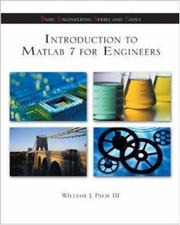
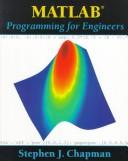
Start with Matlab, An Introduction With Applications by Amos Gilat, a clear and widely used first book that teaches the essentials without overwhelming you. Reinforce it with Introduction to MATLAB 7 for Engineers, which keeps the focus on engineering problems, and MATLAB programming for engineers by Stephen Chapman, which treats MATLAB as a real programming language and instills good habits like vectorization early.
Those good habits matter, because MATLAB will happily let you write slow code. Accelerating MATLAB Performance is the book that teaches you to make it fast, covering vectorization, memory, and profiling in depth. Reading it before you build anything large saves you from painful rewrites.
Do the numerical work
MATLAB is a numerical tool, so the next step is numerical methods themselves. Numerical methods for engineers by Chapra teaches the algorithms behind the built-in functions, so you understand what MATLAB is doing rather than treating it as a black box. Numerical computing with MATLAB by Cleve Moler, MATLAB's own creator, is a beautiful, deeper treatment of the same territory and rewards careful study.
Apply it to engineering domains
With the fundamentals and numerics solid, branch into applications. Digital signal processing using MATLAB applies the tool to signals and systems, a core engineering domain, and Control system design uses it for modeling and controlling dynamic systems. For a look beyond MATLAB at how the same numerical thinking transfers, Solving PDEs in Python is a useful companion that broadens your perspective on scientific computing.
For a concise reference on the mathematical operations themselves, MATLAB Numerical Calculations is handy to keep alongside your project work.
Follow the full path and MATLAB becomes a precise instrument rather than a slow scratchpad. You end writing efficient, vectorized code and understanding the numerical methods underneath it, which is exactly what turns a tool user into an engineer.
Follow the full reading path →
Ready to learn something deeply?
Build a reading path — free