Assembling a computer from parts is genuinely simple — the connectors are keyed, the manuals are decent, and a careful first-timer can do it in an afternoon. Repair is a different skill entirely. When a machine will not boot, or crashes under load, or posts without video, you need a mental model of the boot sequence and the power delivery chain to isolate the fault. Otherwise you are swapping parts at random, which is expensive and often inconclusive.
So the useful reading order is conceptual first, hands-on second, reference third, diagnostic last. And one honest note about this literature: PC hardware books date faster than almost any other technical writing. The concepts hold; the specific sockets, chipsets and interfaces do not. Read for the model, check current specifications online.
The mental model
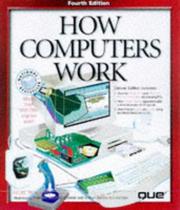
Start with How computers work by Ron White and Timothy Downs. It is the illustrated conceptual tour — CPU, memory hierarchy, buses, storage, graphics pipeline, how a machine gets from power-on to an operating system. The specific hardware pictured is dated in any edition you find, but the block-diagram understanding is exactly what you need before touching anything.
The first build
Then Build Your Own PC Do-It-Yourself for Dummies by Mark Chambers, which walks through part selection, compatibility checking and assembly in the right order with the right cautions — static discipline, standoffs, cooler mounting, cable routing, and the first-boot checklist. Nobody needs a book to plug in a SATA cable, but a structured first pass prevents the handful of mistakes that cost real money.
The reference
Upgrading and repairing PCs by Scott Mueller is the canonical hardware reference and has been for decades. It goes deep on motherboards, chipsets, power supplies, memory technologies, storage interfaces and their history, and it explains why interfaces are designed as they are — which is what lets you reason about hardware you have not seen. It is enormous and meant for consultation, not a straight read. Editions vary a lot in currency; the underlying explanations survive better than the model numbers.
Diagnosis
The last stage is systematic troubleshooting. PC technician's troubleshooting pocket reference by Stephen Bigelow is the compact symptom-to-cause companion — the format that makes you work through a decision tree instead of guessing. His Troubleshooting and repairing computer printers covers a genuinely separate skill; printers are electromechanical devices with their own failure modes, and they are still a large share of small-business support work.
Close with The complete A+ guide to PC repair by Cheryl Schmidt, which is the certification-oriented textbook. It is the most structured treatment of repair as a discipline — safety, diagnostics, operating system issues, networking basics, and customer-facing practice — and it maps to the CompTIA A+ exam. Books prepare you for that exam; they are not the credential, and employers ask for the certificate, not the reading.
What to add alongside
Component-level board repair — microsoldering, tracing rails with a multimeter — is barely covered by any of these and is largely learned from current video and forum communities. Likewise, current-generation part selection is better served by up-to-date online compatibility tools than by any printed list.
Build something while you read; a used office desktop makes a cheap practice patient. Follow the full path for the stage-by-stage plan, or start from the PC building and repair hub.
Follow the full ordered path here: Building and Repairing Your Own PC: Books in Order.