The shell is one of the highest-leverage skills a technical person can learn, and one of the most intimidating. Its syntax is terse, its error messages unhelpful, and copy-pasted commands teach you nothing about why they work. Reading in order replaces that fear with fluency, one layer at a time.
The path that works is to get genuinely comfortable living at the command line, then learn bash scripting properly, then master the classic text-processing tools that make scripts powerful, and finally reach the advanced patterns for robust automation. Each book below is chosen for one of those stages.
Get comfortable at the command line
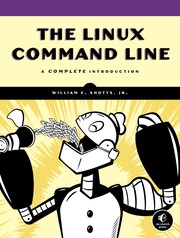
Start with The Linux Command Line by William Shotts, a superb free book that takes you from total beginner to confident shell user, covering navigation, pipes, and the philosophy behind Unix tools. For a lighter, more playful introduction, Unix for the Beginning Mage frames the command line as learning spells, which lowers the barrier for newcomers. Once the shell feels like home, scripting makes sense.
Learn bash scripting
Keep Bash Pocket Reference nearby as the quick lookup for syntax you will forget. Then Learning the bash Shell by Cameron Newham is the thorough guide to the language itself — variables, control flow, functions, and the quoting rules that trip everyone up. This is where one-off commands become reusable scripts.
Master text processing and advanced scripting
The classic Unix tools are what give scripts their power. The AWK programming language, by awk's own creators, teaches the compact language built for processing structured text, and sed & awk pairs it with the stream editor for line-by-line transformations. Classic Shell Scripting then shows how to combine these tools into portable, professional scripts. For breadth, Bash cookbook offers ready solutions to common tasks, Pro Bash Programming goes deep on writing serious programs in bash, and Wicked Cool Shell Scripts provides a trove of practical, real-world examples to learn from and adapt.
Read in this order and the command line stops being a place you visit nervously. Follow the full path to go from your first cd command to automating real work with confident, robust scripts.
Follow the full reading path →
Ready to learn something deeply?
Build a reading path — free