Best Books on Web Accessibility, in Reading Order
This curriculum builds deep, practical web accessibility expertise across four progressive stages — starting from solid intermediate foundations in inclusive design principles, moving through the technical mastery of semantic HTML, ARIA, and WCAG, then into hands-on testing with assistive technologies, and finally into organizational and systems-level inclusive design thinking. Each stage assumes the vocabulary and skills built in the previous one, creating a coherent, compounding learning path.
Accessibility Foundations & Mindset
IntermediateEstablish a strong mental model of why accessibility matters, who it serves, and how inclusive design thinking differs from retrofitting — building the conceptual vocabulary needed for all technical stages ahead.
▸ Study plan for this stage
Pace: 4–5 weeks, ~40–50 pages/day. "A Web for Everyone" (~250 pages) takes 1 week; "Mismatch" (~300 pages) takes 2–3 weeks with reflection breaks between chapters.
- Accessibility is a business and moral imperative, not a compliance checkbox — it expands market reach and serves people with disabilities as primary users, not afterthoughts
- Universal design principles: designing for the full spectrum of human ability from the start is more effective and cheaper than retrofitting
- The distinction between medical/deficit-based models of disability and the social model — disability is a mismatch between person and environment, not a personal failing
- Inclusive design thinking requires understanding real user contexts, pain points, and diversity — personas and user research are foundational tools
- Web accessibility encompasses visual, auditory, motor, and cognitive disabilities; temporary, situational, and permanent impairments all matter
- Organizational mindset shift: moving from 'compliance' (WCAG checkboxes) to 'inclusion' (designing with and for disabled users throughout the process)
- Mismatch framework: exclusion happens at the intersection of person and product design; solving for edge cases often creates better products for everyone
- Why does Horton argue that accessibility benefits everyone, not just people with disabilities? Give 2–3 concrete examples from 'A Web for Everyone.'
- What is the difference between the medical model and the social model of disability, and how does Holmes use this distinction in 'Mismatch' to reframe accessibility?
- How does the concept of 'mismatch' in Holmes' framework change the way you think about who is responsible for accessibility problems?
- What are the four main categories of disability that Horton covers, and can you name one web barrier for each?
- According to both books, why is inclusive design thinking from the start cheaper and more effective than retrofitting accessibility later?
- How would you explain to a stakeholder or manager why accessibility is a business opportunity, not just a legal obligation? Use arguments from both texts.
- Audit a website you use daily for accessibility barriers across visual, auditory, motor, and cognitive dimensions. Document 3–5 barriers and map them to Horton's disability categories.
- Create a persona of a user with a disability (e.g., low vision, motor impairment, dyslexia) based on Holmes' mismatch framework. Describe a specific task they want to do on a website and identify where the mismatch occurs.
- Read one case study from 'A Web for Everyone' and one from 'Mismatch.' Compare how each author frames the problem and solution — what's different about their approach?
- Interview or observe someone with a disability (or watch a video of someone using assistive technology) completing a web task. Reflect on how their experience challenges assumptions you had before reading these books.
- Write a 1-page memo to a product team explaining why accessibility should be built in from the start, using specific examples from both books to support your argument.
- Map the organizational mindset shift described in Horton (from compliance to inclusion) to your own workplace or project. What would need to change?
Next up: This stage establishes the *why* and *who* of accessibility, grounding you in inclusive design thinking and the social model of disability — essential mental scaffolding before diving into technical standards (WCAG), assistive technologies, and hands-on implementation in the next stage.

A perfect intermediate starting point that frames accessibility around real user needs and design principles rather than rules, giving you the 'why' before the 'how'. Its persona-driven approach builds empathy that makes every technical decision later feel purposeful.

Reframes disability and exclusion as design failures rather than user deficits — a critical mindset shift. Reading this second cements the inclusive design philosophy that underpins WCAG's intent and prevents a checkbox-compliance mentality.
Semantic HTML, ARIA & WCAG in Practice
IntermediateGain hands-on command of semantic HTML structure, ARIA roles and attributes, and the practical application of WCAG 2.x success criteria — the core technical toolkit of any accessibility practitioner.
▸ Study plan for this stage
Pace: 6–8 weeks, ~25–30 pages/day with 2–3 days/week for hands-on exercises
- Semantic HTML as the foundation: choosing correct elements (nav, main, article, section, button, etc.) over generic divs and spans
- ARIA roles, properties, and states: when and how to use them to enhance or repair inaccessible markup
- WCAG 2.x success criteria (Levels A, AA, AAA): understanding perceivable, operable, understandable, and robust principles
- Keyboard navigation and focus management: ensuring all interactive elements are reachable and logical
- Screen reader testing and real-world user expectations: moving beyond automated tools to understand how assistive technology actually works
- Inclusive design patterns: building reusable, accessible components (forms, navigation, modals, tables, etc.) from the ground up
- Testing and validation: combining automated checkers, manual testing, and assistive technology to verify accessibility
- What is the difference between semantic HTML and ARIA, and when should you use each?
- How do you determine the correct ARIA role, property, or state for a custom component?
- What are the four principles of WCAG 2.x, and how do they translate into practical design and development decisions?
- How would you make a custom dropdown menu, modal dialog, or data table fully accessible to keyboard and screen reader users?
- What are the most common accessibility failures you'll encounter in real projects, and how do you fix them?
- How do you test for accessibility beyond automated tools, and what does a screen reader user actually experience?
- Audit an existing website (or your own project) for semantic HTML violations; replace divs with proper elements (nav, main, article, button, etc.) and document the changes
- Build a fully accessible form from scratch: text inputs, checkboxes, radio buttons, select menus, and error messages—test with keyboard and screen reader
- Create an accessible navigation component (horizontal menu with dropdowns or mobile hamburger) that works with keyboard and screen reader; document ARIA usage
- Refactor a custom component (e.g., a tabs widget, accordion, or modal) to meet WCAG AA standards; use semantic HTML first, then add ARIA only where needed
- Perform a keyboard-only navigation test on a real website; identify focus order issues, missing skip links, and trapped focus; propose fixes
- Record a screen reader session (NVDA, JAWS, or VoiceOver) on your own accessible component; listen critically and iterate based on what you hear
- Build a data table with proper semantic markup (thead, tbody, th with scope, caption) and test with a screen reader to ensure headers are announced correctly
Next up: This stage equips you with the technical and practical skills to build and audit accessible interfaces; the next stage will likely focus on scaling these practices across teams, automating testing, and handling complex real-world scenarios like dynamic content and single-page applications.

Bridges the mindset of Stage 1 into concrete technical practice — covering semantic markup, color, typography, and WCAG criteria in a readable, code-grounded way. Its scope is broad enough to orient you before diving into deeper references.

A pattern-by-pattern guide to building accessible UI components with semantic HTML and ARIA, read after you understand the underlying APIs. Each pattern directly applies WCAG criteria to real interface problems.
Testing, Screen Readers & Assistive Technology
IntermediateDevelop a rigorous, repeatable testing practice using screen readers, keyboard navigation, and automated tools — moving from knowing the rules to verifying real-world conformance across assistive technologies.
▸ Study plan for this stage
Pace: 4–5 weeks, ~25–30 pages/day (approximately 150–180 pages total)
- Form accessibility as a foundational testing ground: forms are where users interact with critical functionality, making them ideal for learning real-world assistive technology behavior
- Screen reader interaction patterns: how labels, instructions, error messages, and fieldsets are announced and navigated by users of assistive technology
- Keyboard navigation as a proxy for motor accessibility: testing tab order, focus management, and keyboard-only workflows reveals structural and logical issues
- Pattern-based design for testability: understanding common form patterns (text inputs, checkboxes, radio buttons, selects, date pickers) and their accessibility requirements makes testing systematic and repeatable
- Error handling and validation as accessibility concerns: how forms communicate validation errors, required fields, and recovery paths to all users, especially those using assistive technology
- Testing methodology: moving from visual inspection to hands-on testing with actual screen readers and keyboard navigation to verify conformance
- Assistive technology variability: recognizing that different screen readers and browsers behave differently, requiring testing across multiple combinations
- Why are forms an ideal starting point for learning assistive technology testing, and what specific accessibility challenges do they present?
- How should labels, instructions, and error messages be structured so that screen reader users understand form requirements and can correct mistakes?
- What is the relationship between keyboard navigation and assistive technology accessibility, and why is keyboard-only testing a critical part of your testing practice?
- How do different form patterns (text inputs, checkboxes, radio buttons, date pickers, custom selects) differ in their accessibility requirements, and what should you test for in each?
- What is a repeatable testing workflow you can apply to any form, and what tools and assistive technologies should you use to verify real-world conformance?
- How do you identify and fix common form accessibility failures that automated tools miss, and why is manual testing with screen readers essential?
- Set up a screen reader (NVDA on Windows or VoiceOver on macOS) and practice navigating a simple form using only keyboard and screen reader output; document what you hear and compare it to the visual design.
- Audit a real-world form (e.g., a sign-up or checkout form) using keyboard-only navigation; identify tab order issues, missing focus indicators, and logical grouping problems, then propose fixes.
- Create a test checklist for a single form pattern (e.g., a text input with label and error message) based on Silver's guidance; apply it to 3–5 real forms and document failures.
- Test the same form with at least two different screen readers (e.g., NVDA and JAWS, or VoiceOver and NVDA) and note differences in how they announce labels, instructions, and errors.
- Design and build a simple form (3–5 fields) with intentional accessibility issues; then systematically test and fix each issue using keyboard navigation and screen reader feedback.
- Document a testing session: record your screen reader output while navigating a complex form, transcribe the experience, and identify where the form's structure or labeling caused confusion.
Next up: By mastering form testing with screen readers and keyboard navigation, you'll develop a rigorous, repeatable testing methodology that you can apply to broader page structures, interactive components, and full user workflows — moving from isolated form patterns to end-to-end accessibility verification across entire applications.
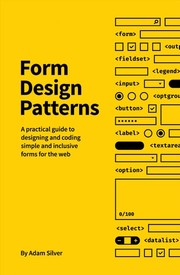
Forms are the highest-stakes accessibility challenge and the most common testing failure point. This book covers accessible form patterns exhaustively, with real screen reader behavior in mind, making it a perfect testing-stage companion.
Advanced Inclusive Design & Organizational Practice
ExpertSynthesize technical skills into system-level thinking — embedding accessibility into design systems, team workflows, and organizational culture so that inclusion becomes a durable, scalable practice rather than a per-project effort.
▸ Study plan for this stage
Pace: 4–5 weeks, ~25–30 pages/day, with 2–3 days per week dedicated to hands-on component audits and team exercises
- Component-based design as the foundation for scalable accessibility — how modular, well-documented components eliminate repetitive accessibility work across projects
- Progressive enhancement and resilience — building components that degrade gracefully and work across browsers, devices, and assistive technologies without JavaScript dependencies
- Inclusive design patterns for common UI challenges — practical solutions for navigation, forms, modals, tables, and other frequently-built components that often fail accessibility
- Documentation and communication as accessibility tools — how clear component specifications, code comments, and design system guidance prevent accessibility regressions
- Accessibility testing embedded in component development — automating and systematizing accessibility checks so they become part of the build process, not an afterthought
- Team culture and workflow integration — establishing code review practices, design handoffs, and organizational norms that make accessibility non-negotiable
- Real-world constraints and pragmatism — balancing accessibility ideals with legacy systems, tight deadlines, and organizational politics to achieve meaningful progress
- How does a component-based design system approach reduce accessibility debt compared to building features in isolation, and what are the key documentation practices that make this work?
- What is progressive enhancement, and how does it improve both accessibility and resilience? Give examples of how a component should work without JavaScript.
- Describe 3–4 common UI components (e.g., navigation, modals, form inputs) and explain the accessibility challenges Pickering identifies and his recommended inclusive solutions.
- How should accessibility testing be integrated into a team's development workflow and design system maintenance to prevent regressions?
- What organizational and cultural changes are needed to shift from treating accessibility as a compliance checkbox to embedding it into standard practice?
- How do you handle accessibility trade-offs when working with legacy code, tight timelines, or stakeholder resistance? What does pragmatic accessibility look like?
- Audit an existing component library or design system (yours or a public one) against Pickering's inclusive design principles — document gaps and propose improvements for 3–5 components.
- Build or refactor a single component (e.g., a dropdown menu, modal, or form field) following progressive enhancement principles — ensure it works without JavaScript and passes WCAG 2.1 AA standards.
- Write comprehensive accessibility documentation for a component, including HTML structure, ARIA attributes, keyboard interactions, and screen reader behavior — make it clear enough that a new team member could implement it correctly.
- Conduct a component-level accessibility test using both automated tools (axe, Lighthouse) and manual testing with a screen reader — document findings and create a remediation plan.
- Facilitate a team workshop or code review session where you walk colleagues through an inclusive component pattern from the book and discuss how to adopt it in your project.
- Design a simple accessibility checklist or integration test suite for your team's CI/CD pipeline — identify 5–10 automated checks that catch common accessibility issues early.
Next up: This stage equips you to think systemically about accessibility as a design and engineering discipline, positioning you to lead organizational change initiatives, mentor teams, and design governance structures that sustain inclusive practice at scale — preparing you for leadership roles in accessibility strategy and organizational transformation.

The most advanced and rigorous treatment of accessible component design, examining edge cases, ARIA live regions, and complex interaction patterns that push beyond standard WCAG guidance — the capstone of technical mastery.
Discussion
Keep reading
Paths that share books, cover the same subject, or open a related topic.