Git and version control: a reading path from first commit to confident collaboration
This curriculum takes a complete beginner from zero Git knowledge to confident, professional-level version control and collaboration. It starts with mental models and basic commands, builds into branching strategies and team workflows, and finishes with the internals and advanced techniques that separate power users from the rest. Each stage assumes the vocabulary and habits built in the one before it.
Foundations: Mental Models & First Commands
BeginnerUnderstand what version control is for, install Git, and confidently make commits, view history, and undo simple mistakes on a local repository.
▸ Study plan for this stage
Pace: 2–3 weeks, ~15–20 pages/day (focus on Chapters 1–3 of Pro Git)
- Version control as a tool for tracking changes, collaboration, and project history
- Git's distributed architecture: local repositories, working directory, staging area, and commit history
- The three-stage workflow: modify files → stage changes → commit with a message
- Commits as snapshots, not deltas; understanding the DAG (directed acyclic graph) structure
- Basic commands: git init, git add, git commit, git log, git status, and git diff
- Undoing changes at different stages: unstaging, discarding edits, and amending commits
- Branches as lightweight pointers and their role in parallel development
- Remote repositories and why they matter for collaboration (preview for next stage)
- What problem does version control solve, and why is Git's distributed approach valuable?
- Explain the three main areas in Git's workflow (working directory, staging area, repository) and how changes flow through them
- How do commits differ from file backups, and why does Git store snapshots rather than deltas?
- What is the difference between git add, git commit, and git push, and when do you use each?
- How would you undo a commit that hasn't been pushed, and what are the risks of each approach?
- What information does git log show, and how can you use git diff to compare versions?
- Initialize a local Git repository, create 3–5 files, and make at least 5 commits with descriptive messages; review the full history with git log
- Practice the staging workflow: modify a file, use git diff to see changes, stage it with git add, and commit; repeat with multiple files in one commit
- Create a file, commit it, then intentionally break it; use git diff, git checkout, and git reset to undo changes at different stages
- Amend a recent commit (change the message or add a forgotten file) using git commit --amend; observe how the commit hash changes
- Create two branches, switch between them, and verify that each branch has its own commit history; understand branches as pointers
- Clone Pro Git's own repository from GitHub (or another small public repo) and explore its history with git log --oneline and git log --graph to see real-world branching patterns
Next up: This stage establishes Git as a personal tool for tracking your own work; the next stage will extend these skills to collaborating with others through remotes, pull requests, and merge workflows.
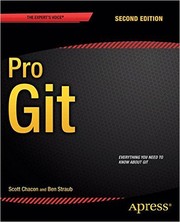
The canonical, freely available Git reference. Reading chapters 1–3 here gives a thorough grounding in commits, branching, and merging with clear diagrams; it becomes your go-to reference for every later stage.
Branching & Merging: Working Without Fear
BeginnerCreate and switch branches with confidence, resolve merge conflicts, and understand rebasing so you can keep a clean, readable project history.
▸ Study plan for this stage
Pace: 4–5 weeks, ~25–30 pages/day, focusing on Chapters 3–5 and 7 of "Version Control with Git"
- Branch creation and switching: understanding HEAD, refs, and lightweight branches as pointers to commits
- The branching workflow: topic branches, feature branches, and how they enable parallel development without fear
- Merge mechanics: fast-forward merges vs. three-way merges and when each occurs
- Merge conflict resolution: identifying conflict markers, understanding both sides, and making deliberate choices to resolve
- Rebasing fundamentals: how rebase replays commits on a new base and when to use it instead of merge
- Keeping history clean: the trade-offs between merge commits and linear history via rebase
- Practical branch management: deleting branches, tracking remote branches, and naming conventions
- How does Git represent a branch internally, and why can you switch branches so quickly?
- What is the difference between a fast-forward merge and a three-way merge, and when does each occur?
- How do you identify and resolve a merge conflict, and what do the conflict markers (<<<<<<, ======, >>>>>>) represent?
- When would you choose to rebase instead of merge, and what are the risks of rebasing on shared branches?
- How can you keep your project history clean and readable while collaborating with others?
- What is the purpose of a topic branch, and how does it enable you to work without fear of breaking the main codebase?
- Create and switch between 5–10 branches using git branch and git checkout; observe how HEAD changes and verify the working directory updates
- Perform a fast-forward merge (merge a branch with no divergent commits) and a three-way merge (merge branches with divergent histories); compare the resulting commit graphs
- Intentionally create a merge conflict by editing the same line in two branches, then resolve it manually by editing the conflict markers and committing
- Rebase a feature branch onto main and compare the resulting history (linear) to a merge-based history; use git log --graph to visualize
- Practice undoing a merge or rebase using git reset or git reflog; understand how to recover if you make a mistake
- Create a realistic multi-branch workflow: main, develop, and three feature branches; merge features into develop, then develop into main, resolving conflicts as needed
Next up: Mastering branching and merging gives you the confidence to work non-linearly and collaborate safely; the next stage will build on this foundation by introducing remote repositories, push/pull workflows, and team collaboration patterns that depend on solid branch management.
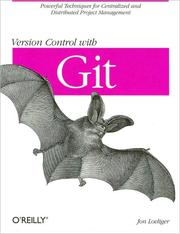
Goes deeper than most introductions into how Git tracks history as a DAG, making branching and merging intuitive rather than magical — exactly the mental upgrade needed after the basics.
Remote Workflows & Collaboration
IntermediatePush and pull from remote repositories, work with GitHub/GitLab pull-request workflows, and collaborate on a shared codebase without stepping on teammates' work.
▸ Study plan for this stage
Pace: 4–5 weeks, ~25–30 pages/day. Start with "GitHub for Dummies" (weeks 1–2, ~200 pages), then "Git Pocket Guide" (weeks 3–5, ~180 pages). Allocate 2–3 days per week for hands-on practice alongside reading.
- Remote repositories: cloning, fetching, pulling, and pushing changes to GitHub/GitLab
- GitHub pull request workflow: creating PRs, reviewing code, handling merge conflicts, and merging branches
- Collaboration best practices: branching strategies, commit hygiene, and communication through PR comments
- Synchronizing local and remote work: staying in sync with team changes, rebasing vs. merging, and avoiding divergent histories
- Git internals for remote operations: understanding how fetch, pull, and push interact with remote-tracking branches
- Handling common collaboration scenarios: resolving conflicts, force-pushing safely, and recovering from mistakes in shared repositories
- GitHub-specific features: issues, project boards, and integrations that support team workflows
- What is the difference between git fetch and git pull, and when should you use each in a collaborative workflow?
- Walk through the complete lifecycle of a GitHub pull request: from branch creation to merge. What are the key review and conflict-resolution steps?
- How do you resolve a merge conflict that arises when pulling changes from a remote branch, and what strategies help prevent conflicts in the first place?
- Explain the concept of remote-tracking branches (e.g., origin/main) and why they matter when collaborating with teammates.
- What is a rebase, and how does it differ from a merge? When is rebasing appropriate in a shared repository, and when should you avoid it?
- Describe a scenario where you accidentally pushed a commit to a shared branch that breaks the build. What are your options for fixing it safely?
- Clone a public GitHub repository, create a feature branch, make changes, and submit a pull request to the original repo (or a practice fork). Go through the full review cycle.
- Work with a partner or use multiple local clones to simulate a two-person team: make conflicting changes on the same file, push to a shared remote, and practice resolving merge conflicts both locally and via GitHub's UI.
- Practice the fetch-before-push workflow: fetch remote changes, rebase your local branch on top of the updated remote, and push without conflicts.
- Create a GitHub issue, link it to a pull request using keywords (e.g., 'Closes #123'), and verify the issue auto-closes when the PR merges.
- Simulate a force-push scenario: make a commit, push it, then amend the commit locally and force-push. Observe the impact on remote-tracking branches and understand when this is safe vs. dangerous.
- Set up branch protection rules on a GitHub repository (e.g., require PR reviews, pass status checks) and practice the workflow of getting approval before merging.
Next up: This stage equips you with the collaborative workflows and conflict-resolution skills needed to work effectively in teams; the next stage will deepen your mastery by covering advanced branching strategies, CI/CD integration, and managing complex multi-branch projects at scale.

Bridges the gap between local Git knowledge and the GitHub collaboration platform — forks, pull requests, code review, and Actions — in a friendly, step-by-step way.

A concise O'Reilly reference covering everyday remote commands (fetch, pull, push, remote tracking branches) that you will reach for constantly during collaborative work.
Professional Practices & Team Workflows
IntermediateApply industry-standard branching strategies (Git Flow, trunk-based development), write meaningful commit messages, and manage releases and tags like a professional team.
▸ Study plan for this stage
Pace: 4–5 weeks, ~25–30 pages/day, with 2–3 days per week dedicated to hands-on workflow exercises
- Branching strategies (Git Flow, trunk-based development) and when to apply each based on team size and release cadence
- Commit message discipline: writing clear, atomic commits with meaningful messages that tell the story of changes
- Code review workflows and pull request practices as enforced by branching strategy
- Release management: tagging, versioning schemes (semantic versioning), and release branches
- Continuous integration and deployment pipelines that enforce branching and commit standards
- Team communication through version control: using commits and branches as documentation
- Pragmatic trade-offs: balancing process overhead with team productivity and code quality
- What are the key differences between Git Flow and trunk-based development, and what team or project characteristics should drive your choice?
- How do meaningful commit messages improve code review, debugging, and long-term maintainability?
- What constitutes an 'atomic' commit, and why is atomicity important for version control and code archaeology?
- How should you structure release branches, tags, and versioning to support both frequent releases and long-term maintenance?
- What role does continuous integration play in enforcing branching discipline and commit quality across a team?
- How can you use version control practices to reduce friction and improve communication in distributed or asynchronous teams?
- Implement Git Flow in a practice repository: create feature, release, and hotfix branches; merge back to develop and main; tag releases with semantic versioning
- Refactor a messy commit history: rebase a feature branch to create atomic, well-ordered commits with clear messages following a conventional format (e.g., Conventional Commits)
- Set up a pull request template and code review checklist that enforces commit message quality and branching discipline; practice reviewing a peer's PR using these standards
- Create a release workflow: simulate a release by creating a release branch, bumping version numbers, tagging, and merging back to both main and develop
- Write a git hook (pre-commit or commit-msg) that validates commit message format; integrate it into a team workflow documentation
- Compare trunk-based development and Git Flow on a real or simulated project: document trade-offs in deployment frequency, code review overhead, and team coordination
Next up: This stage establishes the professional practices and team discipline required for version control; the next stage will deepen expertise in advanced Git techniques (rebasing, cherry-picking, conflict resolution) and automation (CI/CD pipelines, hooks, and scripting) to scale these workflows across larger teams and more complex projects.

Grounds version-control habits in real engineering research, helping you understand why certain workflows (small commits, short-lived branches, CI integration) measurably improve team output.

Contains timeless guidance on source-control discipline, atomic commits, and treating your repository as a communication tool — essential professional habits that no Git-specific book covers as well.
Discussion
Keep reading
Paths that share books, cover the same subject, or open a related topic.