Mobile app development: the best books to build your first apps, in order
This curriculum takes a beginner from zero mobile experience to shipping real apps across iOS, Android, and cross-platform platforms. It progresses in four stages: building foundational programming and UI intuition first, then diving into platform-specific native development, then cross-platform tools, and finally professional practices around architecture, data, and release.
Native iOS: Building Real Apps with Apple's Tools
BeginnerBuild complete iOS apps using SwiftUI and UIKit, understand Apple's app lifecycle, navigation patterns, and data flow, and feel confident submitting to the App Store.
▸ Study plan for this stage
Pace: 12–14 weeks, ~40–50 pages/day with hands-on coding projects interspersed
- Swift fundamentals: optionals, closures, protocols, and extensions as they apply to iOS development
- UIViewController lifecycle and state management: viewDidLoad, viewWillAppear, viewDidDisappear, and memory management
- SwiftUI declarative syntax: views, state management with @State, @Binding, and @ObservedObject, and the view hierarchy
- Navigation patterns: UINavigationController, NavigationStack in SwiftUI, segues, and programmatic navigation
- Data persistence: UserDefaults, Codable, Core Data fundamentals, and file system access
- App lifecycle: AppDelegate, SceneDelegate, and how iOS manages app states (foreground, background, suspended)
- Building adaptive UIs: Auto Layout, Safe Area, Size Classes, and SwiftUI layout containers
- Networking basics: URLSession, JSON decoding, and handling asynchronous operations with async/await
- Explain the UIViewController lifecycle and when each method is called; how does this differ between UIKit and SwiftUI?
- How do you implement navigation in both UIKit (with UINavigationController) and SwiftUI (with NavigationStack)? What are the trade-offs?
- Describe the difference between @State, @Binding, and @ObservedObject in SwiftUI; when would you use each?
- What is the App Delegate's role in the app lifecycle, and how does it differ from the Scene Delegate in iOS 13+?
- How would you persist data in iOS using UserDefaults, Codable, and Core Data? What are the appropriate use cases for each?
- Walk through the process of fetching JSON data from a network request, decoding it, and updating the UI without blocking the main thread.
- Build a simple to-do list app in SwiftUI with @State management, demonstrating add, edit, and delete functionality
- Create a multi-screen app using UINavigationController in UIKit, implementing push and pop navigation with data passing between screens
- Implement a weather app that fetches data from a public API (e.g., OpenWeatherMap), decodes JSON, and displays results with proper error handling
- Build a Core Data app that persists a list of items with CRUD operations (Create, Read, Update, Delete) and demonstrates querying and filtering
- Create an app that demonstrates the app lifecycle by logging state transitions (foreground, background, suspended) using AppDelegate and SceneDelegate
- Build a form-based app with validation, using @Binding to pass state between parent and child views in SwiftUI, then replicate in UIKit with delegates
Next up: Mastering these foundational tools, patterns, and lifecycle concepts prepares you to tackle advanced topics like reactive programming with Combine, complex animations, accessibility, and performance optimization—all essential for shipping production-quality apps to the App Store.
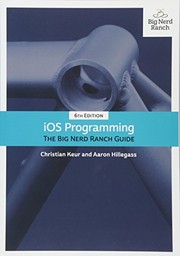
Covers UIKit and core iOS patterns (MVC, table views, navigation controllers) that underpin almost every production app — essential vocabulary even in the SwiftUI era.
Native Android: The Other Half of Mobile
IntermediateUnderstand Android's architecture, Jetpack Compose UI toolkit, and Kotlin language well enough to build and publish a real Android app independently.
▸ Study plan for this stage
Pace: 8–10 weeks, ~40–50 pages/day (mix of reading and hands-on coding)
- Kotlin fundamentals: null safety, extension functions, coroutines, and functional programming paradigms
- Android architecture: Activities, Fragments, Services, and the lifecycle model
- Jetpack Compose: declarative UI building, state management, and recomposition
- Data persistence: SharedPreferences, Room database, and file I/O
- Networking and APIs: HTTP requests, JSON parsing, and background tasks
- Navigation and multi-screen apps: Fragment transactions and navigation graphs
- Testing and debugging: unit tests, instrumented tests, and Android Studio tools
- App publishing: signing, versioning, and Google Play Store submission
- How does Kotlin's null safety system prevent NullPointerExceptions, and what are the differences between nullable and non-nullable types?
- Explain the Android Activity lifecycle and how onSaveInstanceState() helps preserve app state during configuration changes.
- What is Jetpack Compose and how does its declarative approach differ from traditional XML-based layouts?
- How do you manage state in Compose using remember() and ViewModel, and why is this important for app stability?
- What are the differences between SharedPreferences, Room database, and file I/O, and when should you use each?
- How do you implement networking in Android using coroutines and handle responses asynchronously?
- What steps are required to sign and publish an Android app to the Google Play Store?
- Complete all Kotlin exercises in 'Kotlin Programming': write programs demonstrating null safety, extension functions, lambdas, and coroutines
- Build a simple to-do list app using Jetpack Compose with add/delete functionality and state management via ViewModel
- Implement data persistence: save and retrieve the to-do list using Room database instead of in-memory storage
- Extend the to-do app with a networking feature: fetch sample tasks from a public REST API (e.g., JSONPlaceholder) using coroutines
- Create a multi-screen app with navigation: add a detail screen for each to-do item using Compose Navigation
- Write unit tests for your ViewModel and instrumented tests for your Compose UI components
- Sign your to-do app with a release key and prepare it for Google Play Store submission (create a signed APK/AAB)
Next up: Mastering Kotlin, Android architecture, and Compose positions you to explore advanced topics like real-time databases, push notifications, and complex state management patterns in the next stage.

Kotlin is the modern language of Android; this guide mirrors the Swift book in style and rigor, letting you transfer your mental model quickly before tackling Android-specific APIs.

The canonical Android development book — covers Activities, Fragments, Jetpack libraries, and the full Android lifecycle in a project-driven format that mirrors the iOS guide.
Cross-Platform & Professional Craft
ExpertLearn to build apps that run on both iOS and Android from a single codebase using Flutter, and master the professional practices — architecture, local data, networking, and app-store release — that separate hobby projects from shipped products.
▸ Study plan for this stage
Pace: 12–14 weeks, ~40–50 pages/day (with 2–3 days/week for hands-on projects). Week 1–3: Flutter in Action (fundamentals & widgets); Week 4–6: Programming Flutter (state management, networking, persistence); Week 7–9: Clean Architecture (design principles & patterns); Week 10–14: Capstone project integra
- Flutter's widget-based architecture and the reactive programming model (StatelessWidget, StatefulWidget, and the build lifecycle)
- State management patterns (Provider, Riverpod, BLoC) and when to apply each for scalable apps
- Networking, JSON serialization, and HTTP communication in Flutter using packages like http and dio
- Local data persistence (SQLite, Hive, shared_preferences) and database design for mobile
- Clean Architecture principles: separation of concerns, dependency injection, and layered architecture (presentation, domain, data)
- Testing strategies: unit tests, widget tests, and integration tests in Flutter
- App store release workflows (iOS App Store and Google Play Store) and versioning, signing, and deployment
- Performance optimization, memory management, and debugging techniques specific to Flutter and mobile platforms
- How does Flutter's widget tree and hot reload enable rapid development, and what is the difference between StatelessWidget and StatefulWidget?
- What are the trade-offs between different state management solutions (Provider, BLoC, Riverpod), and how do you choose the right one for a given app?
- How do you design a clean, layered architecture that separates presentation, domain, and data layers, and why does this matter for maintainability?
- What are the steps to build, sign, and release an app to both the iOS App Store and Google Play Store, and what are the key differences?
- How do you implement local data persistence (e.g., SQLite or Hive) and network communication together to create an offline-capable app?
- What testing pyramid should you follow in Flutter, and how do you write unit, widget, and integration tests effectively?
- Build a multi-screen weather app using Flutter in Action fundamentals: create StatelessWidget and StatefulWidget components, use hot reload to iterate, and practice the widget lifecycle.
- Implement a state management solution (Provider or BLoC) for a to-do list app with add, edit, and delete functionality; refactor it twice using different state management patterns to feel the differences.
- Create a networking layer using the http or dio package to fetch data from a public REST API (e.g., JSONPlaceholder or OpenWeatherMap); parse JSON responses and display them in a ListView.
- Add local persistence to your app using SQLite (sqflite) or Hive; implement CRUD operations and sync local data with the network (offline-first pattern).
- Refactor a simple app to follow Clean Architecture: separate it into presentation, domain, and data layers; inject dependencies using GetIt or a similar service locator.
- Write unit tests for your domain logic, widget tests for UI components, and an integration test for a complete user flow (e.g., fetch data, save locally, display).
- Build a production-ready app that combines all three books: a note-taking or habit-tracking app with clean architecture, state management, networking, local storage, and comprehensive tests.
- Prepare and release a test build to both iOS TestFlight and Google Play Console; document the signing, versioning, and submission process.
Next up: Mastering cross-platform development, professional architecture, and app-store release in this stage equips you to tackle advanced topics like performance optimization, platform-specific integrations (native channels), and building production apps at scale in the next stage.

The most thorough book on Flutter; teaches Dart and the widget model from scratch and builds up to complete, deployable apps — ideal after native experience so you appreciate what Flutter abstracts.

Complements Flutter in Action by focusing on real-world patterns: state management, networking, local storage, and platform channels — the gaps between tutorials and production apps.

Platform-agnostic but essential: teaches the architectural principles (separation of concerns, dependency rules) that make large iOS, Android, or Flutter codebases maintainable and testable.
Discussion
Keep reading
Paths that share books, cover the same subject, or open a related topic.