WordPress powers a huge share of the web, which means it is easy to use and deceptively deep to develop for. Anyone can install it and publish a site, but building plugins and themes that behave well means learning the hooks, the template hierarchy, and the conventions that keep code from fighting the platform. Developers who skip straight to copying snippets end up with sites that break on the next update.
Read in order and you climb from user, to plugin developer, to theme developer, to someone who can build full applications on WordPress and keep them fast. Each layer relies on the one before it.
Learn the platform as a user and admin
Start with WordPress The Missing Manual, a thorough guide to running WordPress well, from content to configuration. It gives you the user-level fluency that development assumes. For a broad reference across every corner of the platform, WordPress all-in-one for dummies is a useful companion, and WordPress for Beginners 2018, though dated in version, still teaches the fundamentals cleanly.
Extend it with plugins
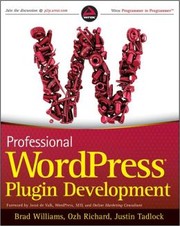
The heart of WordPress development is the plugin, and Professional WordPress Plugin Development is the definitive guide. It teaches hooks, filters, and the WordPress way of extending core behavior without hacking it, which is the single most important skill for a WordPress developer. Read it carefully; nearly everything else builds on these ideas.
Shape the front end with themes
With plugins understood, turn to presentation. WordPress Theme Design covers the template hierarchy and how to build themes that are flexible and maintainable rather than brittle. Themes and plugins together are the two halves of WordPress development, and knowing where each belongs is what keeps projects clean.
Build apps and make them fast
WordPress can be more than a blog engine, and Building Web Apps with WordPress shows how to treat it as an application platform, using its APIs and data model for custom software. Finish with WordPress Performance Optimization, which covers caching, database tuning, and the practices that keep a busy site responsive. For a well-regarded deep dive on themes and internals, Digging into WordPress rewards a later, careful read.
Follow the full path and WordPress stops being a black box you fight. You end able to extend and optimize it deliberately, building sites and apps that survive updates and traffic alike.
Follow the full reading path →
Ready to learn something deeply?
Build a reading path — free