Unity game development reading path: from first scene to a shipped game
This curriculum takes a complete beginner from zero Unity knowledge to shipping polished, well-architected games across four tightly sequenced stages. Each stage builds on the last — first establishing C# and Unity fundamentals, then layering in physics, animation, and gameplay systems, then tackling professional architecture patterns, and finally covering the full production and release pipeline.
Foundations: C# and Your First Unity Scene
BeginnerUnderstand C# scripting basics and Unity's core interface — scenes, GameObjects, components, and the game loop — well enough to build and run simple interactive scenes from scratch.
▸ Study plan for this stage
Pace: 8–10 weeks, ~40–50 pages/day (alternating between "The C# Player's Guide" Parts 1–2 for 3–4 weeks, then "Unity in Action" Chapters 1–5 for 4–6 weeks)
- C# fundamentals: variables, data types, operators, and control flow (if/else, loops)
- Object-oriented programming: classes, objects, properties, methods, and encapsulation
- Unity's core architecture: scenes, GameObjects, components, and the Inspector
- The game loop: Update(), FixedUpdate(), and event-driven scripting
- Attaching scripts to GameObjects and understanding the relationship between code and scene hierarchy
- Input handling and basic physics for interactive gameplay
- Prefabs and instantiation for reusable game elements
- Debugging and iterating on scripts within the Unity Editor
- What are the main data types in C#, and when would you use each one?
- Explain the difference between a class and an object, and how they relate to GameObjects and components in Unity.
- What is the game loop, and why do Update() and FixedUpdate() run at different frequencies?
- How do you attach a C# script to a GameObject, and what does the Inspector tell you about that relationship?
- Write a simple script that moves a GameObject based on player input—what methods and properties would you use?
- What is a prefab, and why would you create one instead of manually placing GameObjects in a scene?
- How does Unity's component system differ from inheritance-based design, and what are the advantages?
- Complete 'The C# Player's Guide' Chapters 1–8 practice problems: write simple programs using variables, loops, and conditionals in a C# console environment.
- Build a 'Hello World' scene in Unity: create a GameObject, attach a script that prints to the Console, and verify it runs.
- Write a movement script: create a cube GameObject and attach a script that moves it left/right/up/down based on arrow key or WASD input using Input.GetKey().
- Create a simple prefab: design a bouncing ball with a script that applies velocity, instantiate 5 copies at different positions, and observe their behavior.
- Build an interactive scene with multiple GameObjects: a player-controlled character, obstacles, and a simple goal—use raycasting or colliders to detect interactions.
- Debug a broken script: intentionally introduce bugs (e.g., wrong variable names, logic errors) and use the Console and Inspector to identify and fix them.
- Refactor a movement script to use a configurable speed variable exposed in the Inspector, then adjust it without recompiling.
Next up: This stage equips you with the C# syntax and Unity workflow needed to move into gameplay mechanics—the next stage will build on these foundations by teaching you how to structure larger systems (state management, events, design patterns) and implement core game features like combat, inventory, and AI.

A beginner-friendly, game-oriented C# primer that builds exactly the language intuition Unity scripting demands. Reading this first means you arrive in Unity already comfortable with classes, methods, and object-oriented thinking.

A hands-on, project-driven introduction to Unity that covers scenes, GameObjects, the Inspector, and basic scripting in C#. It is the ideal first Unity book because it moves at a beginner's pace while producing real, playable results.
Core Systems: Physics, Animation, and Gameplay
BeginnerHarness Unity's physics engine, Animator controller, and input systems to build games with believable movement, character animation, and responsive gameplay mechanics.
▸ Study plan for this stage
Pace: 6–8 weeks, ~40–50 pages/day with daily coding practice (1–2 hours)
- C# fundamentals for game development: variables, data types, methods, classes, and object-oriented principles
- Unity MonoBehaviour lifecycle and how Update(), FixedUpdate(), and Start() control game timing and physics
- Physics integration: Rigidbody components, forces, velocity, and collision detection for realistic movement
- Input handling: detecting keyboard, mouse, and gamepad input to drive character movement and actions
- Animator controller setup: state machines, parameters, and transitions to animate characters smoothly
- Coroutines and timing: managing delayed actions and frame-independent gameplay logic
- Debugging and iteration: using the console, breakpoints, and playtesting to refine mechanics
- How does the MonoBehaviour lifecycle (Awake, Start, Update, FixedUpdate, LateUpdate) work, and when should you use each method for physics and animation?
- What is the difference between applying forces to a Rigidbody and directly modifying transform position, and when is each approach appropriate?
- How do you set up an Animator controller with states, parameters, and transitions to smoothly blend between idle, walk, and run animations?
- How do you capture player input (keyboard, mouse, gamepad) and translate it into character movement and actions?
- What are coroutines, and how can they be used to manage timed events like jump cooldowns or attack animations?
- How do you debug physics behavior and animation issues using the Inspector, console, and Scene view?
- Create a simple 2D or 3D character controller that responds to WASD input and moves using Rigidbody.velocity or AddForce()
- Set up an Animator controller with at least three states (Idle, Walk, Run) and use script parameters to transition between them based on movement speed
- Implement a jump mechanic using Rigidbody physics, including ground detection and a jump cooldown using coroutines
- Build a simple enemy AI that patrols between waypoints and plays different animations (patrol, alert, chase) based on player proximity
- Create a projectile system where firing is triggered by input, uses physics to move the projectile, and plays appropriate animations
- Refactor a movement script to separate input handling, physics application, and animation updates into distinct methods for clarity and reusability
Next up: Mastering these core systems—physics-driven movement, animation blending, and responsive input—provides the foundation to layer in advanced gameplay mechanics like combat systems, AI behavior trees, and state management in the next stage.

Bridges the gap between basic C# and Unity's gameplay systems — collisions, rigidbodies, triggers, and coroutines — through progressively complex mini-projects that reinforce each new concept.
Intermediate Craft: 3D Games and Deeper Systems
IntermediateBuild complete 3D games by combining AI navigation, audio, UI systems, and advanced scripting patterns, and understand how Unity's rendering and lighting pipelines affect game feel.
▸ Study plan for this stage
Pace: 8–10 weeks, ~40–50 pages/day with 2–3 days per week dedicated to hands-on implementation
- 3D game architecture in Unity: scene management, object pooling, and component-based design patterns
- AI navigation and pathfinding using NavMesh, agents, and steering behaviors for intelligent NPC movement
- Audio systems: spatial audio, mixing, dynamic sound triggering, and audio management in 3D space
- UI systems: canvas-based UI, event systems, and integrating UI with gameplay logic
- Advanced scripting patterns: state machines, observer pattern, command pattern, and data-driven design
- Rendering pipeline fundamentals: understanding draw calls, batching, LOD systems, and performance optimization
- Lighting and visual polish: real-time vs. baked lighting, light probes, and how lighting affects game feel
- Multiplayer architecture concepts: client-server models, networked game loops, and synchronization strategies
- How do you implement a NavMesh-based AI system for multiple NPCs, and what are the performance considerations when scaling to many agents?
- Explain the observer pattern and command pattern—where would you use each in a 3D game, and how do they improve code maintainability?
- What is the difference between baked and real-time lighting, and how would you choose between them for a specific game scenario?
- How do you structure a multiplayer game loop to handle client-side prediction, server authority, and state synchronization?
- Describe how to implement a robust UI system that responds to gameplay events and manages multiple screens without creating spaghetti code
- What are draw calls and batching, and how would you profile and optimize a 3D scene that is dropping frames?
- Build a complete 3D scene with 5–10 NavMesh-based enemies that patrol, chase, and attack the player using state machines (patrol → chase → attack)
- Implement a spatial audio system where sound volume and pan adjust based on 3D position relative to the camera; add reverb zones for environmental audio
- Create a full UI flow for a 3D game: main menu, pause menu, inventory, and HUD that all communicate with game state without tight coupling
- Refactor a monolithic game controller script using the observer pattern so that UI, audio, and gameplay systems react to events independently
- Design and implement a simple multiplayer game loop (local or networked) where player input is sent to a server, processed, and state is synchronized back to clients
- Profile a 3D scene using Unity's Profiler, identify draw call bottlenecks, implement static batching and LOD groups, and measure the performance improvement
Next up: This stage equips you with the architectural patterns, systems thinking, and optimization skills needed to scale to advanced topics like procedural generation, advanced rendering techniques, and production-ready multiplayer infrastructure in the next stage.

A recipe-based reference covering NavMesh AI, audio mixers, UI Toolkit, shaders, and more — ideal at this stage because you now have enough foundation to pick targeted solutions and understand why they work.

The canonical text on patterns like State, Observer, Command, and Object Pool — all used constantly in Unity projects. Reading it here gives you the vocabulary to write maintainable, scalable game code before tackling architecture-focused Unity work.
Professional Architecture and Shipping
ExpertDesign large, maintainable Unity projects using proven software architecture, implement robust save systems and service layers, and navigate the full build, optimization, and release pipeline for desktop and mobile platforms.
▸ Study plan for this stage
Pace: 8–10 weeks, ~40–50 pages/day (mix of technical reading and production documentation review)
- Shader architecture and visual effects pipelines for production-quality games
- Writing reusable, optimized shader code using Unity's built-in functions and custom lighting models
- Game production workflows: pre-production planning, asset pipelines, and team coordination
- Build optimization, platform-specific considerations, and performance profiling for shipping
- Service layer design patterns (managers, singletons, event systems) for maintainable large projects
- Save system architecture: serialization strategies, data persistence, and version management
- Release pipeline management: QA processes, build automation, and post-launch support
- Cross-platform deployment: handling desktop and mobile platform differences in code and assets
- How do you structure a custom shader in Unity to be both performant and maintainable across multiple materials?
- What are the key phases of game production (pre-production, production, post-production) and what deliverables define each?
- How should you architect a save system to handle version migrations and cross-platform compatibility?
- What is a service layer, and how do you implement one (e.g., audio manager, input manager) to decouple game systems?
- What optimization techniques should be applied before shipping, and how do you profile performance on target platforms?
- How do you structure an asset pipeline and build process to support both desktop and mobile platforms efficiently?
- Build a custom lit shader with normal mapping and parallax effects; document its performance characteristics on mobile and desktop
- Create a reusable shader library with 3–4 variants (diffuse, specular, rim lighting) and implement them across a small scene
- Write a production design document for a small game project, including pre-production goals, asset lists, and team role definitions
- Implement a robust save/load system that serializes player progress, handles version upgrades, and works on both PC and mobile
- Design and code a service layer architecture with at least 3 managers (audio, input, game state) using dependency injection or event systems
- Profile a game build on both desktop and mobile platforms; identify bottlenecks and apply optimization passes (LOD, batching, shader simplification)
- Set up a build automation pipeline (or document the steps) for creating optimized builds for Windows, macOS, and Android/iOS
- Refactor an existing game project to separate concerns: move game logic into services, shaders into a library, and data into serializable classes
Next up: This stage equips you with the architectural patterns, optimization discipline, and production workflows needed to ship professional-grade games; the next stage will likely focus on advanced gameplay systems, AI, or specialized domains (VR, multiplayer, procedural generation) built on top of this solid foundation.

Covers shader graph, post-processing, and visual polish — skills that separate a functional prototype from a shippable, visually compelling product, and a natural capstone for the rendering knowledge built across earlier stages.
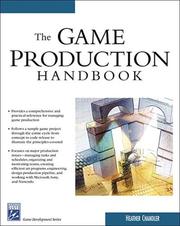
Provides the production, QA, platform certification, and release management knowledge that pure coding books omit — essential reading before you attempt to ship a real game to players.
Discussion
Keep reading
Paths that share books, cover the same subject, or open a related topic.