How to learn Design & UX
This curriculum takes you from zero design knowledge to a deep, professional-level understanding of Design & UX. It begins by building visual and human-centered intuition, then layers in UX research methods, interaction design principles, and finally advanced systems thinking and design strategy — each stage assuming fluency from the one before.
Foundations: Seeing & Thinking Like a Designer
BeginnerDevelop a designer's eye, understand why good design matters, and learn the core vocabulary of visual and human-centered design.
▸ Study plan for this stage
Pace: 4–5 weeks total: Week 1–2 — "Don't Make Me Think" (~30–40 pages/day, ~3 sessions/week); Week 3–5 — "The Non-Designer's Design Book" (~25–35 pages/day, ~3 sessions/week). Both books are concise and visual, so prioritize slow, deliberate reading with a sketchbook or notes nearby.
- Web usability as a contract of trust: users shouldn't have to think — clarity and self-evidence are the designer's primary obligations (Krug)
- Satisficing over optimizing: users scan and grab the first reasonable option rather than reading carefully, so design must support scanning (Krug)
- The billboard test: every page must communicate its purpose at a glance through clear visual hierarchy and obvious affordances (Krug)
- Usability testing doesn't require perfection — even watching one real user struggle reveals more than hours of debate (Krug)
- The four core principles of visual design — Contrast, Repetition, Alignment, Proximity (C.R.A.P.) — and how violating any one of them creates visual noise (Robin Williams)
- Typography as design: typeface choice, pairing, and sizing are not decoration but communication tools that carry tone and hierarchy (Robin Williams)
- The principle of proximity: grouping related elements reduces cognitive load and creates implicit meaning without a single word (Robin Williams)
- Contrast as the engine of visual hierarchy: if everything competes for attention, nothing gets it (Robin Williams)
- After reading Krug, can you explain in one sentence why users don't read web pages — they scan them — and what design decisions follow from that fact?
- What is Krug's 'trunk test,' how do you perform it, and what does failing it reveal about a page's navigation or hierarchy?
- How does Krug argue that usability testing should be done, and why does he say a small, informal test beats a large, delayed one?
- Using Robin Williams' C.R.A.P. principles, can you look at any printed or digital layout and identify which principle is being violated and why it feels 'off'?
- How does Robin Williams distinguish between contrast and conflict, and why does she say you should 'never be a wimp' with design choices?
- How do the lessons from both books reinforce each other — specifically, how does Williams' visual hierarchy vocabulary explain *why* Krug's usability principles work?
- Krug's Trunk Test in the wild: Pick 5 websites (mix of well-known and obscure). Land on a random interior page of each and, within 5 seconds, answer: What site is this? What page am I on? What are my main options? What can I do here? Grade each and write one sentence on what design choice helped or hurt.
- Scan simulation: Print or screenshot a webpage and highlight only what your eye lands on in the first 10 seconds. Then annotate: does the visual hierarchy match what the page actually wants you to do? Use Krug's vocabulary (F-pattern, chunking, visual noise) in your notes.
- C.R.A.P. audit: Find one 'bad' flyer, poster, or webpage and one 'good' one. For each, write a short paragraph analyzing all four of Williams' principles — Contrast, Repetition, Alignment, Proximity — noting where each is honored or broken.
- Redesign a business card or simple flyer using only Robin Williams' four principles. Do a before/after and write a one-paragraph rationale citing specific principles for every change you made.
- Typography pairing exercise: Using Williams' guidance on typeface categories (oldstyle, modern, script, etc.), find three real-world examples of effective font pairings and three of clashing ones. Write one sentence per example explaining the contrast or conflict.
- Synthesis journal entry: After finishing both books, write a 1-page reflection answering: 'If a friend asked me what makes something well-designed, what would I tell them?' — drawing at least one specific idea from Krug and one from Williams.
Next up: Mastering why design works (usability thinking from Krug) and how design works (visual principles from Williams) gives you the critical vocabulary and trained eye needed to move into more process-driven and user-research-focused stages, where you'll learn to systematically create and test designs rather than simply evaluate them.

The canonical starting point for any designer — it introduces affordances, feedback, mental models, and human-centered design in an accessible, story-driven way. Read this first to understand WHY design exists.

Translates Norman's principles directly into web and digital UX with clarity and humor. It gives beginners an immediate, practical framework for evaluating usability.

Teaches the four core visual design principles (contrast, repetition, alignment, proximity) in plain language — essential visual grammar before tackling deeper UX work.
Understanding Users: Research & Psychology
BeginnerLearn how to research real users, understand their mental models, and apply cognitive psychology to design decisions.
▸ Study plan for this stage
Pace: 8–10 weeks total: Weeks 1–5 for "Observing the User Experience" (~25–30 pages/day, 4–5 days/week); Weeks 6–10 for "100 Things Every Designer Needs to Know About People" (~15–20 pages/day, 4–5 days/week — slower pace to allow reflection on each psychological principle).
- User research as a design tool: Kuniavsky's core argument that observing real users — not assuming — is the foundation of good design decisions
- Research method selection: knowing when to use interviews, surveys, usability tests, card sorting, or field studies based on the question you're trying to answer
- Recruiting and screener design: how to find representative participants and avoid biased samples that skew findings
- Mental models: how users build internal representations of how a system works, and why mismatches between user mental models and designer mental models cause usability failures
- Cognitive load and attention: Weinschenk's principles on how limited working memory and selective attention constrain what users can process on a screen
- Gestalt principles and visual perception: how the brain groups, separates, and prioritizes visual information — and how designers can work with or against these tendencies
- Motivation and behavior: intrinsic vs. extrinsic motivation, the role of dopamine in reward loops, and how social proof and storytelling influence user decisions
- Synthesizing research into actionable insights: moving from raw observations and data to patterns, personas, and design recommendations
- After conducting a round of user interviews using Kuniavsky's framework, how would you decide which findings are signal versus noise, and how would you present them to a design team?
- A user repeatedly clicks the wrong button on a checkout screen. Using both Kuniavsky's observational methods and Weinschenk's cognitive principles, how would you diagnose and address the problem?
- What is a mental model, and how does the gap between a user's mental model and a designer's implementation model manifest as a usability problem? Give a concrete example.
- Weinschenk describes several limits of human attention and memory. Name at least three and explain a specific design decision each one should influence.
- How would you design a screener questionnaire to recruit the right participants for a usability study on a mobile banking app, applying Kuniavsky's guidance on recruitment?
- How do Gestalt principles (proximity, similarity, closure, figure/ground) explain why users might misread a visual hierarchy — and how would you fix it?
- Conduct a mini usability test: recruit 3 people (friends, family, or colleagues) who match a target user profile, observe them completing 2–3 tasks on any app or website, take notes using Kuniavsky's observation framework, and write a one-page findings summary with at least three actionable recommendations.
- Build a research plan document for a hypothetical product (e.g., a recipe app): define your research questions, choose two methods from Kuniavsky's toolkit, write a screener with 5–7 questions, and draft a discussion guide with probing follow-up questions.
- Mental model mapping: interview two people about how they think a familiar system works (e.g., how email is delivered, how a search engine ranks results). Draw their mental model as a diagram, then compare it to how the system actually works and note the gaps.
- Weinschenk audit: pick any webpage or app screen and annotate a screenshot identifying at least six psychological principles from '100 Things' that are either well-applied or violated — covering at least two categories (e.g., vision, memory, motivation). Write one design fix for each violation.
- Card sorting exercise: create 20–30 index cards representing features or content items for a simple website. Run an open card sort with two participants, photograph the results, and identify emerging categories. Compare groupings between participants and reflect on what this reveals about their mental models.
- Reflection journal: after finishing each of Weinschenk's 100 principles, write one sentence connecting it to a real product you use daily. At the end of the book, pick your top five most surprising principles and sketch a design change inspired by each.
Next up: Mastering how users think, perceive, and behave creates the essential human foundation upon which the next stage — learning the craft of interaction and visual design — becomes purposeful and evidence-driven rather than purely aesthetic.
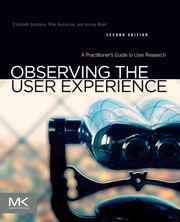
A comprehensive, practical guide to UX research methods — interviews, surveys, usability tests — giving you the toolkit to ground design in real evidence.

Bridges cognitive and social psychology with design practice, explaining how perception, memory, and motivation shape user behavior. Reads naturally after research methods.
Interaction Design: Structure & Flow
IntermediateMaster the craft of structuring information, designing interactions, and creating coherent, usable digital experiences end-to-end.
▸ Study plan for this stage
Pace: 10–12 weeks total, ~25–35 pages/day. Week 1–4: "About Face 3" (Cooper) — focus on goal-directed design and interaction models; Week 5–7: "Information Architecture for the World Wide Web" (Rosenfeld) — focus on IA fundamentals and navigation systems; Week 8–11: "Designing Interfaces" (Tidwell) — stud
- Goal-Directed Design (Cooper): designing for user goals, motivations, and mental models rather than features or tasks
- Personas & Scenarios (Cooper): constructing research-based personas and using narrative scenarios to drive design decisions
- Interaction Models & Idioms (Cooper): direct manipulation, modes, affordances, and the vocabulary of interactive behavior
- Posture & Platform (Cooper): how application posture (sovereign, transient, daemonic) shapes the overall interaction framework
- Information Architecture Fundamentals (Rosenfeld): organization systems, labeling systems, navigation systems, and search systems as the four pillars of IA
- Findability & Wayfinding (Rosenfeld): how users navigate large information spaces and the role of metadata, taxonomies, and controlled vocabularies
- Thesauri, Taxonomies & Ontologies (Rosenfeld): structuring and relating content to support browsing and search
- UI Patterns as a Design Language (Tidwell): recognizing, selecting, and adapting proven interaction patterns (navigation, layout, data entry, social) to solve recurring design problems
- After reading About Face 3, how does Cooper's Goal-Directed Design process differ from a task-based or feature-driven approach, and why does that distinction matter for usability?
- How do personas and scenarios (Cooper) function as design tools throughout a project — not just in research — and what makes a persona actionable rather than decorative?
- Using Rosenfeld's four-pillar framework, how would you audit the IA of an existing website, and what specific symptoms indicate a broken organization or labeling system?
- What is the relationship between navigation systems and mental models (bridging Cooper and Rosenfeld), and how does a well-designed navigation reinforce users' understanding of an information space?
- From Tidwell's pattern library, how do you decide which UI pattern is appropriate for a given design problem — what criteria distinguish a good pattern fit from a forced one?
- How do the three books collectively address the tension between user freedom and designer-imposed structure, and where do their recommendations converge or conflict?
- Persona Workshop (About Face 3): Conduct 3–5 short user interviews for an app or website of your choice. Synthesize findings into 2 Cooper-style personas with goals, frustrations, and a primary scenario. Use these personas to critique one existing design decision in the product.
- Interaction Audit (About Face 3): Pick any desktop or mobile application and map its interaction model — identify modes, affordances, and direct-manipulation opportunities. Write a one-page critique using Cooper's vocabulary (posture, idioms, flow) and propose one concrete improvement.
- IA Teardown (Rosenfeld): Choose a content-heavy website (e.g., a government site, a large e-commerce store, or a university portal). Document its organization system, labeling system, navigation system, and search system using Rosenfeld's four pillars. Identify the single weakest pillar and sketch a redesigned solution.
- Card Sorting Exercise (Rosenfeld): Take 30–40 content items from a real or hypothetical site and run an open card sort with 3–5 participants (friends, colleagues). Analyze the resulting groupings to propose a revised site taxonomy and navigation labels grounded in users' mental models.
- Pattern Scavenger Hunt (Tidwell): Select 10 UI patterns from Designing Interfaces (e.g., Breadcrumbs, Progressive Disclosure, Forgiving Format, Datatips). Find a real-world example of each pattern in a live product, screenshot it, and annotate why it succeeds or fails against Tidwell's criteria.
- End-to-End Design Sprint (Synthesis): Using your personas (exercise 1) and IA structure (exercise 3), design a 5–8 screen wireframe flow for a simple digital product. Annotate each screen with: the persona goal it serves, the IA component it represents, and the Tidwell pattern(s) applied. Present the flow as a narrative walkthrough.
Next up: Mastering structure, flow, and interaction patterns here builds the rigorous design thinking foundation needed to move into visual design and prototyping — where these skeletal wireframes and IA decisions must be translated into high-fidelity, aesthetically coherent, and testable interfaces.
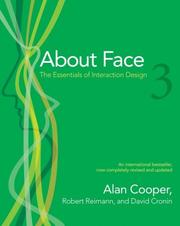
The definitive deep-dive into interaction design — goal-directed design, personas, and interface behavior. It assumes basic UX literacy and rewards it with rigorous methodology.
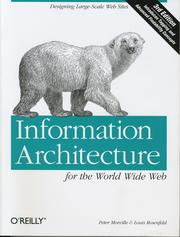
Establishes how to organize, label, and navigate complex content — a critical skill once you're designing real products with real information hierarchies.
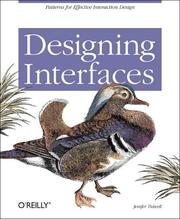
A pattern library of proven UI solutions with the reasoning behind each — an essential reference for translating strategy into concrete interface decisions.
Advanced Craft: Systems, Strategy & Persuasion
ExpertThink at the systems level — design scalable design systems, understand the ethics and persuasive power of UX, and operate as a strategic design leader.
▸ Study plan for this stage
Pace: 10–12 weeks total (~3–4 weeks per book): "Hooked" at ~25 pages/day (3 weeks), "Articulating Design Decisions" at ~20 pages/day (3–4 weeks), "Designing Connected Content" at ~20 pages/day (4 weeks). Set aside one weekend review session between each book to consolidate notes and complete exercises.
- The Hook Model (Trigger → Action → Variable Reward → Investment) and how habit-forming products are engineered in Hooked
- The ethics of persuasive design — distinguishing manipulation from genuine user value, and Eyal's 'Manipulation Matrix' for moral self-auditing
- Variable reward schedules and their psychological underpinnings as a driver of engagement and retention
- Stakeholder communication as a design skill — Greever's framework for anticipating objections, framing rationale, and building consensus around design decisions
- The anatomy of a design presentation: leading with the 'why', using evidence over aesthetics, and handling pushback without compromising design integrity
- Structured content strategy and content modeling — Hane's approach to separating content from presentation for scalable, reusable systems
- Content relationships and metadata: how connecting content across a system creates coherent, adaptive user experiences
- Systems-level thinking: designing not just individual screens but the rules, structures, and governance that make a design system sustainable at scale
- After reading Hooked, can you map a product you use daily onto the full Hook Model cycle, identifying each of the four phases with specific, concrete examples?
- What is Eyal's 'Manipulation Matrix', and how would you use it to evaluate whether a habit-forming feature you are designing is ethical or exploitative?
- Using Greever's framework from Articulating Design Decisions, how would you prepare for and respond to a stakeholder who rejects a key design choice on purely subjective grounds?
- What is the difference between a content model and a content inventory as defined in Designing Connected Content, and why does that distinction matter when building a scalable design system?
- How does Hane's concept of structured content challenge the traditional 'design the page first' workflow, and what process changes does it require of a design team?
- How do the persuasion principles in Hooked and the communication strategies in Articulating Design Decisions together inform how a senior designer earns organizational buy-in for a systems-level initiative?
- Hook Model Audit: Choose a digital product you use habitually. Draw a detailed Hook Model diagram for it, labeling every trigger (internal and external), the core action, the type of variable reward, and the investment mechanism. Then run it through the Manipulation Matrix and write a one-page ethical assessment.
- Objection Mapping Workshop: Take a real or hypothetical design decision you have made. Using Greever's framework, write out the three most likely stakeholder objections, draft a evidence-based response to each, and rehearse presenting the decision aloud — ideally to a colleague who can push back.
- Design Critique Reframe: Record or transcribe a past design review meeting (or simulate one). Identify every moment where a design decision was justified by personal taste rather than user evidence, and rewrite those justifications using Greever's rationale structure (decision → reason → evidence → user benefit).
- Content Modeling Sprint: Pick a content-rich section of an existing product or website (e.g., a blog, a product catalog). Following Hane's methodology, build a content model: identify content types, define their attributes and relationships, and diagram how they connect — without referencing any visual design.
- Systems Stress Test: Using your content model from the previous exercise, deliberately introduce two 'edge cases' (e.g., an item with missing metadata, a content type that spans two categories). Document how your model handles or breaks under these conditions and revise accordingly.
- Integrated Strategy Pitch: Synthesize all three books into a 10-minute presentation pitch for a fictional 'design system initiative' at a company of your choice. The pitch must include: a Hook Model analysis of the product's core loop, a content model diagram, and a stakeholder communication plan using Greever's objection-handling framework.
Next up: Mastering persuasion, stakeholder communication, and systems-level content thinking equips the reader to step fully into design leadership — setting the stage for exploring organizational design, cross-functional collaboration, and the business strategy dimensions that define the next level of a design career.

Deconstructs the habit-forming patterns behind the most engaging products, giving advanced designers both a powerful tool and an ethical lens to examine their own work.

Teaches how to communicate and defend design choices to stakeholders — a critical advanced skill that separates great designers from great design leaders.

Elevates thinking to content strategy and structured, scalable design systems — the final layer of mastery for designing complex, long-lived digital products.
Discussion
Keep reading
Paths that share books, cover the same subject, or open a related topic.