It is tempting to jump straight into CAD software and start clicking, but drafting is a language with grammar — projection, dimensioning, and conventions — that the software only expresses. Learn the tool without the fundamentals and you produce drawings no one can build from. Drafting and CAD reward a reading order that grounds you in principles, then software, then the specialized standards and disciplines.
Best Books on Drafting and CAD, in Reading Order
July 15, 2026 · 1 min read
Learn the fundamentals of drawing
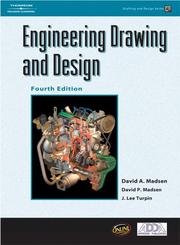
Start with Technical drawing with engineering graphics, a comprehensive foundation in the principles of technical drawing — projections, views, and the conventions that make a drawing readable. Engineering drawing and design reinforces those fundamentals with a practical, design-oriented approach. This is the grammar of the field, and it does not go out of date the way software versions do.
Master the CAD software
With principles in hand, move to the tools. AutoCAD and Its Applications Basics 2020 and AutoCAD 2025 and AutoCAD LT 2025 Essentials teach the industry-standard 2D drafting package from the ground up. Because the software changes yearly, focus on the workflows and habits, not just the menu locations — those transfer across versions.
Add standards, 3D, and specialties
Real-world drafting demands precision standards. Geometric dimensioning and tolerancing and GD&T application and interpretation teach the tolerancing system that tells a machinist exactly how precise each feature must be — essential for manufacturing. Then expand into 3D and disciplines: Engineering Design with SOLIDWORKS 2022 and AutoCAD 2025 3D Modeling move you into parametric and 3D modeling, Architectural Drafting and Design covers the architectural specialty, and Machine Drawing focuses on mechanical parts and assemblies. Together they let you specialize once the core is solid.
Read in this order and CAD becomes a way to express sound drafting rather than a substitute for it. Follow the full path to build skills that survive the next software update.
FAQ
- Should I learn CAD software or drafting principles first?
- Principles first. Technical drawing with engineering graphics teaches the projection and dimensioning conventions that any CAD program merely implements. Learn those and the software becomes a tool for expressing them, rather than a black box you poke at.
- The AutoCAD versions in these titles differ. Does that matter?
- Not much. Core workflows and concepts carry across releases, so a book on an older version still teaches most of what you need. Focus on habits and fundamentals; version-specific menu changes are easy to pick up once you understand the tool.
Get the books
- 1Technical drawing with engineering graphicsAmazon ↗Frederick E. Giesecke
- 2Engineering drawing and designAmazon ↗David A. Madsen
- 3AutoCAD and Its Applications Basics 2020Amazon ↗Terence M. Shumaker
- 4AutoCAD 2017 and AutoCAD LT 2017Amazon ↗Scott Onstott
- 5Geometric dimensioning and tolerancingAmazon ↗David A. Madsen
- 6GD&T application and interpretationAmazon ↗Wilson, Bruce A.
As an Amazon Associate we earn from qualifying purchases. Some book links are affiliate links; you pay the same price and we may earn a small commission.
Follow the full reading path


Drafting and CAD: an ordered reading list into technical design
Beginner10books158 hrs5 stages
@worksherpa♥ 0
Ready to learn something deeply?
Build a reading path — free